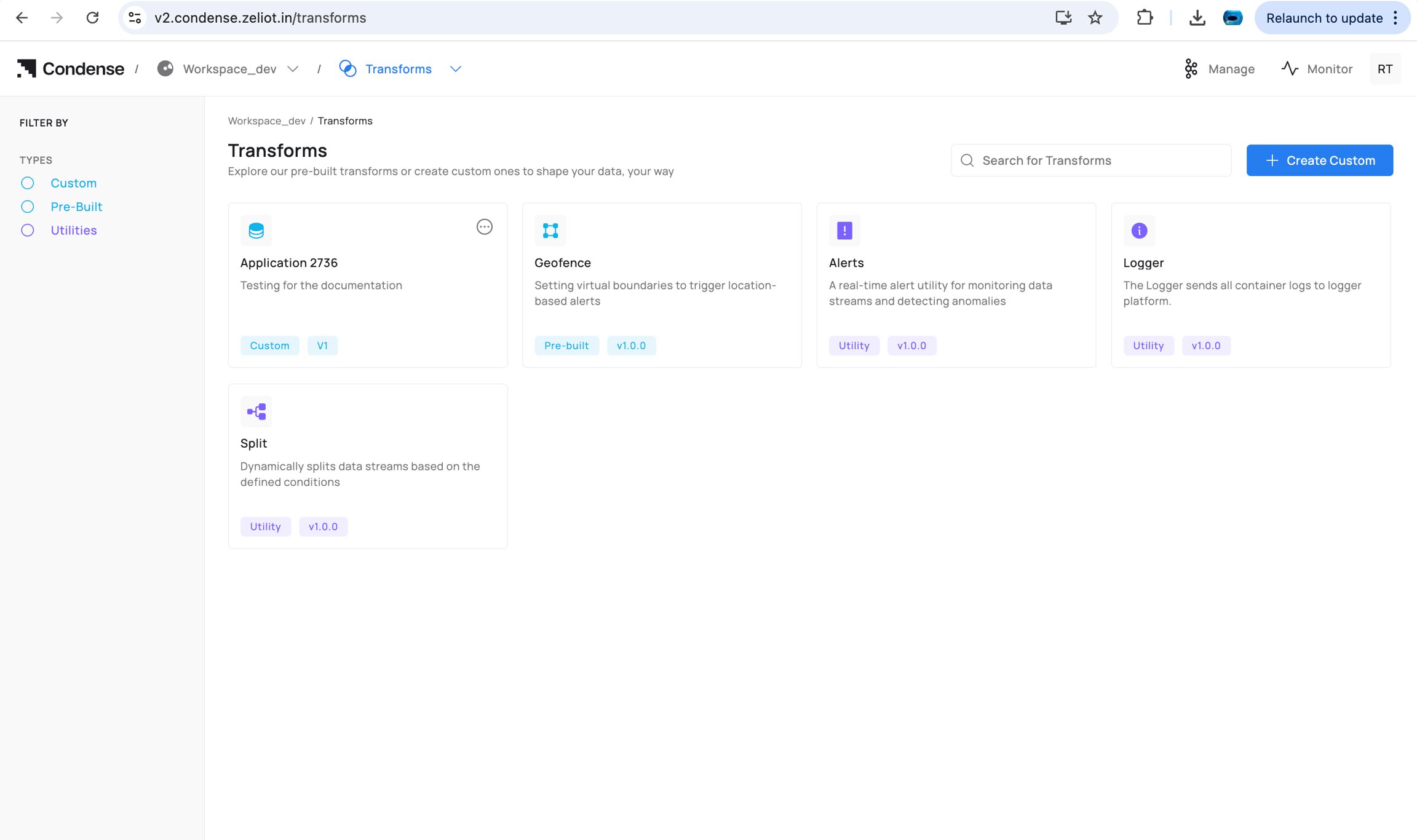
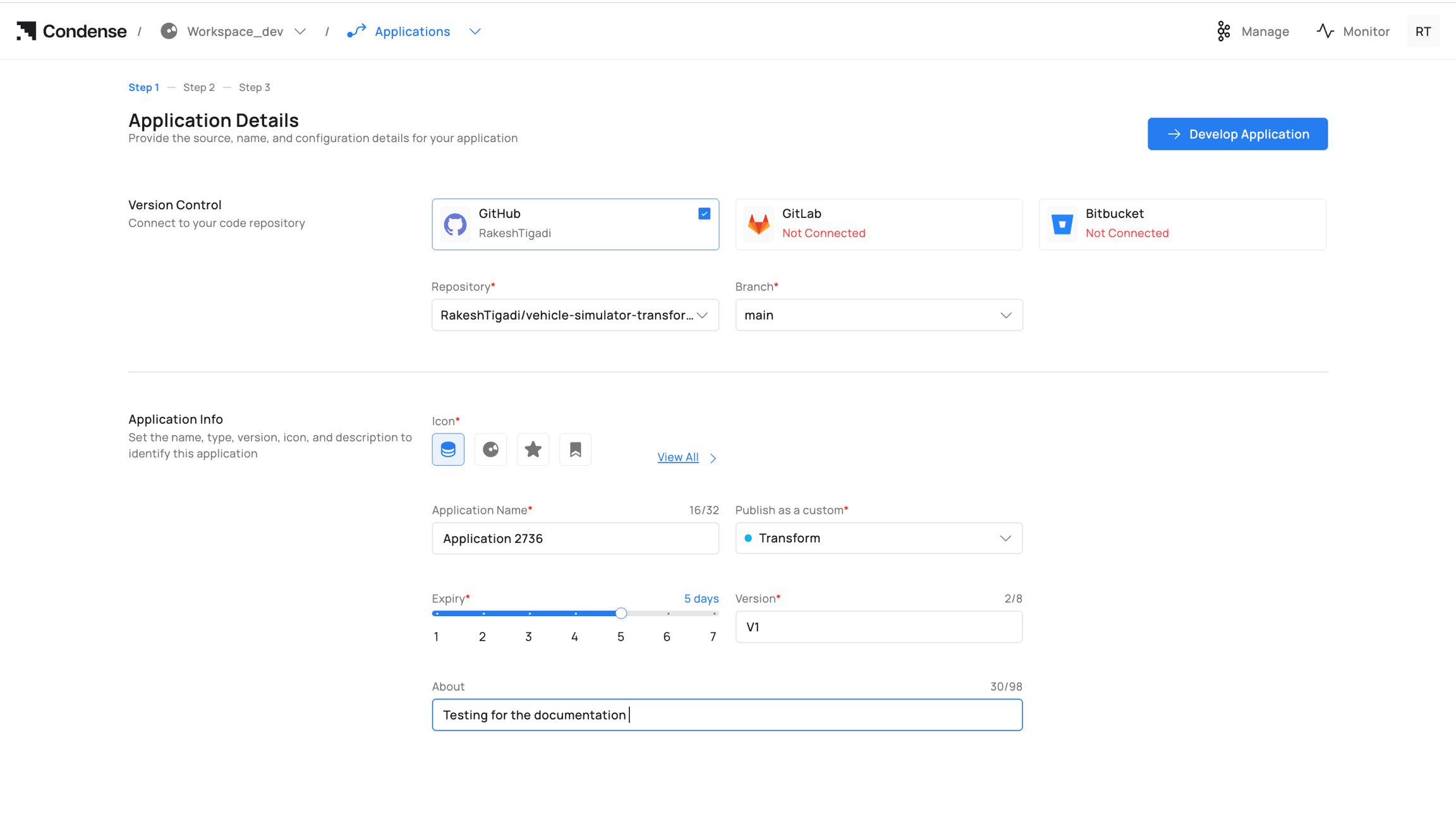
 2. Version Control: Connect a provider (GitHub/GitLab/Bitbucket), then select Repository and Branch.
3. Application Info:
4. Icon (optional)
5. Application Name (unique within workspace)
6. Publish as a custom: Transform, Input Connector, or Output Connector
2. Version Control: Connect a provider (GitHub/GitLab/Bitbucket), then select Repository and Branch.
3. Application Info:
4. Icon (optional)
5. Application Name (unique within workspace)
6. Publish as a custom: Transform, Input Connector, or Output Connector
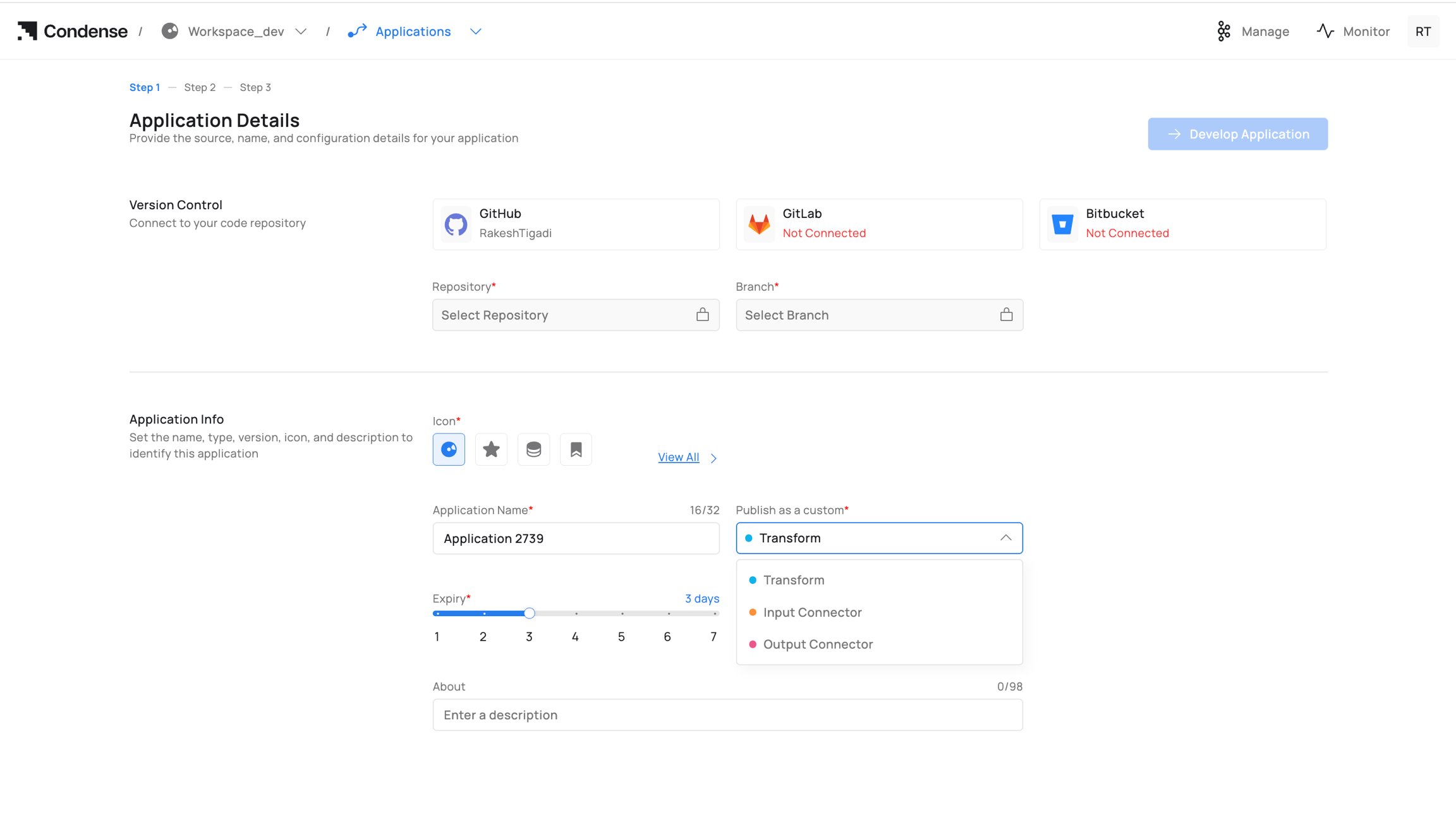 7. Expiry (draft retention period)
8. Version (e.g., v1, v1.1.0)
9. About (optional description)
10. Click Develop Application to open the IDE.
For field‑by‑field info: see Configuration Parameters → A. Creation (Step 1).
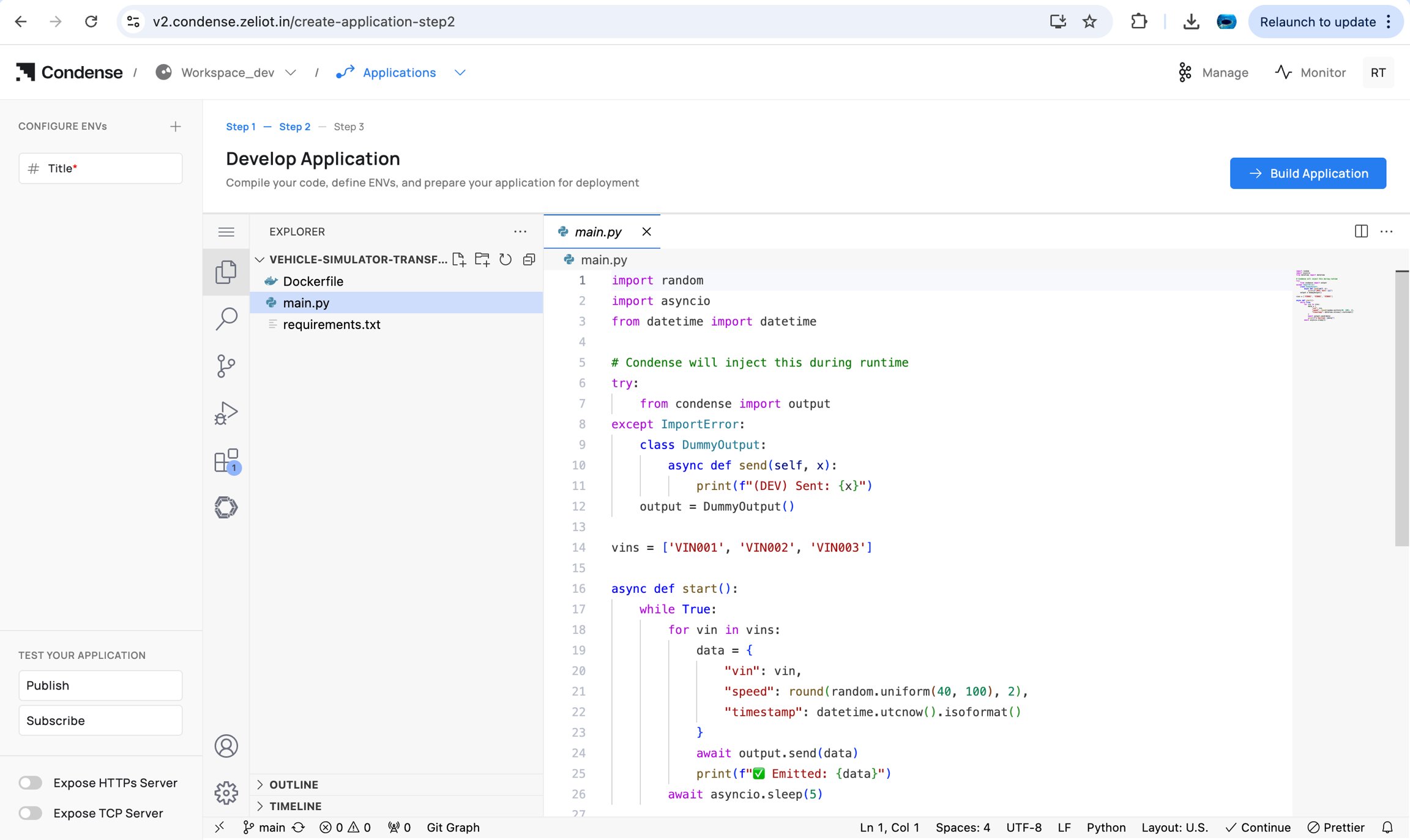
### 2) Develop in the IDE
7. Expiry (draft retention period)
8. Version (e.g., v1, v1.1.0)
9. About (optional description)
10. Click Develop Application to open the IDE.
For field‑by‑field info: see Configuration Parameters → A. Creation (Step 1).
### 2) Develop in the IDE
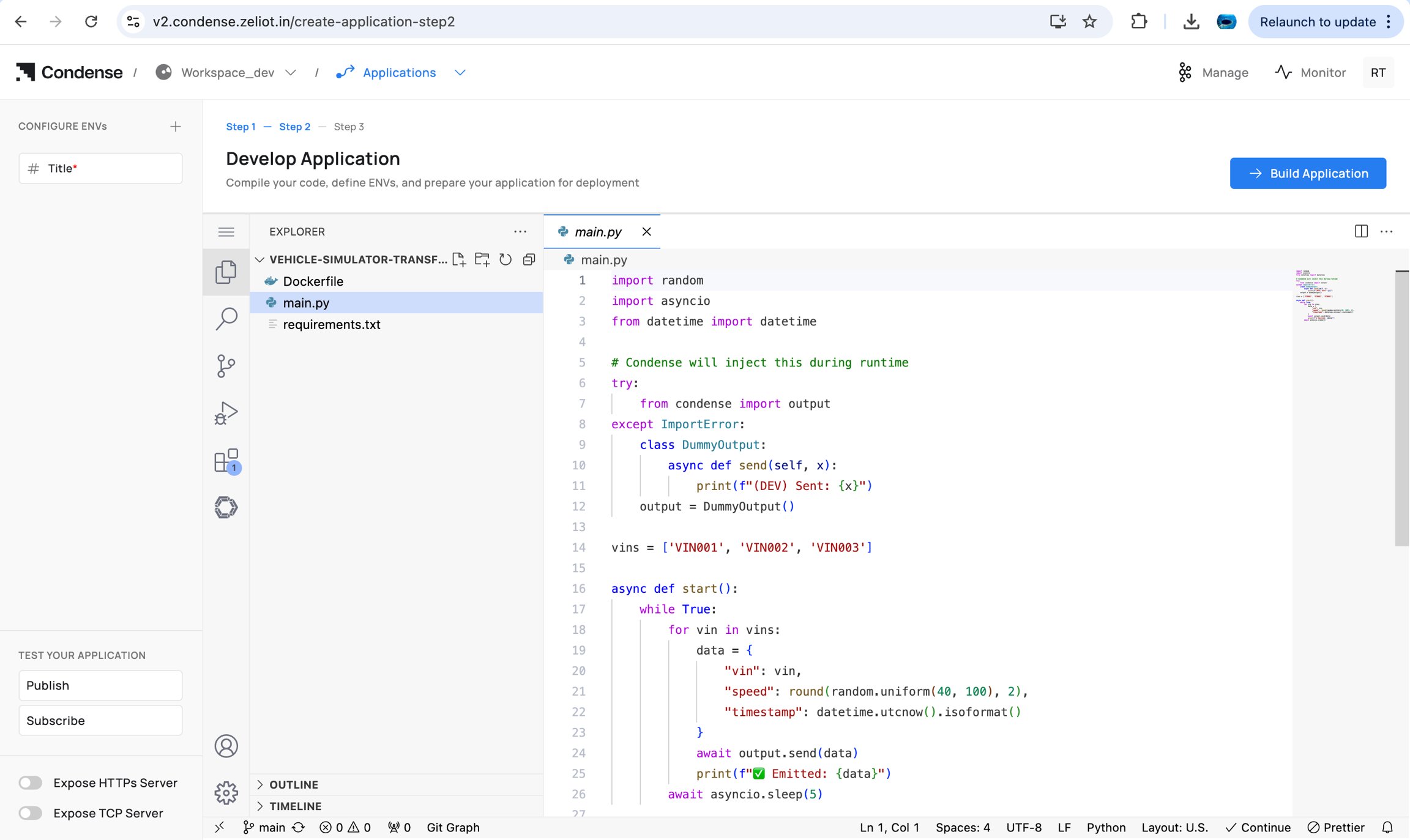 Capabilities and limits: see Editing an Application and IDE Structure.
### 3) Build the Application
**Who can build:** Admins, Maintainers, Developers
Steps to build an application:
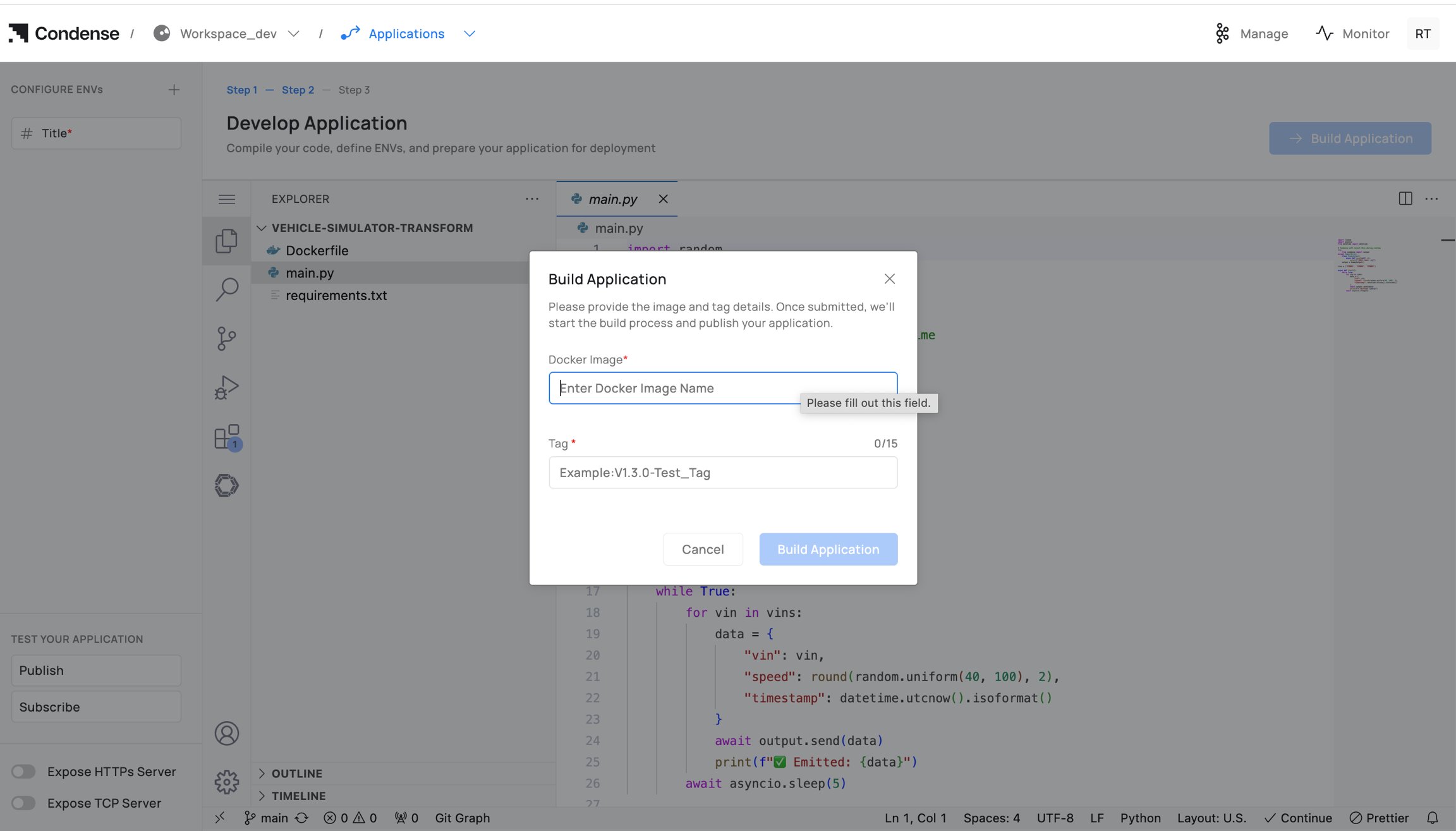
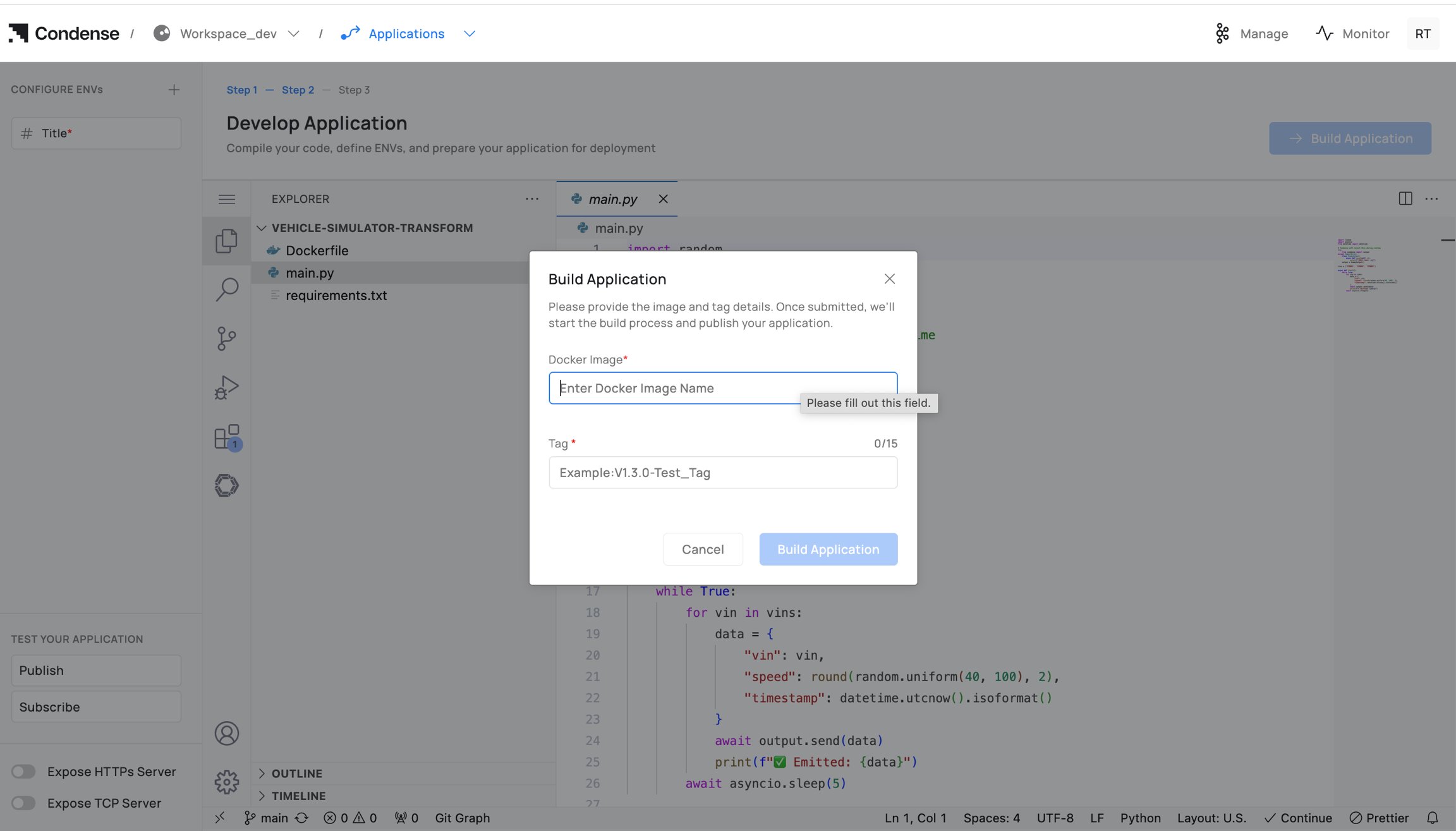
1. Click Build Application.
2. Enter Docker Image Name (registry path) and Tag.
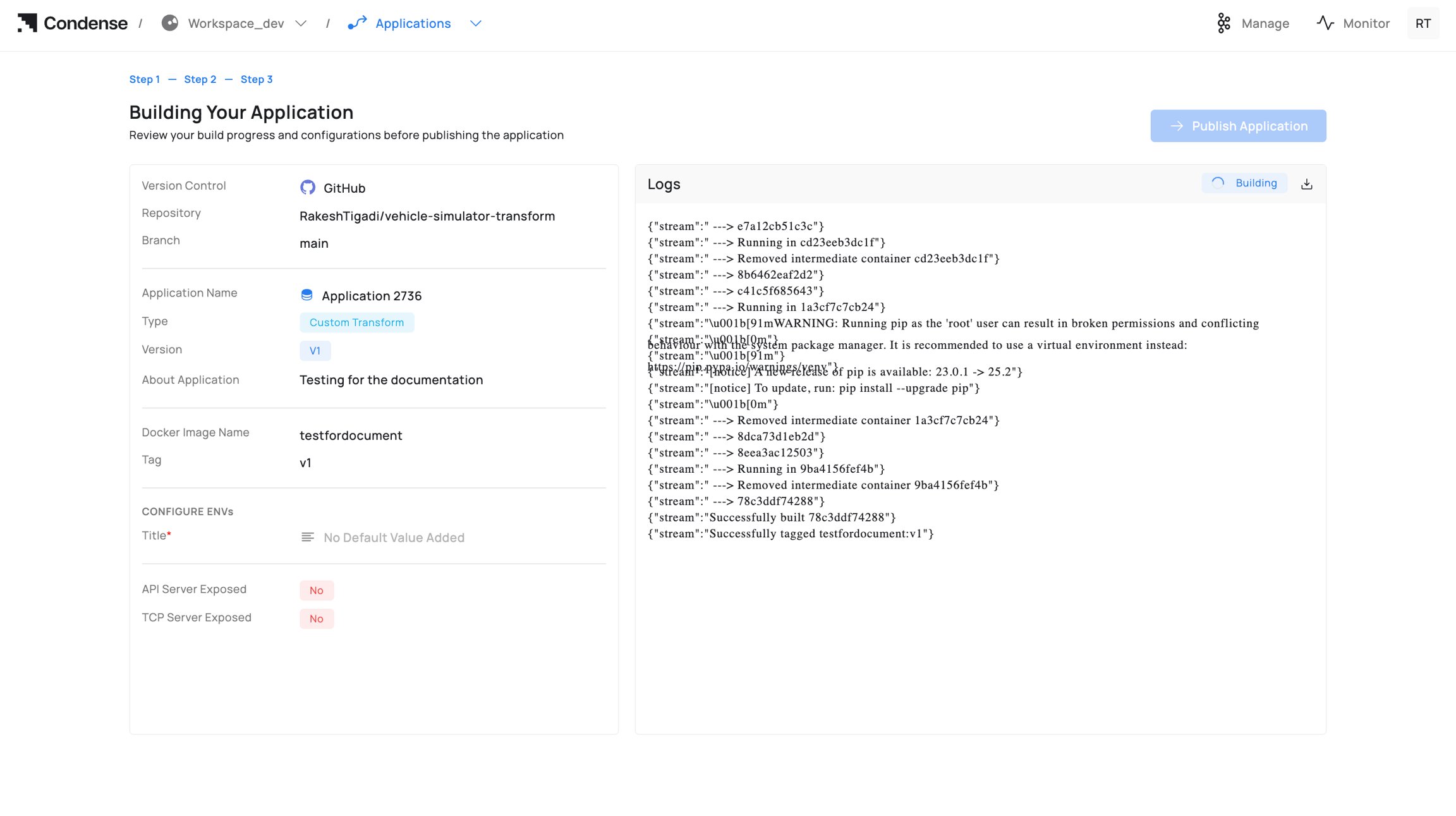
3. Start building and monitor Build Logs; fix errors and rebuild if needed.
Capabilities and limits: see Editing an Application and IDE Structure.
### 3) Build the Application
**Who can build:** Admins, Maintainers, Developers
Steps to build an application:
1. Click Build Application.
2. Enter Docker Image Name (registry path) and Tag.
3. Start building and monitor Build Logs; fix errors and rebuild if needed.
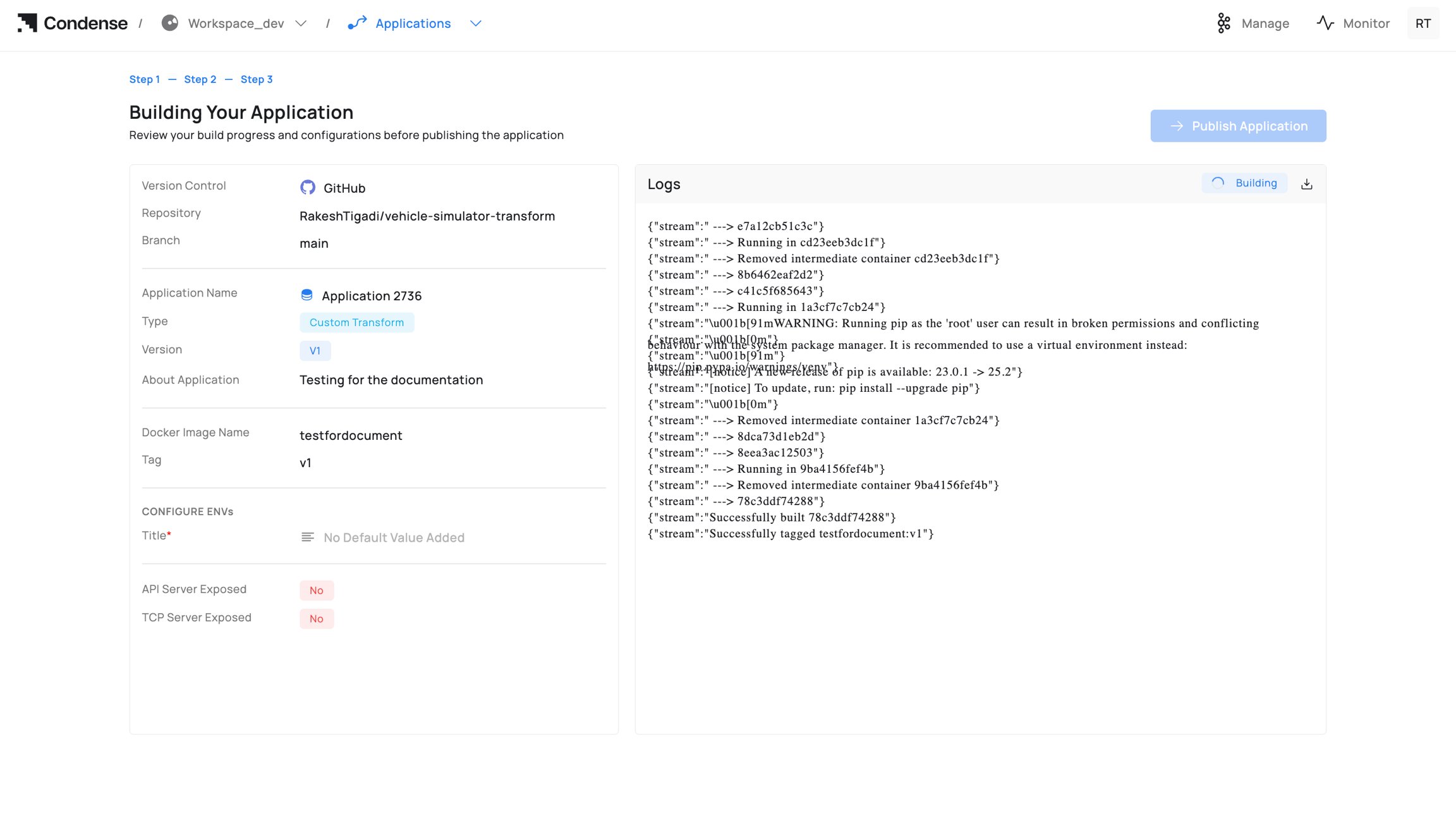 Guidance on naming/registries: Read [Building an Application. ](#building-an-application)
### 4) Publish the Application
Who can publish: Admins, Maintainers
Publish targets:
* Custom Transform → appears in Transforms → Custom.
* Custom Connector (Input/Output) → appears in Connectors → Custom under the respective role.
Steps to publish the application:
1. Click Publish Application.
2. Confirm Publish as a custom type (Transform / Input Connector / Output Connector).
3. Confirm Version and optional release notes.
4. Click Publish.
Guidance on naming/registries: Read [Building an Application. ](#building-an-application)
### 4) Publish the Application
Who can publish: Admins, Maintainers
Publish targets:
* Custom Transform → appears in Transforms → Custom.
* Custom Connector (Input/Output) → appears in Connectors → Custom under the respective role.
Steps to publish the application:
1. Click Publish Application.
2. Confirm Publish as a custom type (Transform / Input Connector / Output Connector).
3. Confirm Version and optional release notes.
4. Click Publish.
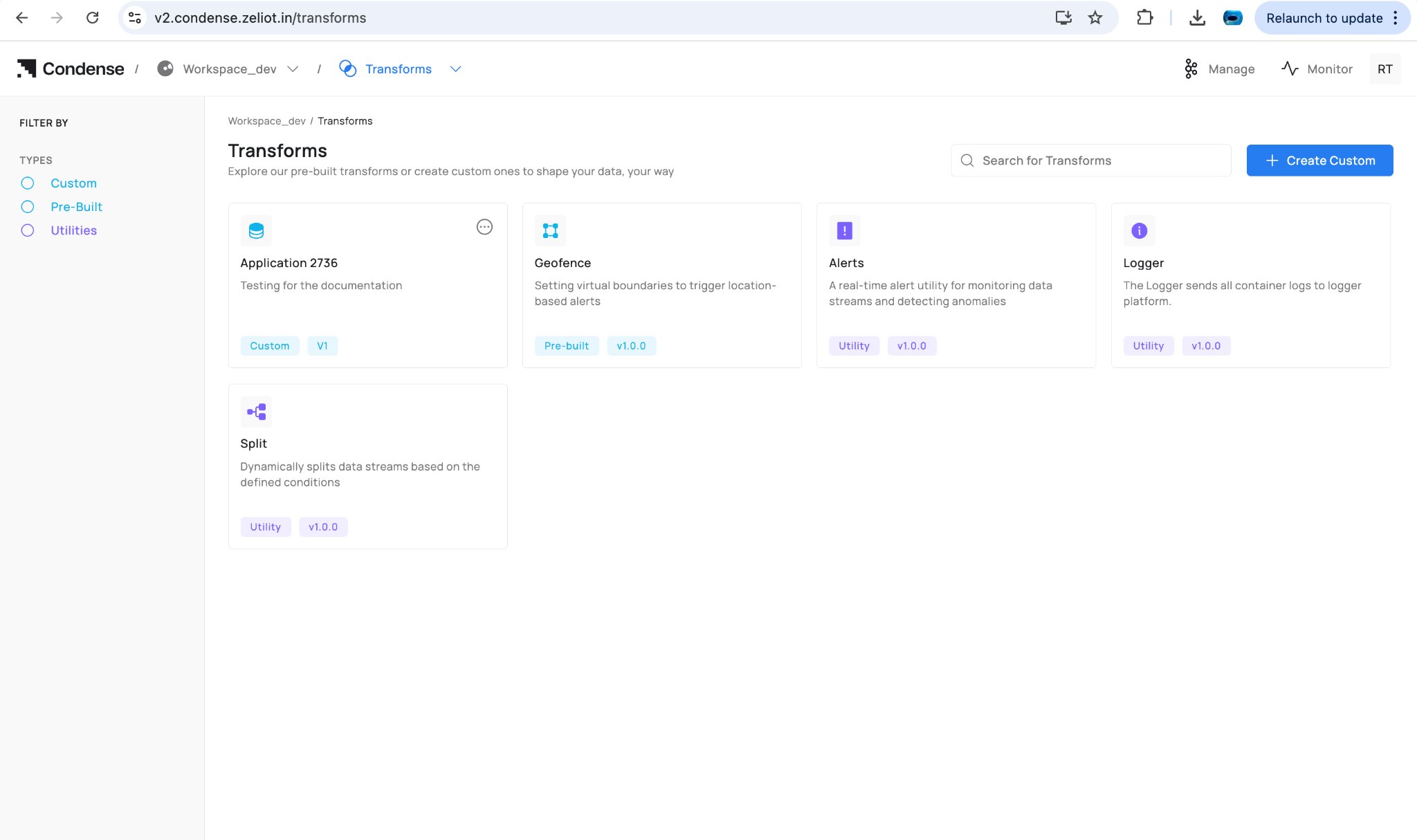 Versioning is immutable: see [Publishing an Application. ](#publishing-an-application)
### 5) Deploy the Published Artefact (reference)
Deployment happens outside Applications:
* **Transforms**: pipeline editor → Add Transform → Custom → choose app/version → configure ENVs/parameters → Deploy.
* **Connectors**: Connectors → Custom → choose app → select role (Input/Output) → configure ENVs/parameters → Deploy.
Deployment behaviour is covered in the Transforms and Connectors docs.
### 6) Update / Roll Back a Version
To change logic, update code in Applications, rebuild, and publish a new version. In the deployed transform/connector, switch the Version to the new release (or choose an older one to roll back).
Editing deployed parameters happens in the pipeline/connector UI. Editing logic requires a new publish from Applications.
#### Edit application
Versioning is immutable: see [Publishing an Application. ](#publishing-an-application)
### 5) Deploy the Published Artefact (reference)
Deployment happens outside Applications:
* **Transforms**: pipeline editor → Add Transform → Custom → choose app/version → configure ENVs/parameters → Deploy.
* **Connectors**: Connectors → Custom → choose app → select role (Input/Output) → configure ENVs/parameters → Deploy.
Deployment behaviour is covered in the Transforms and Connectors docs.
### 6) Update / Roll Back a Version
To change logic, update code in Applications, rebuild, and publish a new version. In the deployed transform/connector, switch the Version to the new release (or choose an older one to roll back).
Editing deployed parameters happens in the pipeline/connector UI. Editing logic requires a new publish from Applications.
#### Edit application
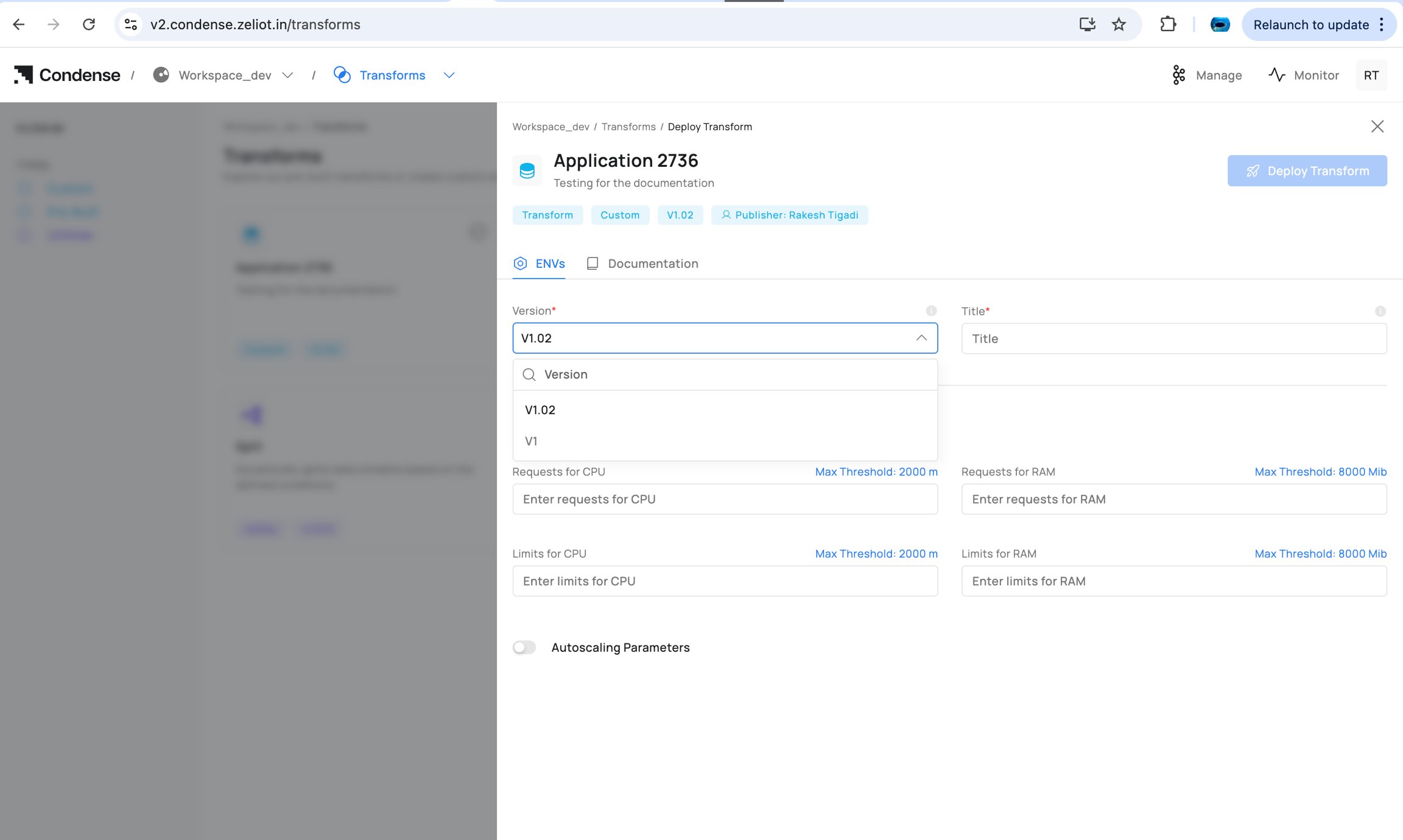
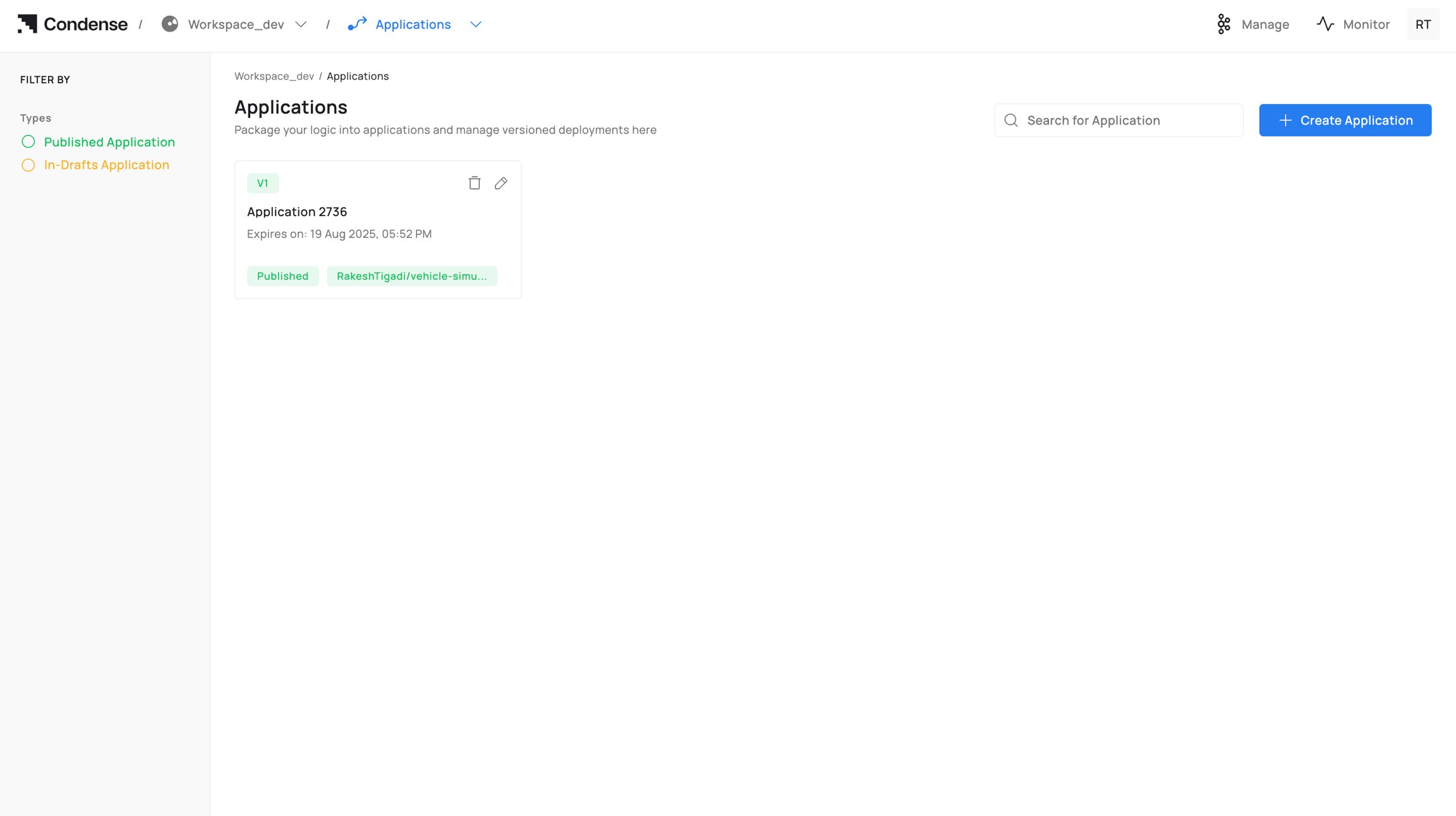 #### Adding the new version
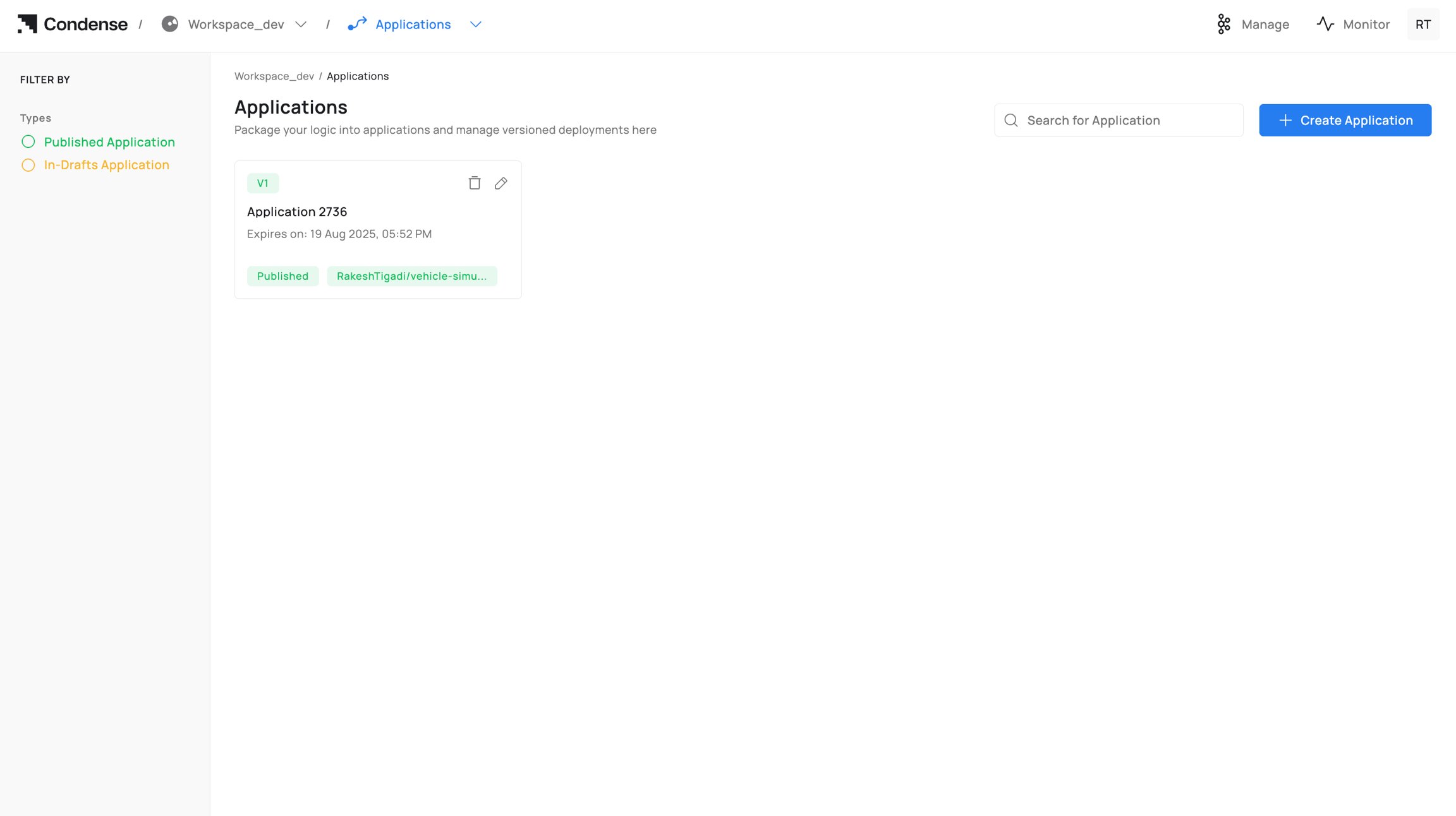
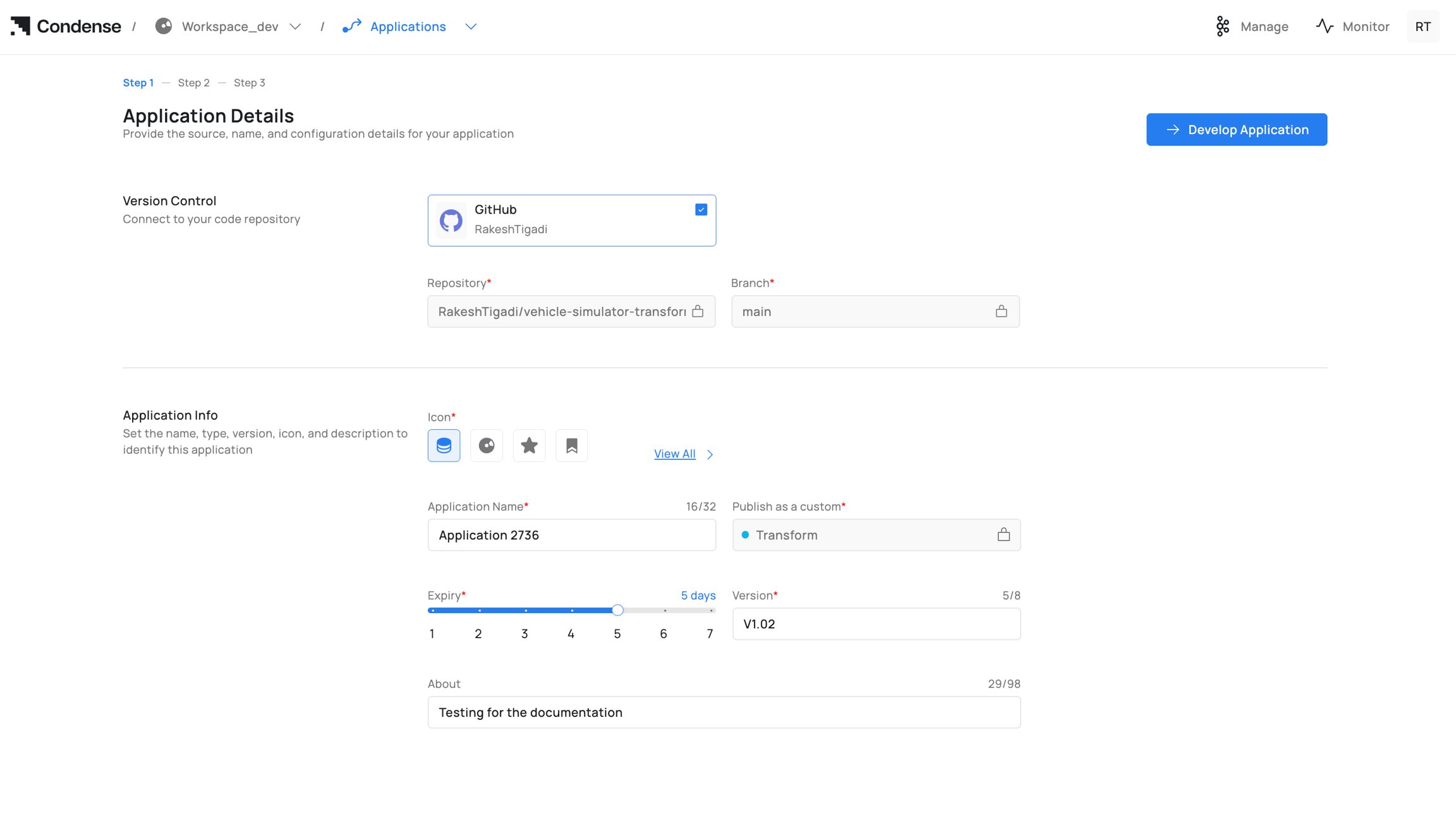 Starting the development of an application involves completing all required steps to build and publish it. After publication, the application appears in the **Transforms** or **Connectors** section, and when deploying a transform or connector in a pipeline, you will be prompted to select the desired version to deploy.
 ### 7) Deleting an Application
Who can delete: Admins (and Maintainers if policy allows)
### 7) Deleting an Application
Who can delete: Admins (and Maintainers if policy allows) 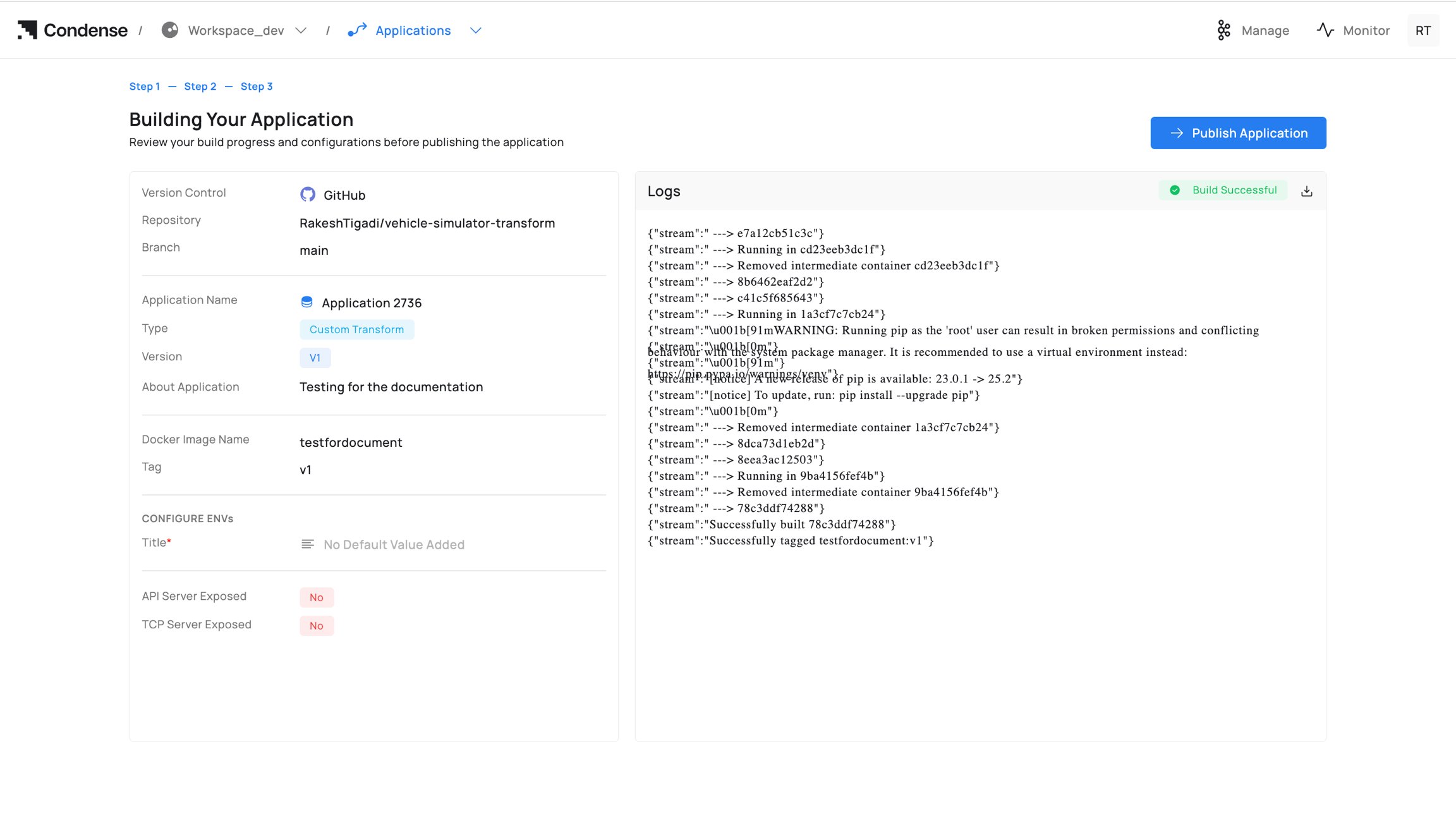 ## Publishing an Application
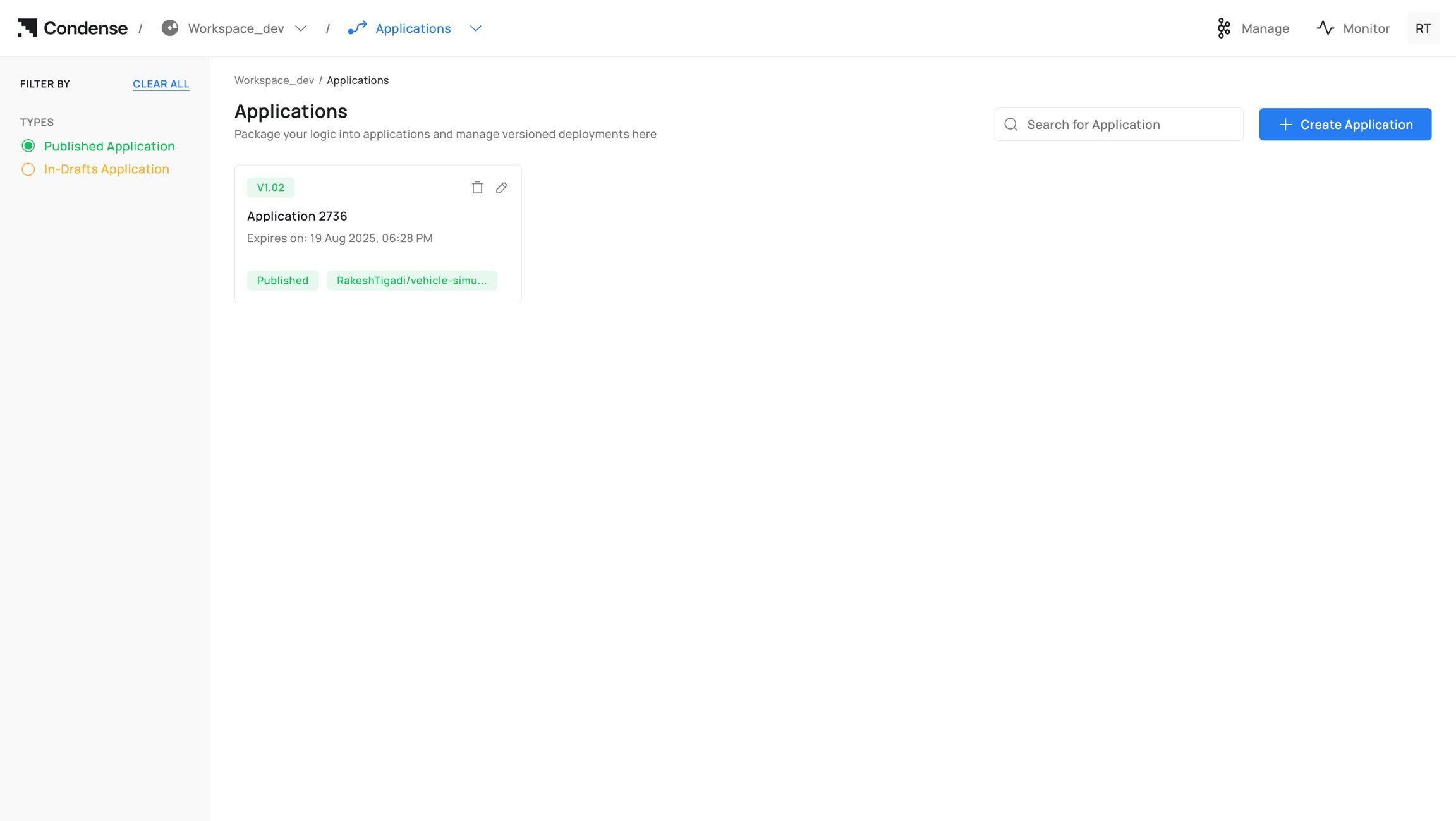
Who can publish: Admins, Maintainers
Publish Targets
* Custom Transform: listed under Transforms → Custom for pipeline use.
* Custom Connector (Input/Output): listed under Connectors → Custom according to your implementation.
Post‑publish
* Published versions are immutable.
* To change logic, edit → build → publish a new version.
* Deployed components can be switched to a new version from their configuration.
## Publishing an Application
Who can publish: Admins, Maintainers
Publish Targets
* Custom Transform: listed under Transforms → Custom for pipeline use.
* Custom Connector (Input/Output): listed under Connectors → Custom according to your implementation.
Post‑publish
* Published versions are immutable.
* To change logic, edit → build → publish a new version.
* Deployed components can be switched to a new version from their configuration.
 ## Deleting an Application
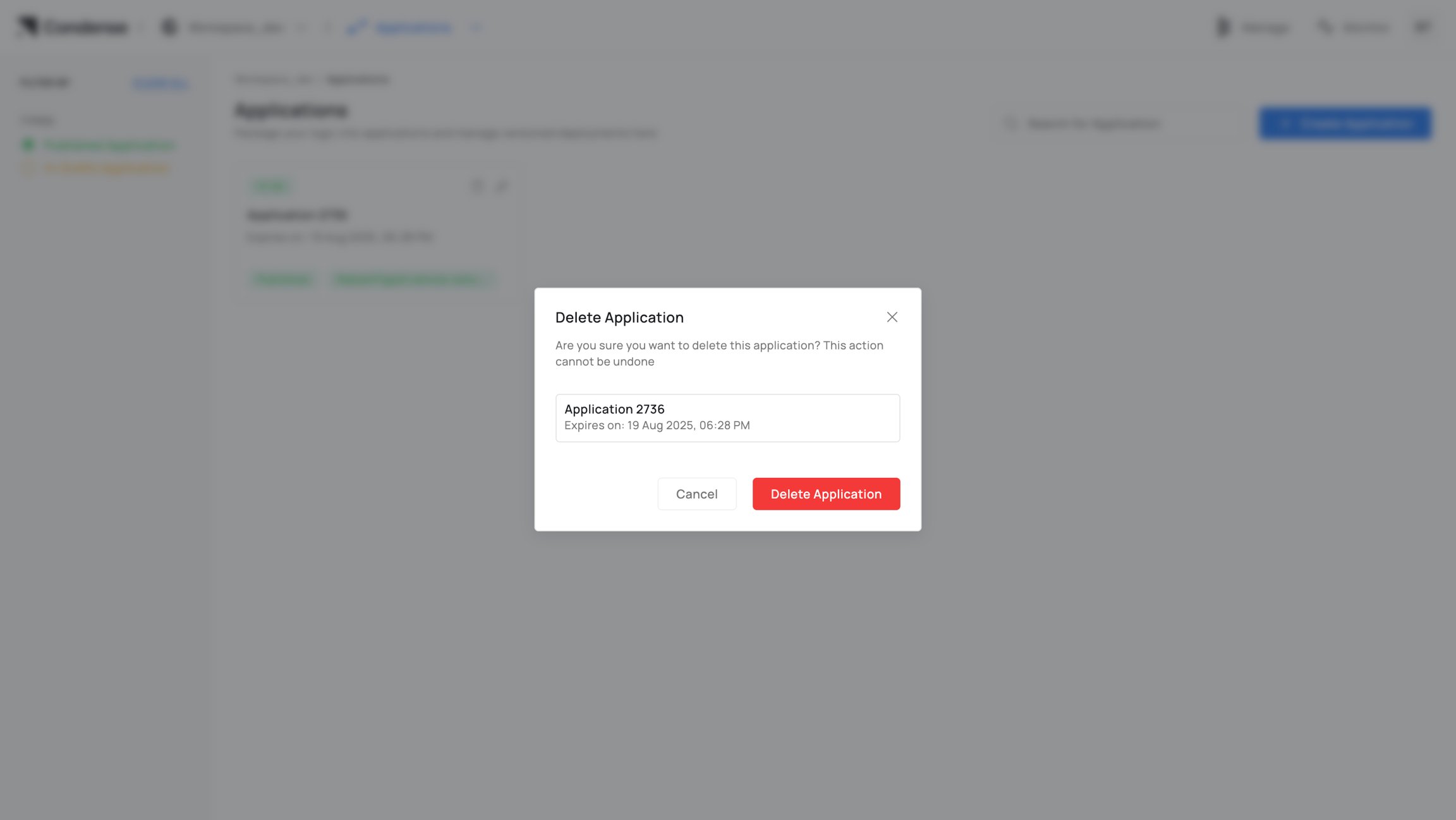
Who can delete: Admins (Maintainers if your policy allows)
Warning
* Irreversible in Condense.
* If referenced by any deployment, update/remove those deployments first.
## Deleting an Application
Who can delete: Admins (Maintainers if your policy allows)
Warning
* Irreversible in Condense.
* If referenced by any deployment, update/remove those deployments first.
 ## Configuration Parameters
A. Creation
| **Field** | Description | Required | **Notes** |
| ------------------- | ----------------------------------- | -------- | ---------------------------------------------- |
| Application Name | Unique identifier in workspace | Yes | 3–63 chars; letters, numbers, -, \_ |
| Publish as a custom | Publish target at release | Yes | Transform / Input Connector / Output Connector |
| Version
## Configuration Parameters
A. Creation
| **Field** | Description | Required | **Notes** |
| ------------------- | ----------------------------------- | -------- | ---------------------------------------------- |
| Application Name | Unique identifier in workspace | Yes | 3–63 chars; letters, numbers, -, \_ |
| Publish as a custom | Publish target at release | Yes | Transform / Input Connector / Output Connector |
| Version | Field | Description | Required | Notes |
|---|---|---|---|
| Application Name | Unique identifier in workspace | Yes | 3–63 chars; letters, numbers, -, \_ |
| Publish as a custom | Publish target at release | Yes | Transform / Input Connector / Output Connector |
| Version | Human‑readable version label | Yes | e.g., v1, v1.1.2 |
| Expiry | Draft retention period | Yes | Draft artifacts auto‑cleaned after expiry |
| About | Description for operators | No | Shown in details and summaries |
| Git Provider | Authenticated provider | Yes | GitHub / GitLab / Bitbucket |
| Repository | Repository path | Yes | Selected from provider after auth |
| Branch | Source branch | Yes | Changeable until first build |
 ## B. Development (Step 2: IDE)
| **Element** | **Description** | **Notes** |
| --------------------- | ----------------------------------------------------------------------------- | --------------------------------------------------------------------- |
| **File Explorer** | Navigate and edit project files. | Supports multi-file editing. |
| **Code Editor** | Write and modify application code with inline linting and error highlighting. | Supports committing changes directly to the connected Git repository. |
| **ENVs** | Configure runtime environment variables. | Supports secrets with masked values. |
| **Expose HTTP(s)** | Enable an HTTP(S) endpoint for the application. | The application must listen on the configured port. |
| **Expose TCP** | Enable a TCP endpoint for the application. | Useful for stream and socket-based applications. |
| **Publish** | Send test messages to a topic. | Configure topic, key/value, message format, and partition. |
| **Subscribe** | Consume messages from a topic. | Supports topic, partition, offset, and fetch-size presets. |
| **Build Application** | Build the application into a container image. | Opens the build dialog to specify the image name and tag. |
## B. Development (Step 2: IDE)
| **Element** | **Description** | **Notes** |
| --------------------- | ----------------------------------------------------------------------------- | --------------------------------------------------------------------- |
| **File Explorer** | Navigate and edit project files. | Supports multi-file editing. |
| **Code Editor** | Write and modify application code with inline linting and error highlighting. | Supports committing changes directly to the connected Git repository. |
| **ENVs** | Configure runtime environment variables. | Supports secrets with masked values. |
| **Expose HTTP(s)** | Enable an HTTP(S) endpoint for the application. | The application must listen on the configured port. |
| **Expose TCP** | Enable a TCP endpoint for the application. | Useful for stream and socket-based applications. |
| **Publish** | Send test messages to a topic. | Configure topic, key/value, message format, and partition. |
| **Subscribe** | Consume messages from a topic. | Supports topic, partition, offset, and fetch-size presets. |
| **Build Application** | Build the application into a container image. | Opens the build dialog to specify the image name and tag. |
 ## C. Build (Step 3)
| **Field** | **Description** | **Required** | **Notes** |
| :---------------: | :-----------------: | :----------: | :---------------------------------: |
| Docker Image Name | Registry/repo path | Yes | e.g., registry/acme/vehicle-app |
| Tag | Image tag | Yes | Align with Version (e.g., v1.0.0) |
| Logs | Build output stream | — | Downloadable; success/failure pills |
Summary Pane (left): provider, repo, branch; detected language/runtime; app name/type (Transform/Connector); version; About; configured ENVs (masked); flags for exposed servers.
## C. Build (Step 3)
| **Field** | **Description** | **Required** | **Notes** |
| :---------------: | :-----------------: | :----------: | :---------------------------------: |
| Docker Image Name | Registry/repo path | Yes | e.g., registry/acme/vehicle-app |
| Tag | Image tag | Yes | Align with Version (e.g., v1.0.0) |
| Logs | Build output stream | — | Downloadable; success/failure pills |
Summary Pane (left): provider, repo, branch; detected language/runtime; app name/type (Transform/Connector); version; About; configured ENVs (masked); flags for exposed servers.
 ## D. Publish
| **Field** | **Description** | **Required** | **Notes** |
| :-----------------: | :------------------------: | :----------: | :----------------------------: |
| Publish as a custom | Transform / Connector type | Yes | Determines catalog destination |
| Version | Release version | Yes | Immutable after publish |
| Notes | Release notes | No | For operators/reviewers |
## D. Publish
| **Field** | **Description** | **Required** | **Notes** |
| :-----------------: | :------------------------: | :----------: | :----------------------------: |
| Publish as a custom | Transform / Connector type | Yes | Determines catalog destination |
| Version | Release version | Yes | Immutable after publish |
| Notes | Release notes | No | For operators/reviewers |
 ## Roles and Permissions (Applications)
| Operation | Admin | Maintainer | Developer | Viewer |
| :----------------------: | :---: | :--------: | :-------: | :----: |
| Create application | **✓** | **✓** | **✓** | **✕** |
| Edit code / ENVs | **✓** | **✓** | **✓** | **✕** |
| Use Publish/Subscribe | **✓** | **✓** | **✓** | **✕** |
| Build application | **✓** | **✓** | **✓** | **✕** |
| Publish application | **✓** | **✓** | **✕** | **✕** |
| Delete application | **✓** | **✓\*** | **✕** | **✕** |
| View applications list | **✓** | **✓** | **✓** | **✓** |
| View application details | **✓** | **✓** | **✓** | **✓** |
\* Maintainer deletion depends on your organization’s policy.
### Role descriptions
* Admin: Full lifecycle control and governance.
* Maintainer: Operates lifecycle (develop/build/publish) but not workspace settings.
* Developer: Develops and builds; cannot publish or delete.
* Viewer: Read‑only.
## Monitoring and Audit
* Build Logs: full build output with success/failure indicators.
* Runtime Logs (when deployed): stdout/stderr available via Logger/observability stack.
* Version History: immutable publish records (version, author, timestamp).
* Activity Log: who created, edited, built, published, or deleted the Application.
## Best Practices
* Single responsibility: keep each Application focused for simpler testing and review.
* ENVs over hardcoding: configure ports, credentials, and endpoints via environment variables.
* Stable branches: map branches to stages (dev, staging, main).
* Tag discipline: align Version, image tag, and Git tag/commit for traceability.
* Test early: use Publish/Subscribe testers before builds to catch schema/mapping issues.
* Minimize image size: prefer slim base images for faster builds and deploys.
## Common Pitfalls and How to Avoid Them
* Published artefact not visible for deployment
## Roles and Permissions (Applications)
| Operation | Admin | Maintainer | Developer | Viewer |
| :----------------------: | :---: | :--------: | :-------: | :----: |
| Create application | **✓** | **✓** | **✓** | **✕** |
| Edit code / ENVs | **✓** | **✓** | **✓** | **✕** |
| Use Publish/Subscribe | **✓** | **✓** | **✓** | **✕** |
| Build application | **✓** | **✓** | **✓** | **✕** |
| Publish application | **✓** | **✓** | **✕** | **✕** |
| Delete application | **✓** | **✓\*** | **✕** | **✕** |
| View applications list | **✓** | **✓** | **✓** | **✓** |
| View application details | **✓** | **✓** | **✓** | **✓** |
\* Maintainer deletion depends on your organization’s policy.
### Role descriptions
* Admin: Full lifecycle control and governance.
* Maintainer: Operates lifecycle (develop/build/publish) but not workspace settings.
* Developer: Develops and builds; cannot publish or delete.
* Viewer: Read‑only.
## Monitoring and Audit
* Build Logs: full build output with success/failure indicators.
* Runtime Logs (when deployed): stdout/stderr available via Logger/observability stack.
* Version History: immutable publish records (version, author, timestamp).
* Activity Log: who created, edited, built, published, or deleted the Application.
## Best Practices
* Single responsibility: keep each Application focused for simpler testing and review.
* ENVs over hardcoding: configure ports, credentials, and endpoints via environment variables.
* Stable branches: map branches to stages (dev, staging, main).
* Tag discipline: align Version, image tag, and Git tag/commit for traceability.
* Test early: use Publish/Subscribe testers before builds to catch schema/mapping issues.
* Minimize image size: prefer slim base images for faster builds and deploys.
## Common Pitfalls and How to Avoid Them
* Published artefact not visible for deployment