> ## Documentation Index
> Fetch the complete documentation index at: https://docs.condense.io/llms.txt
> Use this file to discover all available pages before exploring further.

# Select a Custom Transform connector

> For the complete documentation index, see . This page is also available as .

Copy

On this page

1. [Fundamentals](/condense/v2.4.0/fundamentals)
2. [Getting Set Up](/condense/v2.4.0/fundamentals/getting-set-up)

To select a custom transform, please follow below steps:

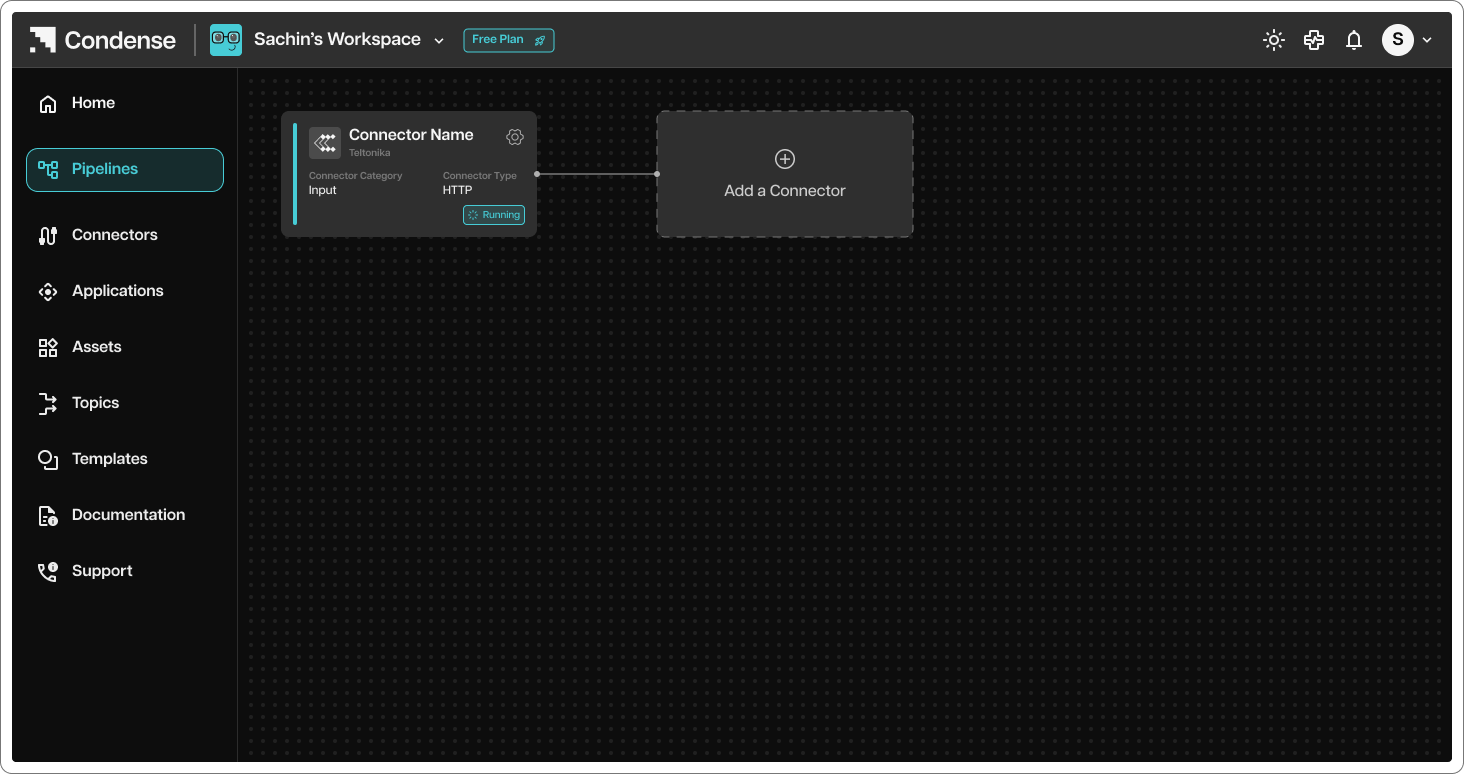
1. After configuring and deploying input connector, validate of the input connector is deployed successfully and running

2. To add custom transform to the input connector node, click on terminal option
<img src="https://mintcdn.com/zeliot/1mmppOlVvf6i8S0Q/images/condense/v2.4.0/fundamentals/getting-set-up/rwKRGO3QthZ6EMqqYblg%252Fblobs%252FjbyW9RClJa5BZTRZ9p6i%252FStep%2525203A.png?fit=max&auto=format&n=1mmppOlVvf6i8S0Q&q=85&s=3df9e4ac561f4f9a9c4ebcd48803179a" alt="" width="1464" height="774" data-path="images/condense/v2.4.0/fundamentals/getting-set-up/rwKRGO3QthZ6EMqqYblg%2Fblobs%2FjbyW9RClJa5BZTRZ9p6i%2FStep%25203A.png" />

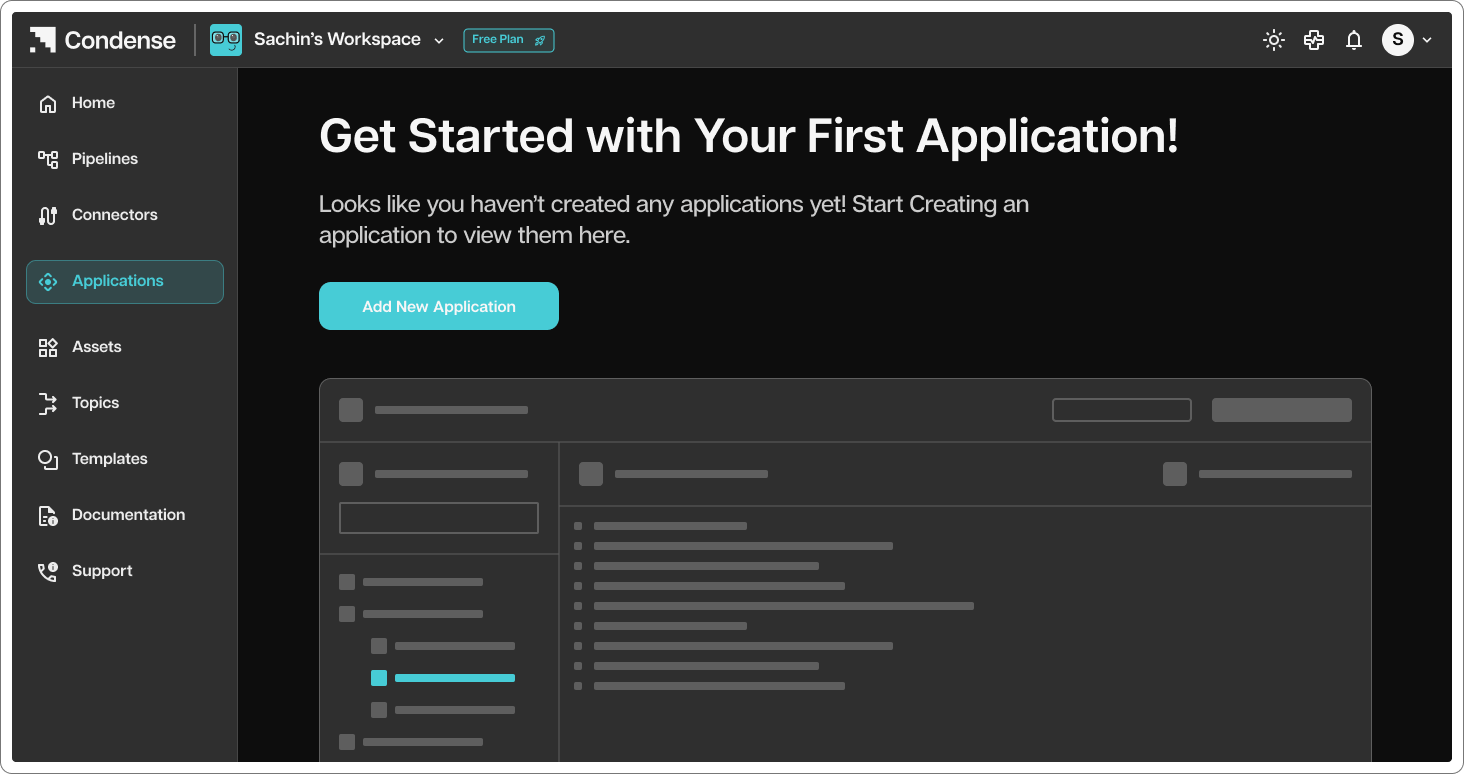
1. You will be redirected to connectors page where you can select application tab
<img src="https://mintcdn.com/zeliot/1mmppOlVvf6i8S0Q/images/condense/v2.4.0/fundamentals/getting-set-up/rwKRGO3QthZ6EMqqYblg%252Fblobs%252Fb8dRhHbY7Ffi3hoCNBjn%252FStep%2525203B.png?fit=max&auto=format&n=1mmppOlVvf6i8S0Q&q=85&s=bd95de7e31d03db9bfebf3944060446e" alt="" width="1464" height="774" data-path="images/condense/v2.4.0/fundamentals/getting-set-up/rwKRGO3QthZ6EMqqYblg%2Fblobs%2Fb8dRhHbY7Ffi3hoCNBjn%2FStep%25203B.png" />

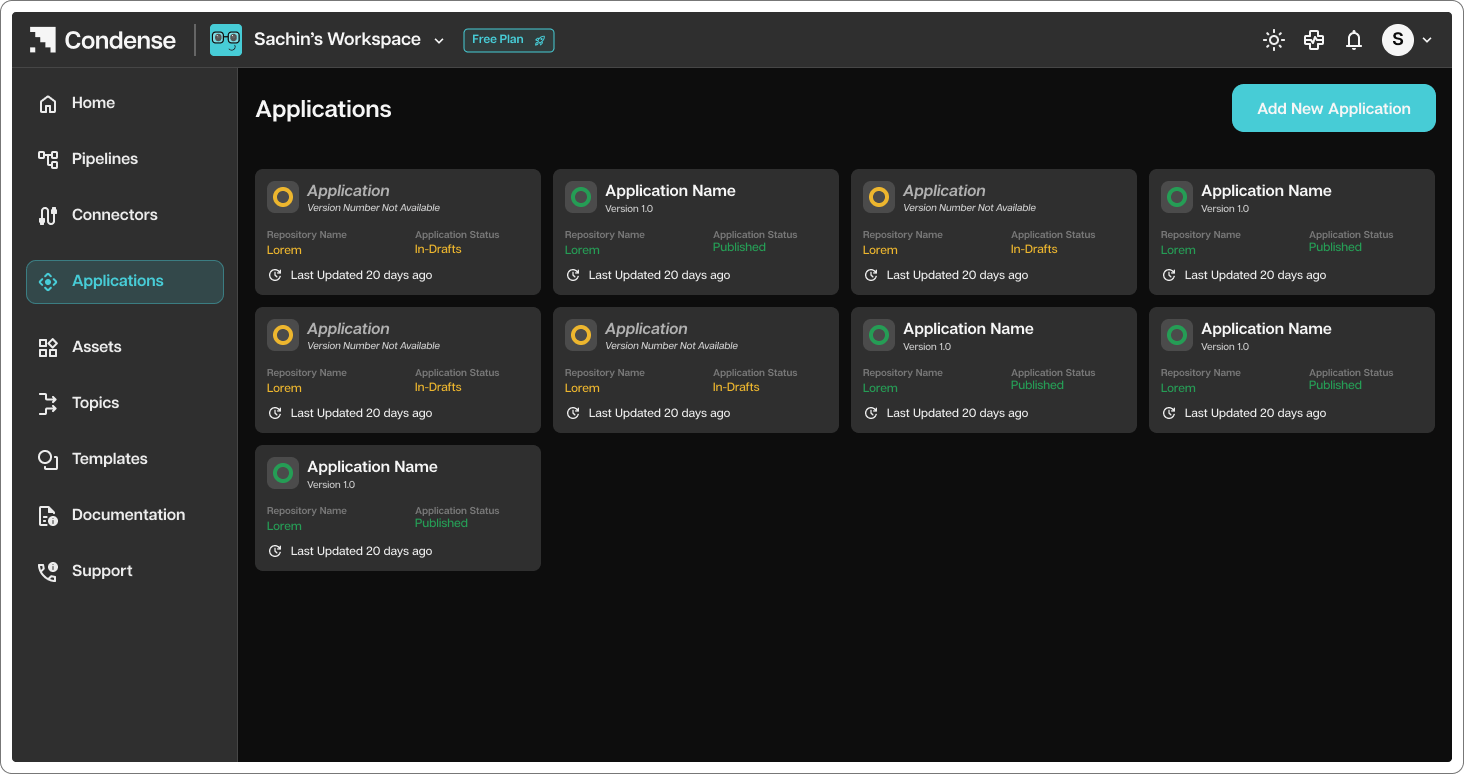
1. Select Application connector to add to your pipeline
<img src="https://mintcdn.com/zeliot/9PuaCveJzbnWXxBr/images/condense/v2.4.0/fundamentals/getting-set-up/rwKRGO3QthZ6EMqqYblg%252Fblobs%252FsCO0Fb6PF7W6WjyRMPoi%252FStep%2525203C.png?fit=max&auto=format&n=9PuaCveJzbnWXxBr&q=85&s=2ab74b4a7dc0ecf53d44aabafd9d9bba" alt="" width="1464" height="774" data-path="images/condense/v2.4.0/fundamentals/getting-set-up/rwKRGO3QthZ6EMqqYblg%2Fblobs%2FsCO0Fb6PF7W6WjyRMPoi%2FStep%25203C.png" />
