> ## Documentation Index
> Fetch the complete documentation index at: https://docs.condense.io/llms.txt
> Use this file to discover all available pages before exploring further.
# Kafka Topics
 ### Overview
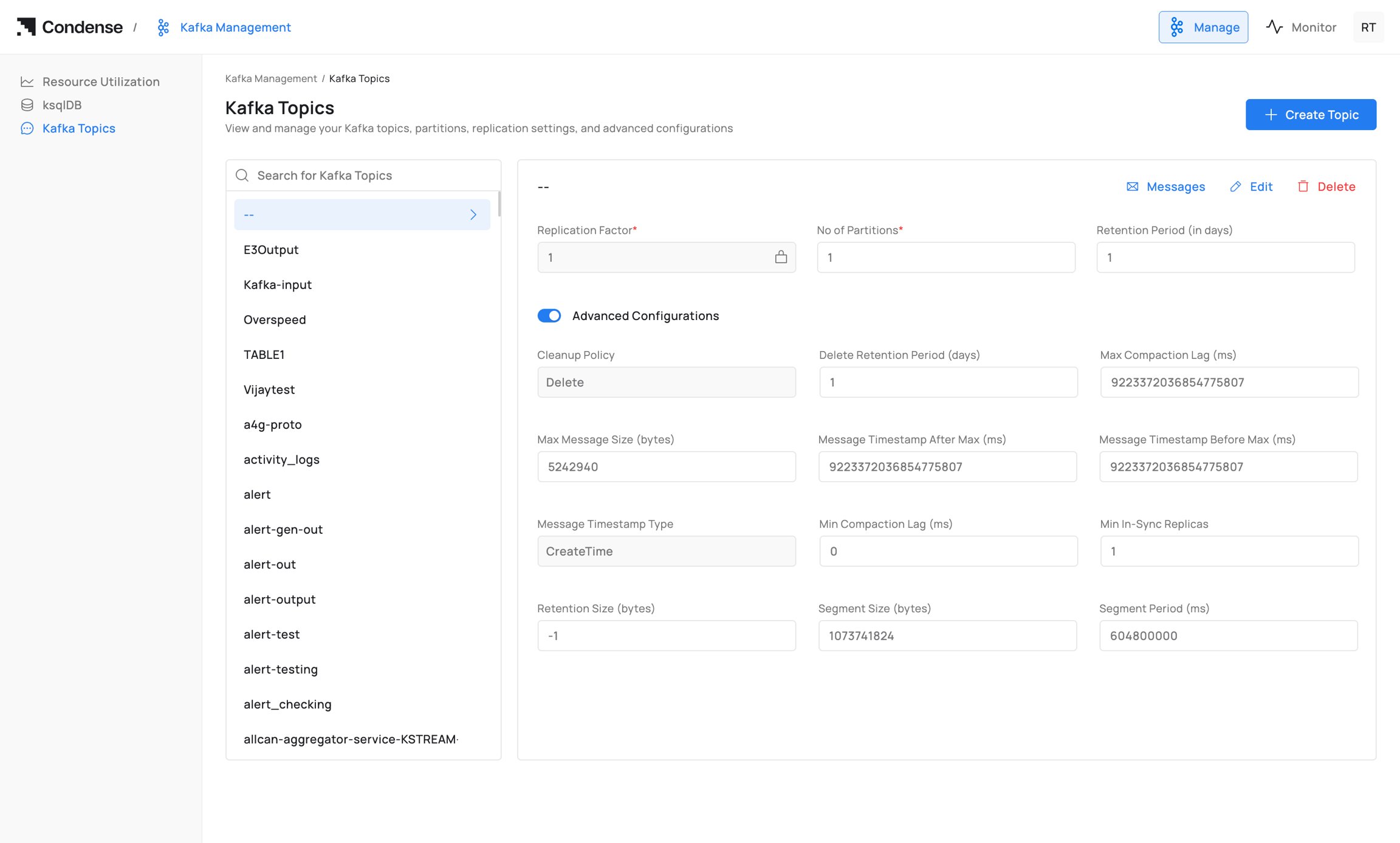
The **Kafka Topics** page provides a centralized interface for managing Kafka topics within a Kafka cluster. Administrators can create new topics, browse existing topics, inspect topic configurations, update topic properties, and delete topics directly from the Condense portal without using Kafka command-line tools.
The page also provides visibility into topic health and operational status, making it easier to administer Kafka topics across environments.
Path: **Kafka Management → Kafka Topics**
### Topic List
On the left-hand panel, Condense displays all existing topics in the connected Kafka cluster.
* Alphabetical topic listing.
* Search by topic name.
* Topic selection for viewing detailed information.
### Overview
The **Kafka Topics** page provides a centralized interface for managing Kafka topics within a Kafka cluster. Administrators can create new topics, browse existing topics, inspect topic configurations, update topic properties, and delete topics directly from the Condense portal without using Kafka command-line tools.
The page also provides visibility into topic health and operational status, making it easier to administer Kafka topics across environments.
Path: **Kafka Management → Kafka Topics**
### Topic List
On the left-hand panel, Condense displays all existing topics in the connected Kafka cluster.
* Alphabetical topic listing.
* Search by topic name.
* Topic selection for viewing detailed information.
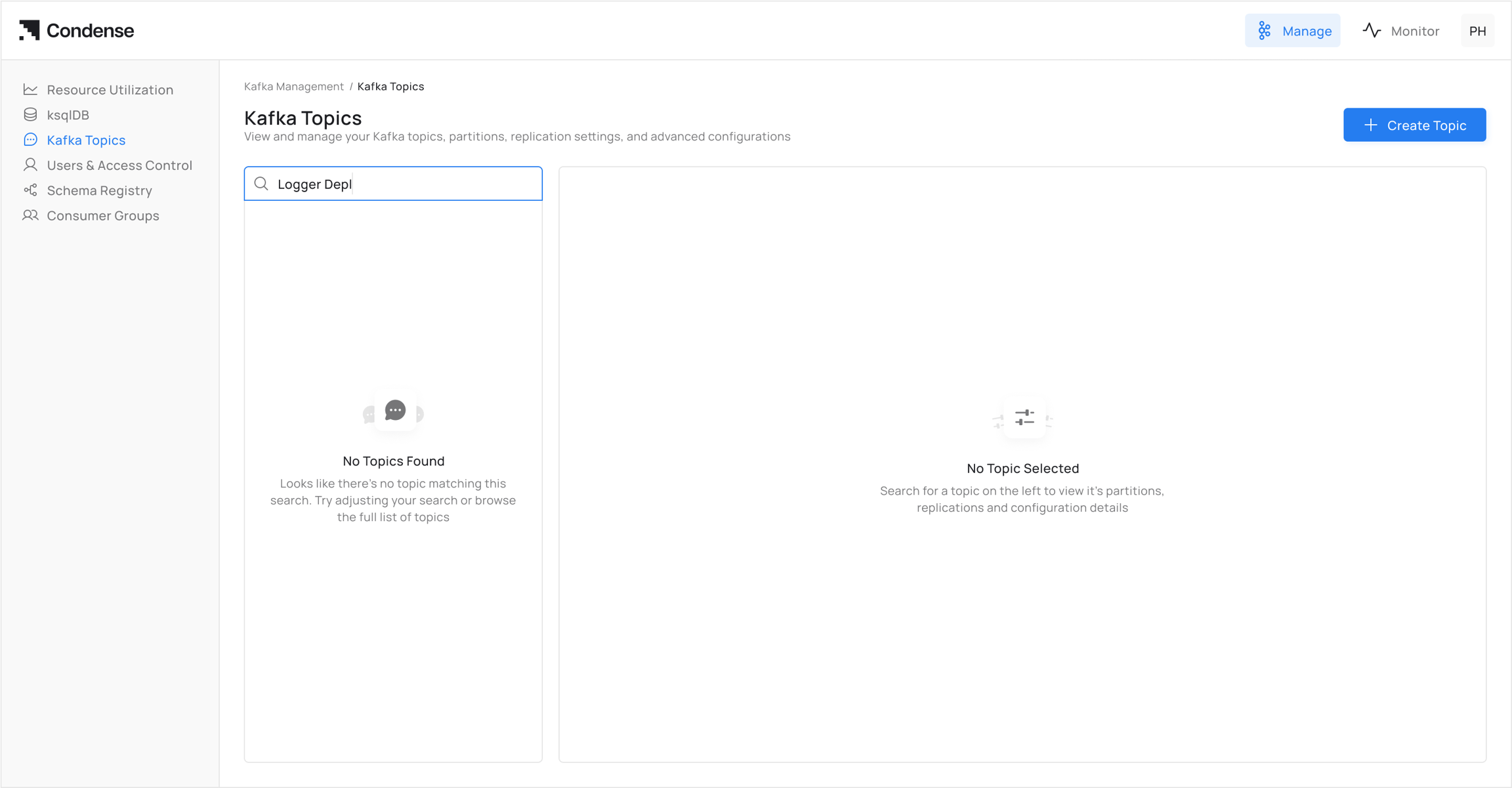 * Selecting a topic loads its details in the main panel, including configuration, partition information, and available management actions.
 ### Topic Actions
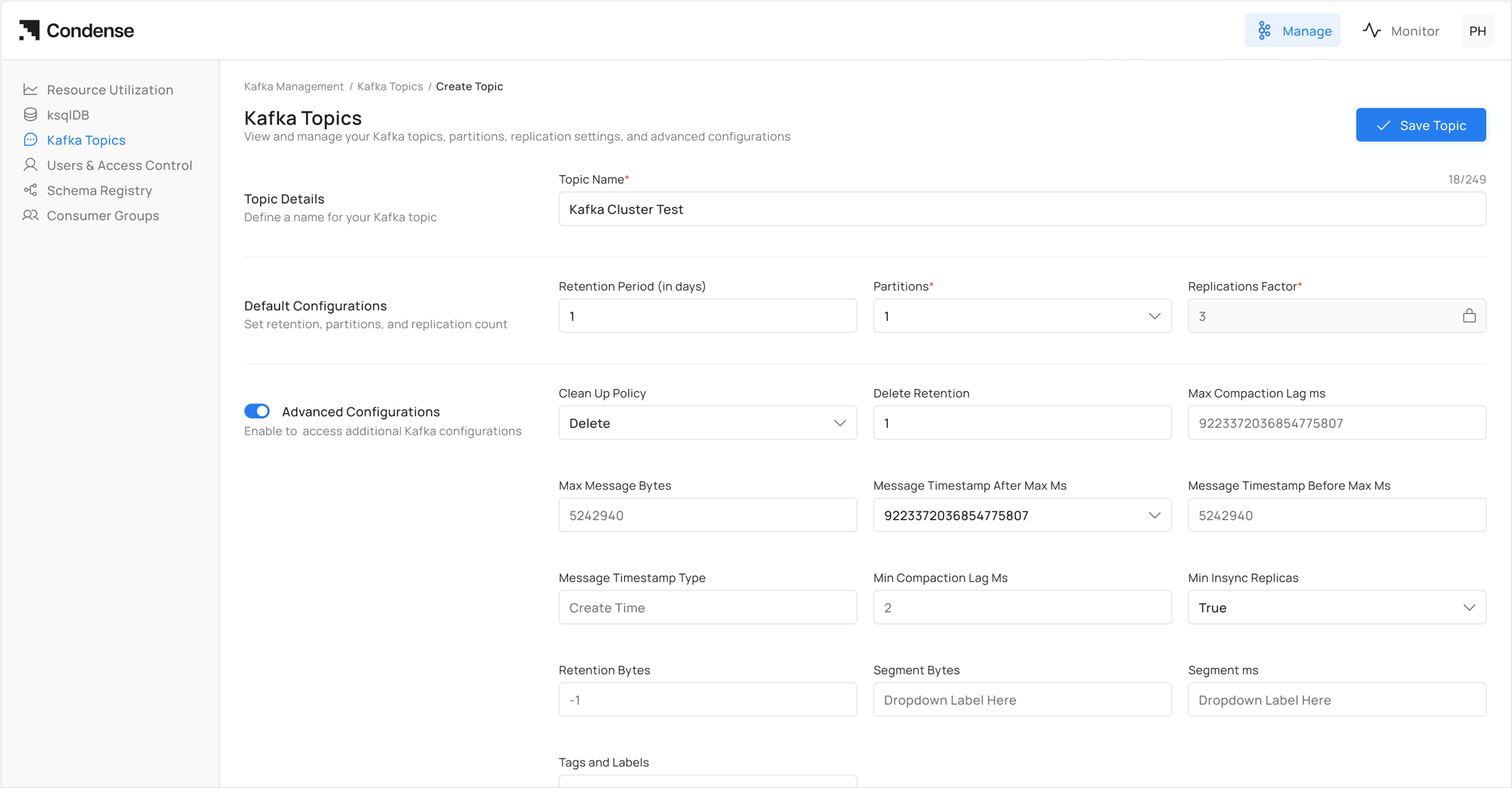
Kafka Topics supports the following management operations.
| Action | Description |
| ------------ | ----------------------------------------------------- |
| Create Topic | Creates a new Kafka topic. |
| Messages | Opens the message viewer for browsing records. |
| Edit | Updates the topic configuration. |
| Delete | Permanently removes the topic from the Kafka cluster. |
### Topic Actions
Kafka Topics supports the following management operations.
| Action | Description |
| ------------ | ----------------------------------------------------- |
| Create Topic | Creates a new Kafka topic. |
| Messages | Opens the message viewer for browsing records. |
| Edit | Updates the topic configuration. |
| Delete | Permanently removes the topic from the Kafka cluster. |
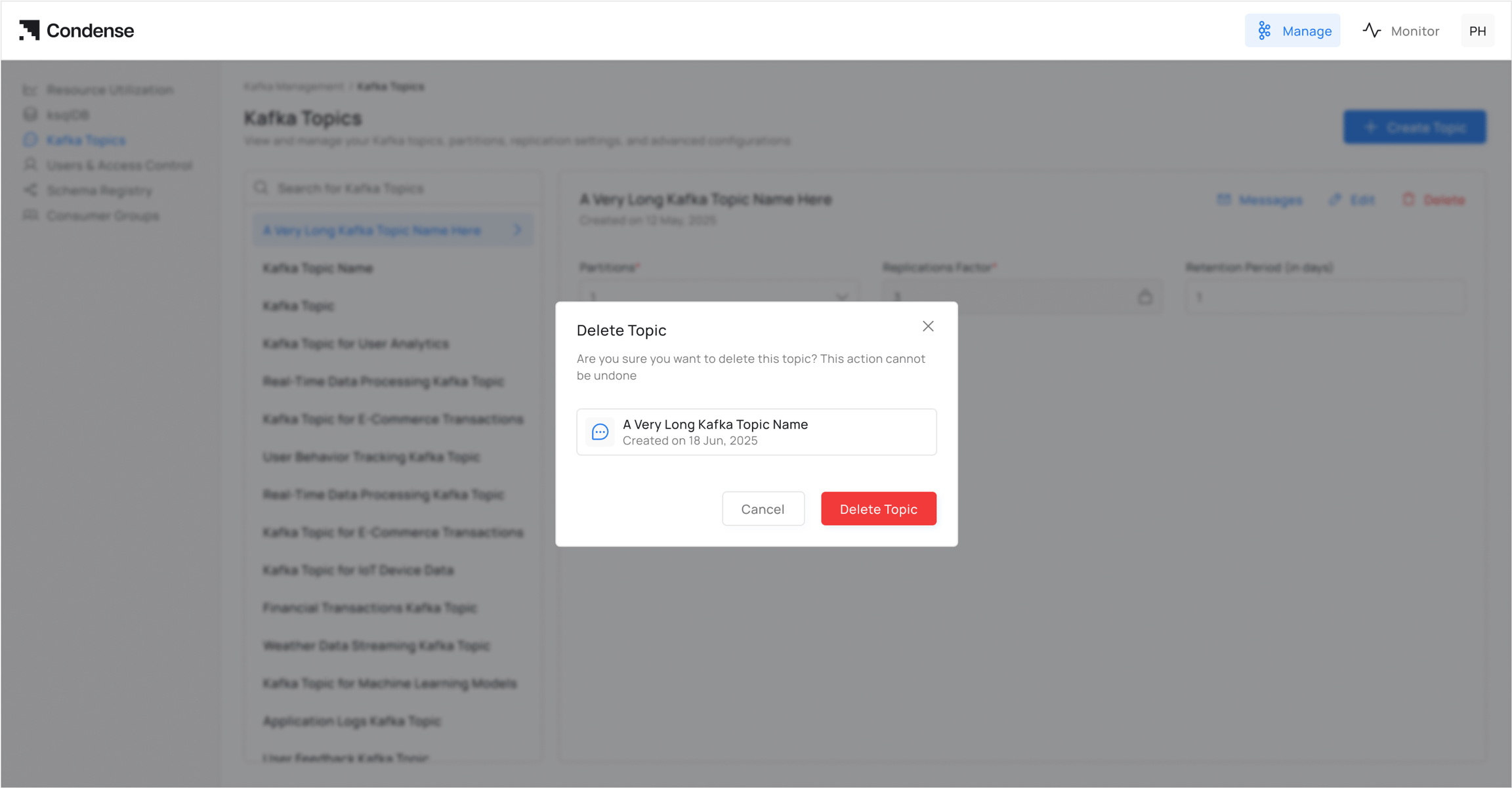
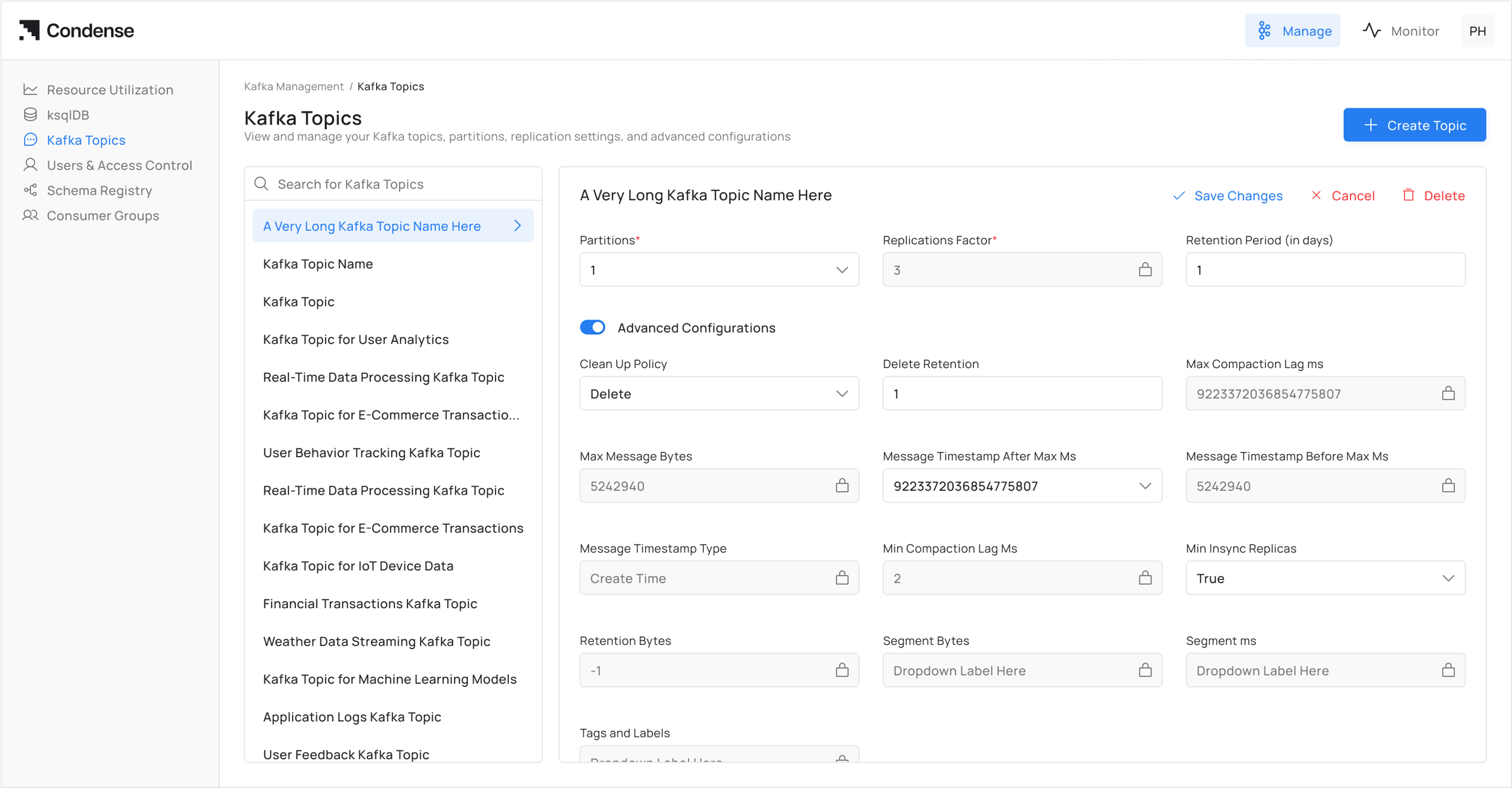 Topics that are no longer required can be deleted from the Kafka cluster.**Delete** → Permanently deletes the selected topic from the cluster.
**Warning**
Deleting a Kafka topic permanently removes the topic and its stored data. This action cannot be undone.
Topics that are no longer required can be deleted from the Kafka cluster.**Delete** → Permanently deletes the selected topic from the cluster.
**Warning**
Deleting a Kafka topic permanently removes the topic and its stored data. This action cannot be undone.
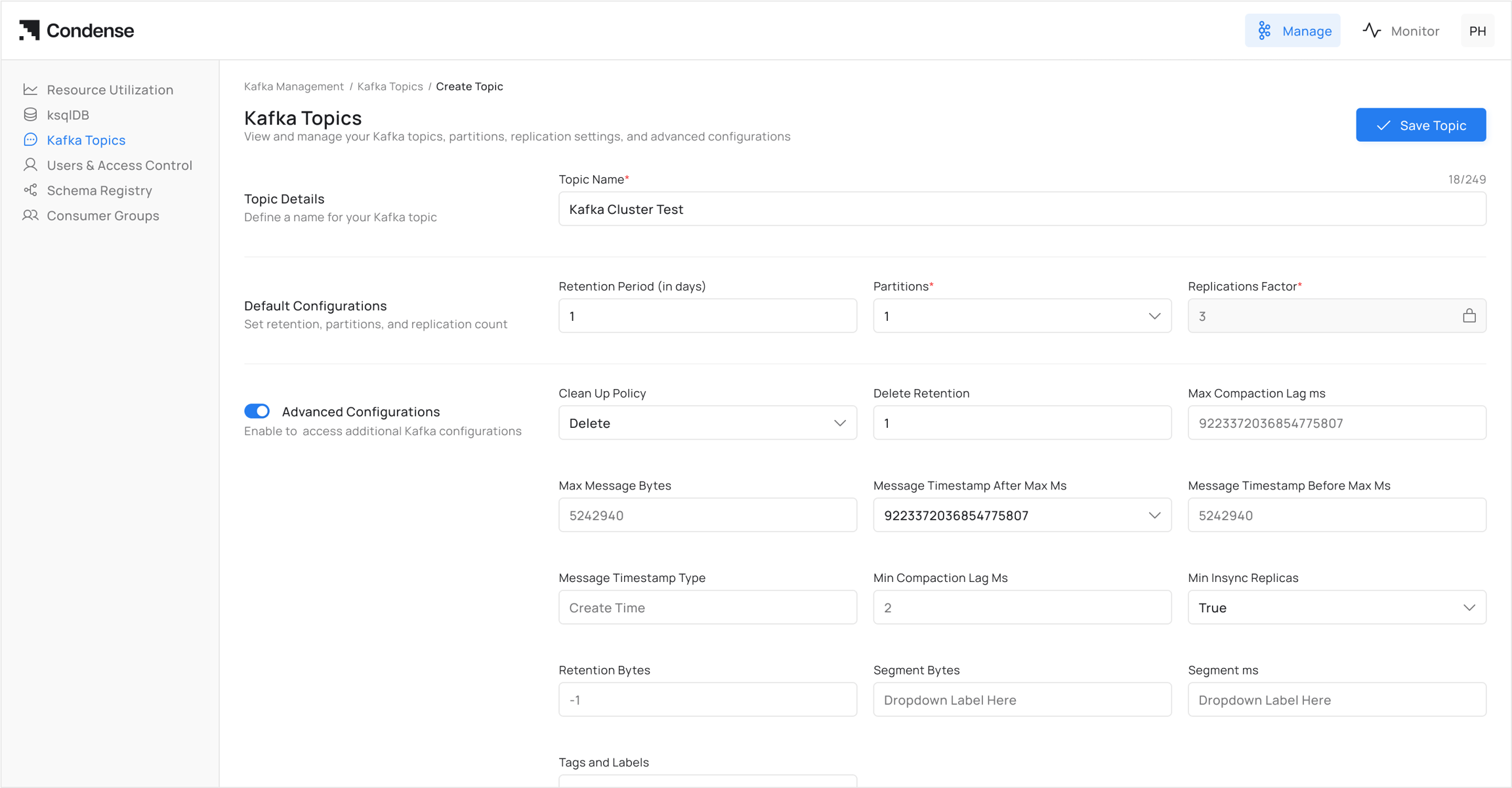
 Additionally, the **Create Topic** button allows new topic creation with custom parameters.
 ### Basic Configuration
When creating or editing a topic, the following required fields must be defined
| Field | Description | Example |
| ----------------------- | ------------------------------------------------------------------------- | ------- |
| Replication Factor | Number of replicas for each partition. Ensures data availability. | `3` |
| No of Partitions | Number of partitions in the topic. Determines parallelism and throughput. | `6` |
| Retention Period (days) | Duration for which messages are retained in the topic before deletion. | `7` |
### Advanced Configurations
Advanced settings allow fine-grained control of topic behavior. These fields map directly to Kafka topic configuration parameters.
| Field | Description | Example |
| --------------------------------- | ------------------------------------------------------------------------------- | --------------------- |
| Cleanup Policy | Determines log cleanup strategy. Options: `Delete` (default), `Compact`. | `Delete` |
| Delete Retention Period (days) | How long delete markers are retained during log compaction. | `1` |
| Max Compaction Lag (ms) | Maximum time a record can remain uncompacted. | `9223372036854775807` |
| Max Message Size (bytes) | Maximum size of an individual message allowed. | `5242940` |
| Message Timestamp After Max (ms) | Upper bound for timestamp range in messages. | `9223372036854775807` |
| Message Timestamp Before Max (ms) | Lower bound for timestamp range in messages. | `9223372036854775807` |
| Message Timestamp Type | Defines how message timestamps are set. Options: `CreateTime`, `LogAppendTime`. | `CreateTime` |
| Min Compaction Lag (ms) | Minimum time a record must remain before compaction. | `0` |
| Min In-Sync Replicas | Minimum number of replicas that must acknowledge a write for it to succeed. | `1` |
| Retention Size (bytes) | Maximum total size of log segments retained before deletion. `-1` = unlimited. | `-1` |
| Segment Size (bytes) | Size of each log segment file before rolling. | `1073741824` |
| Segment Period (ms) | Time-based rolling interval for log segments. | `604800000` |
### Update Topic Configuration
Existing topic configurations can be modified using the **Edit** action available from the Topic Details page.
After updating the required configuration values, review the changes before saving them.
### Usage Notes
* All advanced fields correspond to Kafka’s topic-level configuration properties.
* Fields not explicitly set in Condense will use Kafka cluster defaults.
* Certain changes (e.g., partition count) are not reversible once applied.
* Care must be taken with retention and cleanup policies to avoid unintended data loss.
### Related Sections
* [Resource Utilization](/condense/v2.4.0/other-features/resource-utilization)
* [ksqlDB](/condense/v2.4.0/fully-managed-kafka/ksqldb)
### Basic Configuration
When creating or editing a topic, the following required fields must be defined
| Field | Description | Example |
| ----------------------- | ------------------------------------------------------------------------- | ------- |
| Replication Factor | Number of replicas for each partition. Ensures data availability. | `3` |
| No of Partitions | Number of partitions in the topic. Determines parallelism and throughput. | `6` |
| Retention Period (days) | Duration for which messages are retained in the topic before deletion. | `7` |
### Advanced Configurations
Advanced settings allow fine-grained control of topic behavior. These fields map directly to Kafka topic configuration parameters.
| Field | Description | Example |
| --------------------------------- | ------------------------------------------------------------------------------- | --------------------- |
| Cleanup Policy | Determines log cleanup strategy. Options: `Delete` (default), `Compact`. | `Delete` |
| Delete Retention Period (days) | How long delete markers are retained during log compaction. | `1` |
| Max Compaction Lag (ms) | Maximum time a record can remain uncompacted. | `9223372036854775807` |
| Max Message Size (bytes) | Maximum size of an individual message allowed. | `5242940` |
| Message Timestamp After Max (ms) | Upper bound for timestamp range in messages. | `9223372036854775807` |
| Message Timestamp Before Max (ms) | Lower bound for timestamp range in messages. | `9223372036854775807` |
| Message Timestamp Type | Defines how message timestamps are set. Options: `CreateTime`, `LogAppendTime`. | `CreateTime` |
| Min Compaction Lag (ms) | Minimum time a record must remain before compaction. | `0` |
| Min In-Sync Replicas | Minimum number of replicas that must acknowledge a write for it to succeed. | `1` |
| Retention Size (bytes) | Maximum total size of log segments retained before deletion. `-1` = unlimited. | `-1` |
| Segment Size (bytes) | Size of each log segment file before rolling. | `1073741824` |
| Segment Period (ms) | Time-based rolling interval for log segments. | `604800000` |
### Update Topic Configuration
Existing topic configurations can be modified using the **Edit** action available from the Topic Details page.
After updating the required configuration values, review the changes before saving them.
### Usage Notes
* All advanced fields correspond to Kafka’s topic-level configuration properties.
* Fields not explicitly set in Condense will use Kafka cluster defaults.
* Certain changes (e.g., partition count) are not reversible once applied.
* Care must be taken with retention and cleanup policies to avoid unintended data loss.
### Related Sections
* [Resource Utilization](/condense/v2.4.0/other-features/resource-utilization)
* [ksqlDB](/condense/v2.4.0/fully-managed-kafka/ksqldb)