> ## Documentation Index
> Fetch the complete documentation index at: https://docs.condense.io/llms.txt
> Use this file to discover all available pages before exploring further.
# Split Utility
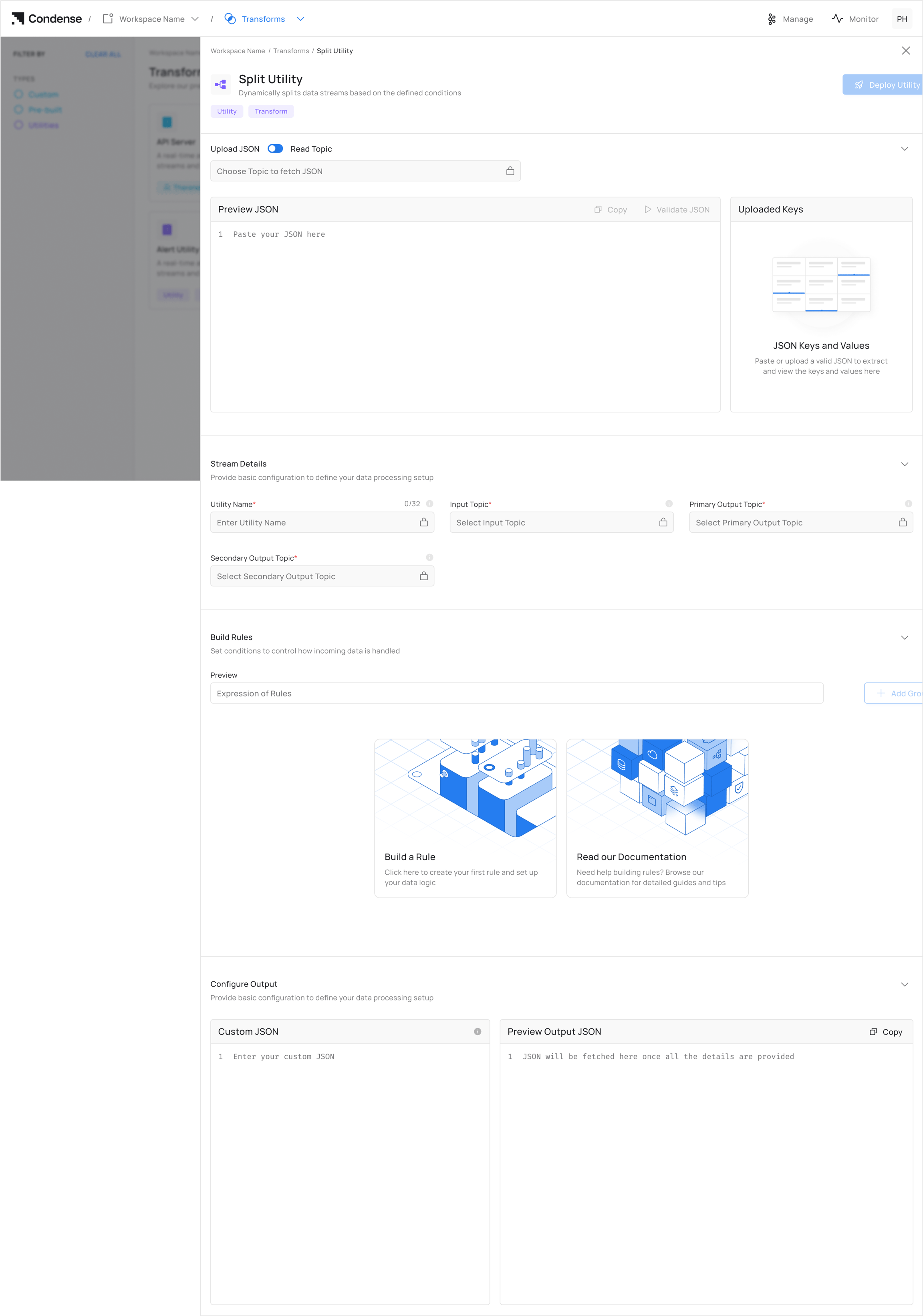 ## Overview
The Split Utility in Kafka Streams helps streamline data processing by categorising and routing data based on user-defined conditions. It effectively manages data by directing it to primary or secondary topics, ensuring efficient and real-time processing
## **Key Features**
### **Intelligent Data Routing**
* Automatically routes data to either primary or secondary topics based on conditional evaluation
* Applies filtering logic to streaming data without coding or manual intervention
### **Operational Flexibility**
* Modify routing rules without disrupting data flow or redeploying pipelines
* Pre-validate data structures to ensure compatibility before deployment
### **Zero-Code Implementation**
* Configure complex stream splitting logic through an intuitive UI without writing code
* Define data routing policies using a clear, business-oriented approach by defining rules for splitting
## **How to Use the Split Utility**
### **Step 1. Access the Split Utility**
## Overview
The Split Utility in Kafka Streams helps streamline data processing by categorising and routing data based on user-defined conditions. It effectively manages data by directing it to primary or secondary topics, ensuring efficient and real-time processing
## **Key Features**
### **Intelligent Data Routing**
* Automatically routes data to either primary or secondary topics based on conditional evaluation
* Applies filtering logic to streaming data without coding or manual intervention
### **Operational Flexibility**
* Modify routing rules without disrupting data flow or redeploying pipelines
* Pre-validate data structures to ensure compatibility before deployment
### **Zero-Code Implementation**
* Configure complex stream splitting logic through an intuitive UI without writing code
* Define data routing policies using a clear, business-oriented approach by defining rules for splitting
## **How to Use the Split Utility**
### **Step 1. Access the Split Utility**
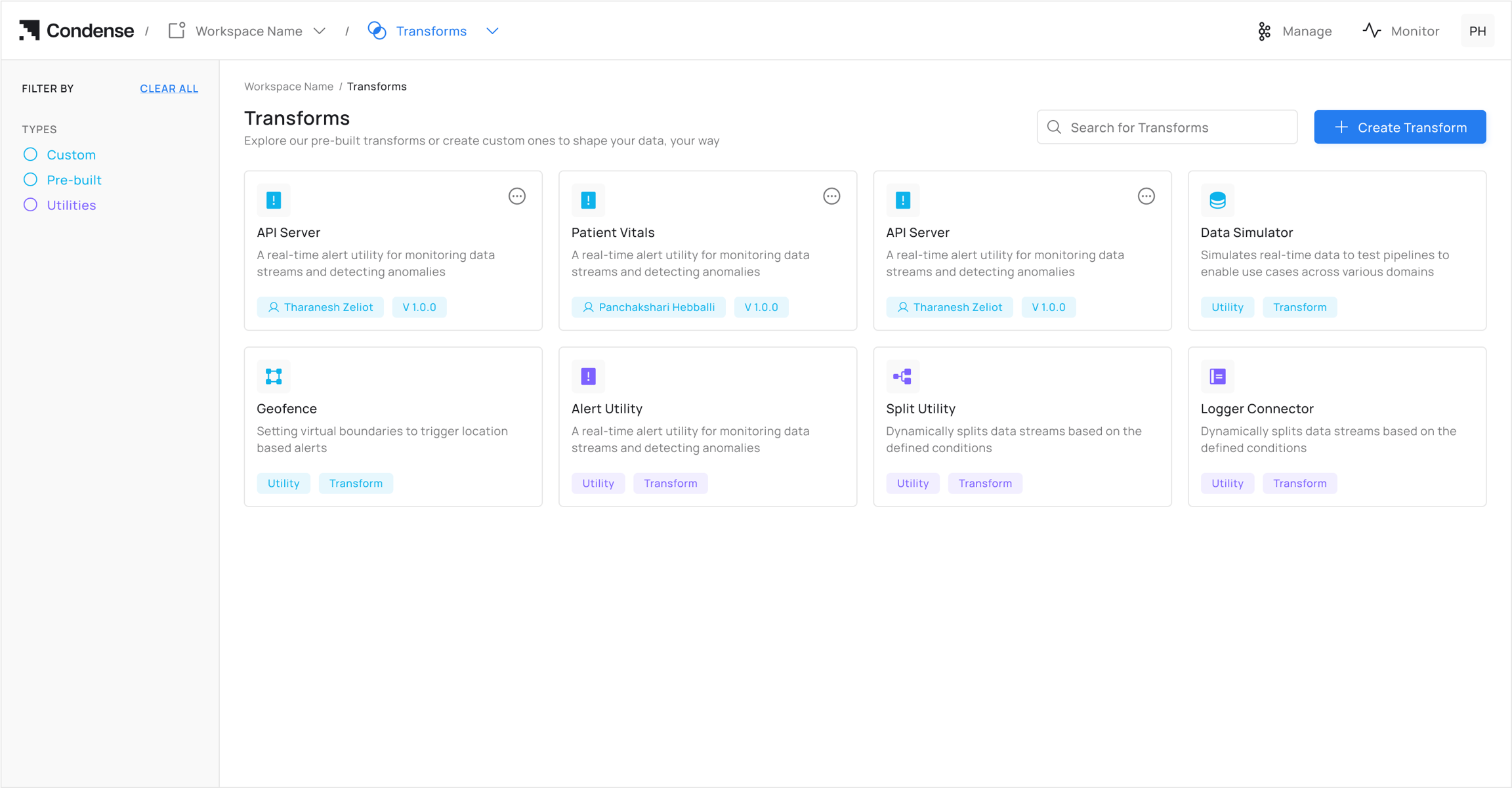 1. Log in to your Condense account
2. From the main menu, select **Transforms**
3. Click on **Split Utility** from the Transforms page
### **Step 2: Choose Configuration Method**
#### **Option A: Auto-Fill from Topic** **(Recommended)**
Click **"Choose a Topic"** under *Read Topic.* It auto-populates schema fields for the configuration of the Split Utility.
1. Log in to your Condense account
2. From the main menu, select **Transforms**
3. Click on **Split Utility** from the Transforms page
### **Step 2: Choose Configuration Method**
#### **Option A: Auto-Fill from Topic** **(Recommended)**
Click **"Choose a Topic"** under *Read Topic.* It auto-populates schema fields for the configuration of the Split Utility.
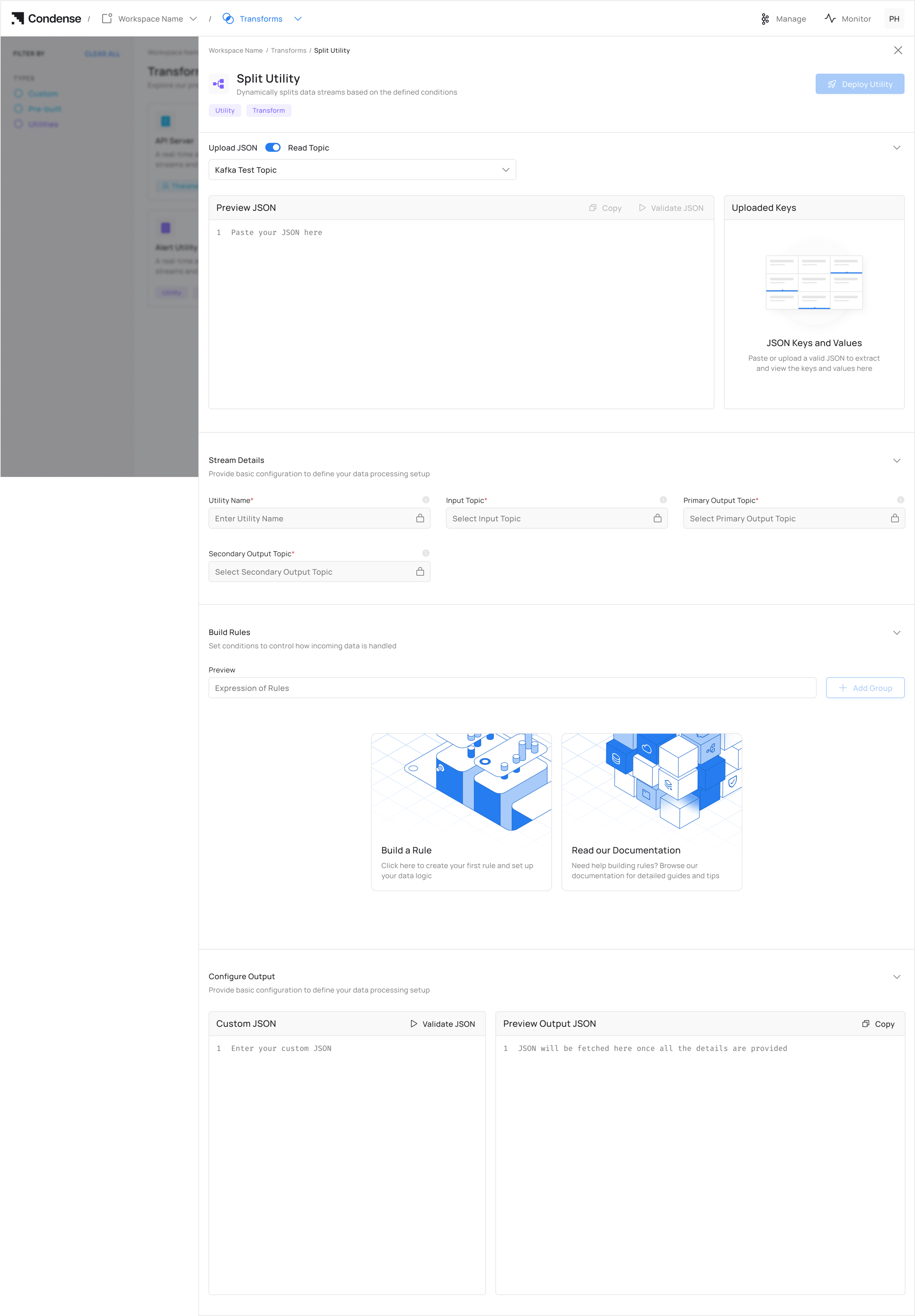 If the topic is empty, the user will not be able to set up the configuration for the Split utility
#### **Option B: Manual JSON Upload**
If the topic is empty, the user will not be able to set up the configuration for the Split utility
#### **Option B: Manual JSON Upload**
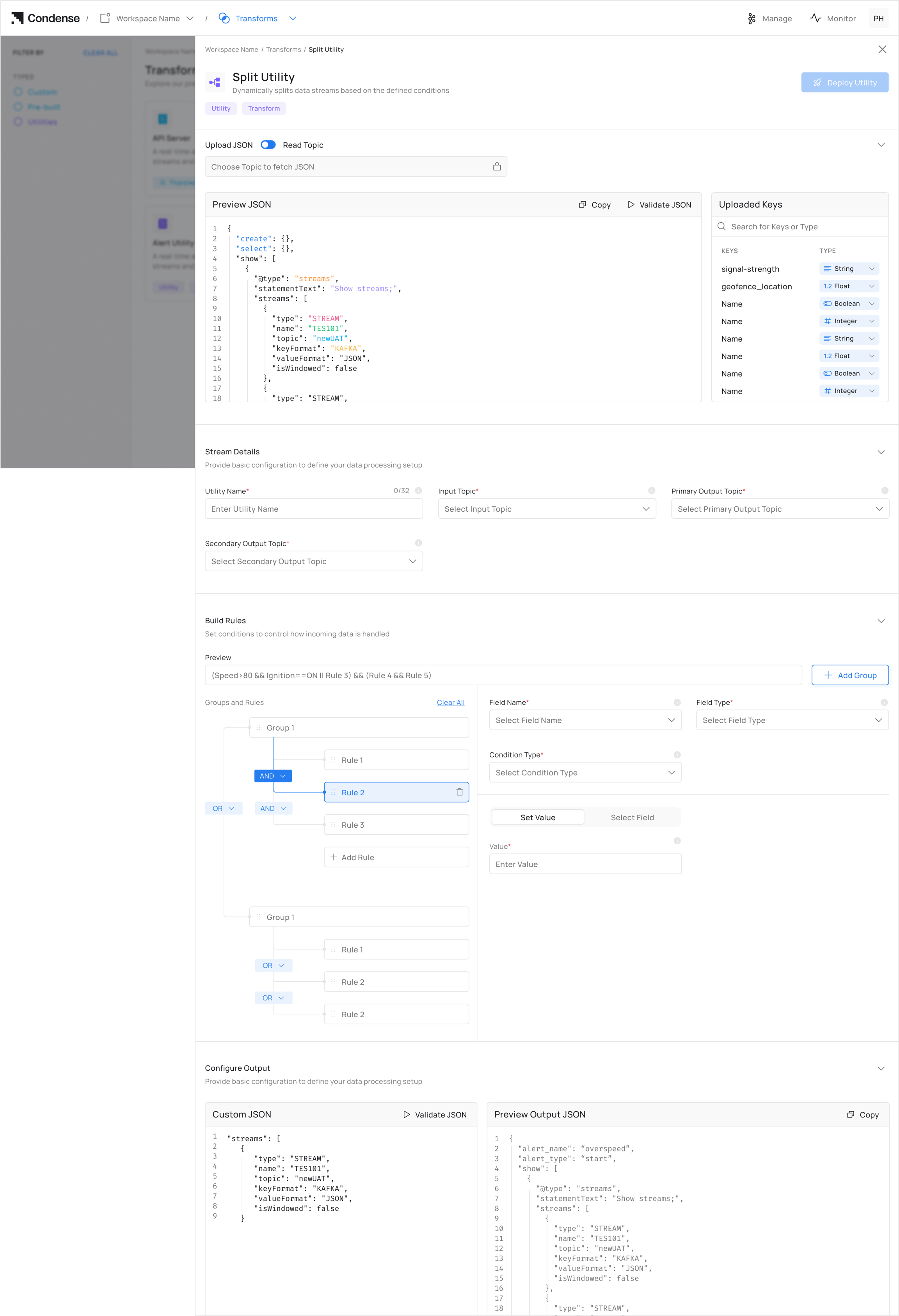 Click "Upload" and provide JSON as well as validate it. It auto-populates schema fields for the configuration of the Split Utility.
Manual JSON must exactly match your Kafka topic schema
### **Step 3. Set Up Configurations for Topic**
1. Enter a descriptive **Utility Name** for your split configuration
2. Select or specify the **Input Topic** that will provide data to the utility
3. Define a unique **Primary Output Topic** for condition-satisfied data
4. Define a unique **Secondary Output Topic** for condition-rejected data
### **Step 4: Configure Rules for Split**
1. Click **Add Rule**
2. For each rule:
* **Field Name**: Select from auto-populated list (never type manually)
* **Condition**: Set operator (>, \<, =) and threshold
3. Grouping Rules - Click **"Add Group"** to combine multiple rules\_.\_ Rules follow logical evaluation order.
### **Step 5: Deploy**
1. Real-Time Rule Preview - The top preview bar shows your current rule structure for split (Updates instantly as you add/change rules)
Check the preview bar to verify:
* Correct grouping with parentheses
* Logical operator priority matches your intent
1. Click **Deploy Utility**
2. Go to **Pipelines** to monitor your split utility deployment on the pipeline.
## **Editing a Split Configuration**
1. Navigate to the **Pipelines** page.
Click "Upload" and provide JSON as well as validate it. It auto-populates schema fields for the configuration of the Split Utility.
Manual JSON must exactly match your Kafka topic schema
### **Step 3. Set Up Configurations for Topic**
1. Enter a descriptive **Utility Name** for your split configuration
2. Select or specify the **Input Topic** that will provide data to the utility
3. Define a unique **Primary Output Topic** for condition-satisfied data
4. Define a unique **Secondary Output Topic** for condition-rejected data
### **Step 4: Configure Rules for Split**
1. Click **Add Rule**
2. For each rule:
* **Field Name**: Select from auto-populated list (never type manually)
* **Condition**: Set operator (>, \<, =) and threshold
3. Grouping Rules - Click **"Add Group"** to combine multiple rules\_.\_ Rules follow logical evaluation order.
### **Step 5: Deploy**
1. Real-Time Rule Preview - The top preview bar shows your current rule structure for split (Updates instantly as you add/change rules)
Check the preview bar to verify:
* Correct grouping with parentheses
* Logical operator priority matches your intent
1. Click **Deploy Utility**
2. Go to **Pipelines** to monitor your split utility deployment on the pipeline.
## **Editing a Split Configuration**
1. Navigate to the **Pipelines** page.
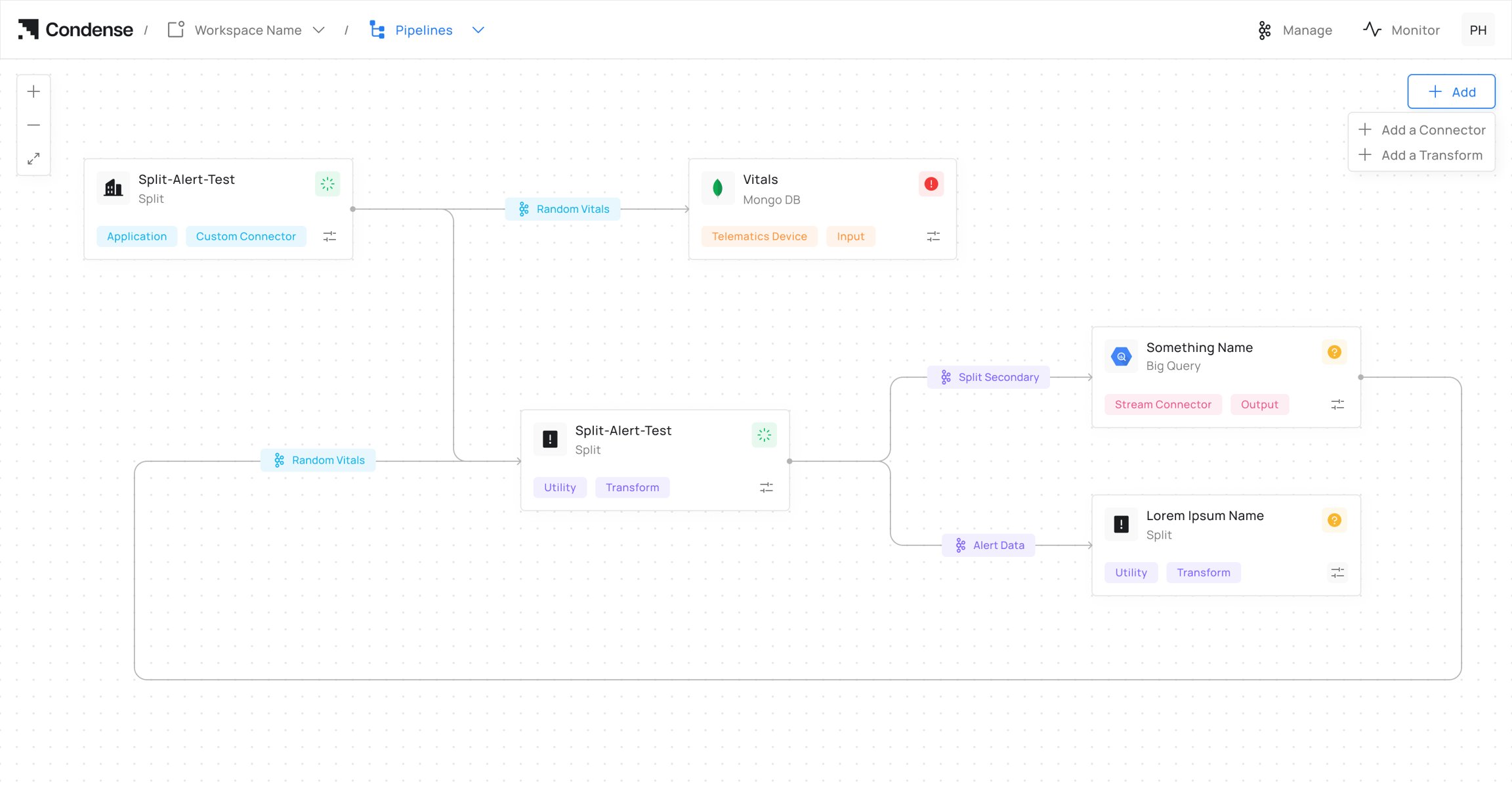 2. Select the deployed **Split Utility** you want to modify.
3. Click **Edit Configurations** to open the utility configuration.
2. Select the deployed **Split Utility** you want to modify.
3. Click **Edit Configurations** to open the utility configuration.
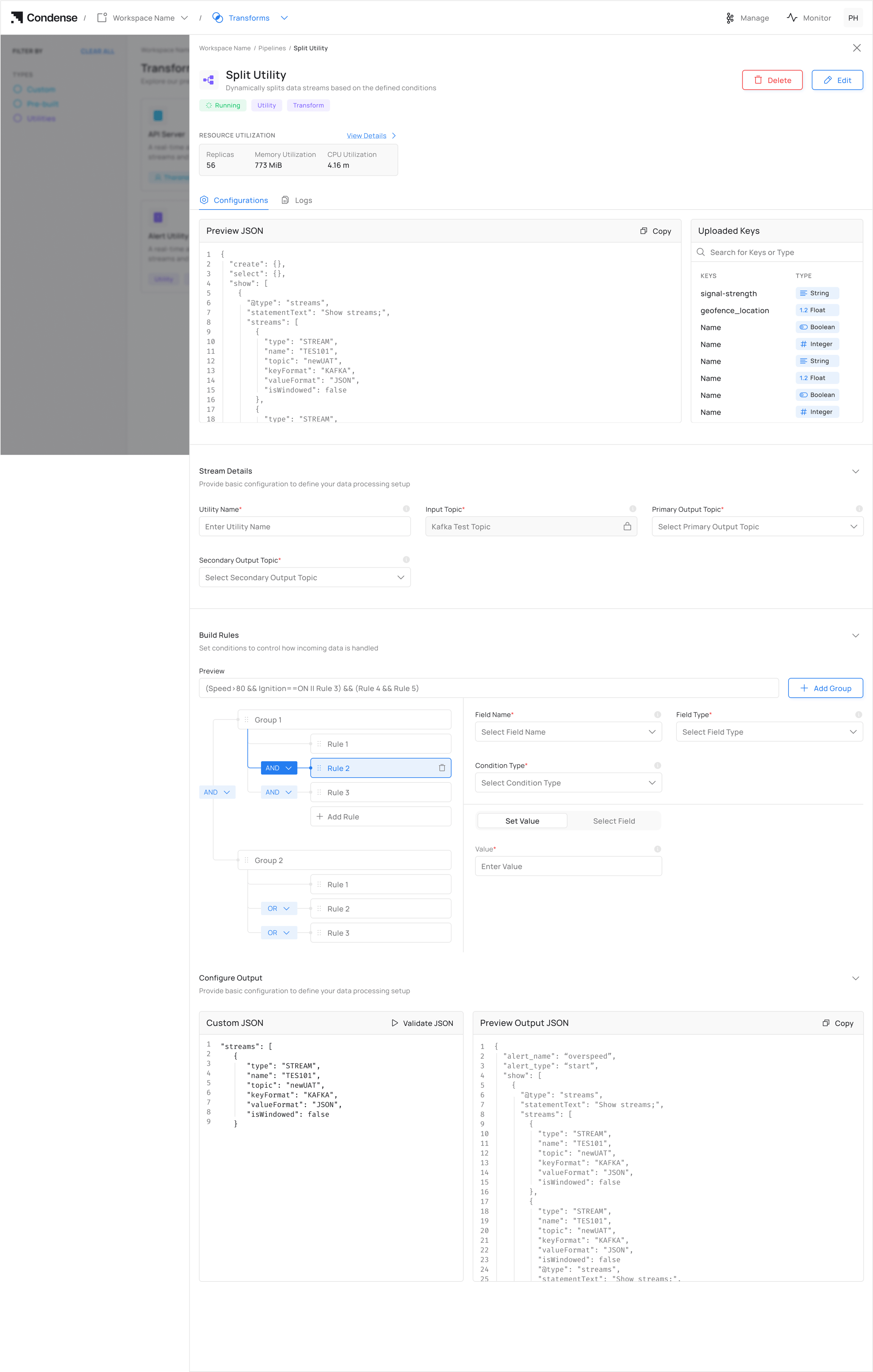 4. Update the required configuration, including:
* Utility Name
* Input Topic
* Primary Output Topic
* Secondary Output Topic
* Rule conditions
* Variables used in rule expressions *(New in v2.4.0)*
4. Update the required configuration, including:
* Utility Name
* Input Topic
* Primary Output Topic
* Secondary Output Topic
* Rule conditions
* Variables used in rule expressions *(New in v2.4.0)*
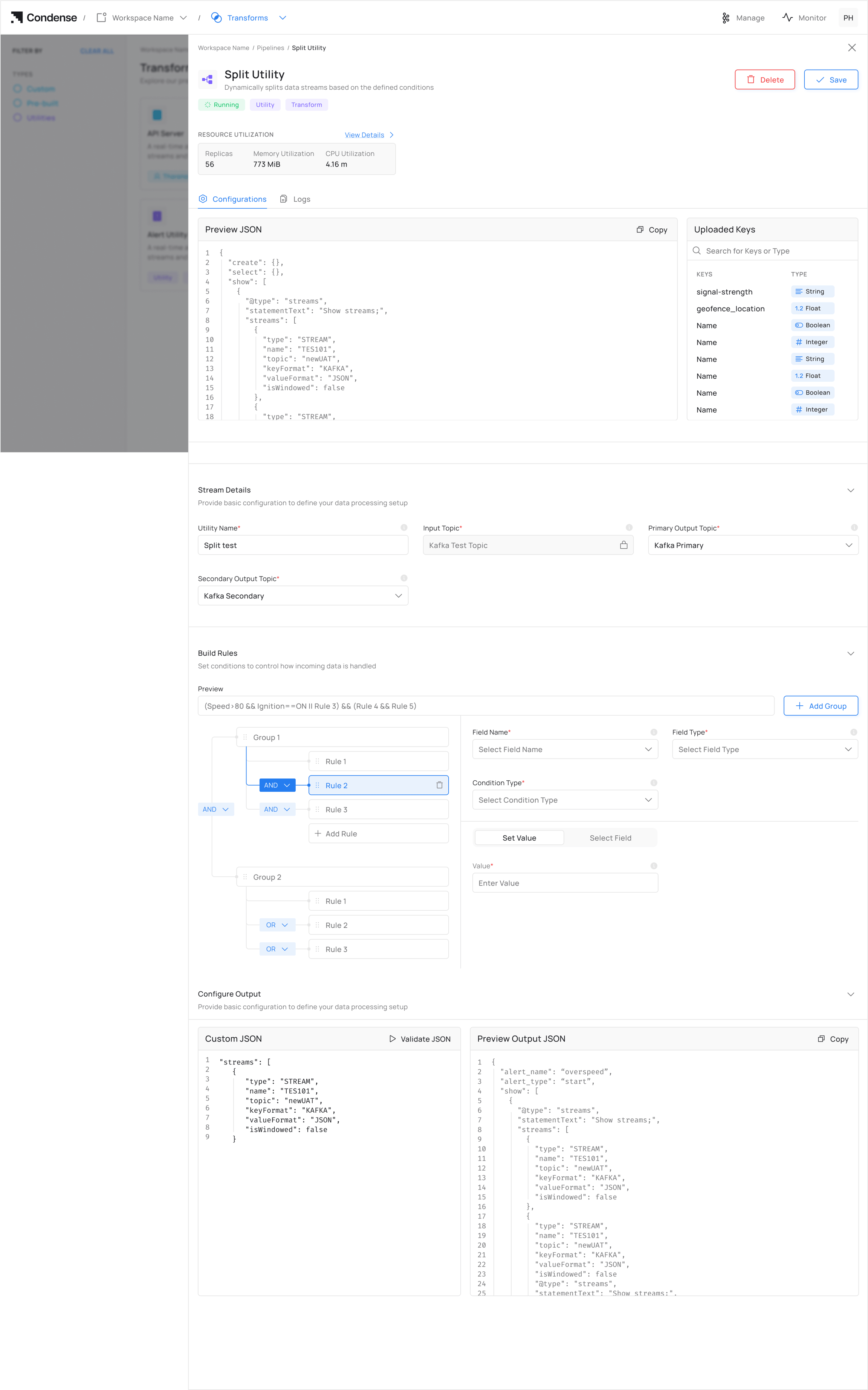 5. Review the updated rule expression using the preview bar.
6. Click **Deploy Utility** to apply the updated configuration.
Starting with **Condense v2.4.0**, variables used in Split Utility rule expressions can be edited directly without recreating the utility. This allows routing logic to be updated quickly when field names, conditions, or business rules change.
## **Deleting a Split Configuration**
1. Navigate to the **Pipelines** page
2. Select the deployed Split Utility you wish to remove
3. Click the **Delete Utility** button
5. Review the updated rule expression using the preview bar.
6. Click **Deploy Utility** to apply the updated configuration.
Starting with **Condense v2.4.0**, variables used in Split Utility rule expressions can be edited directly without recreating the utility. This allows routing logic to be updated quickly when field names, conditions, or business rules change.
## **Deleting a Split Configuration**
1. Navigate to the **Pipelines** page
2. Select the deployed Split Utility you wish to remove
3. Click the **Delete Utility** button
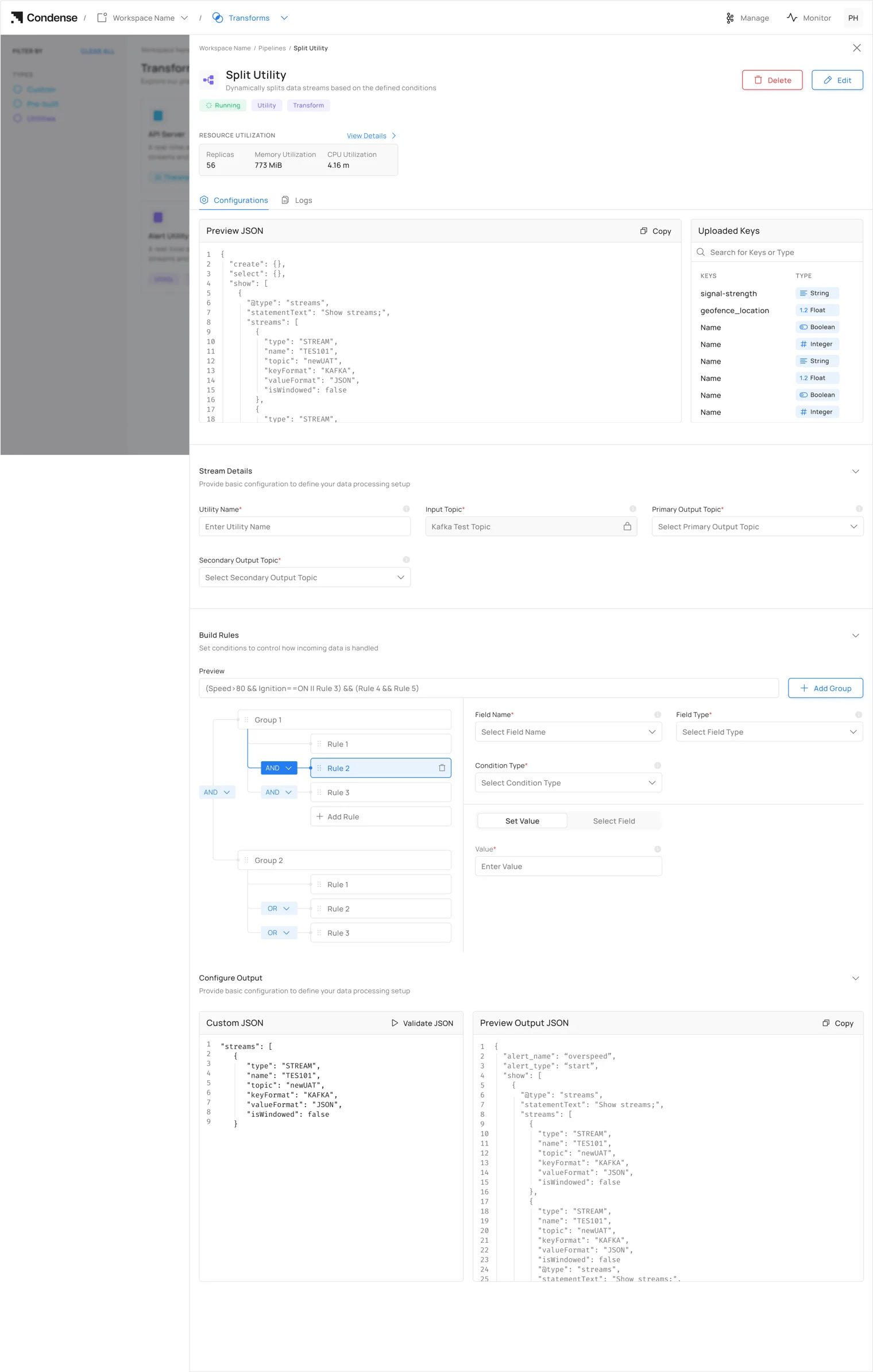 4. Confirm deletion in the prompt window
## Frequently Asked Questions (FAQs)
#### **Q1: What is the primary purpose of the Split Utility?**
A: The Split Utility routes Kafka data into primary and secondary output topics based on user-defined conditions.
#### **Q2: How does the Split Utility determine where to route messages?**
A: The utility evaluates JSON messages against configured rules and conditions. Messages meeting the criteria are sent to the primary output topic; those failing the criteria go to the secondary output topic.
#### **Q3: Can I use the Split Utility with non-JSON data?**
A: No, the Split Utility specifically processes JSON-formatted data. Other formats are not supported in the current implementation.
#### **Q4: Can I use the same topic for input and output?**
A: No, the input topic, primary output topic, and secondary output topic must all be different to prevent processing loops and ensure proper data flow.
#### **Q5: What happens if I configure conflicting or overlapping rules?**
A: Rules are evaluated in the order they are defined. Once a message satisfies a rule, it is immediately routed to the primary output topic.
4. Confirm deletion in the prompt window
## Frequently Asked Questions (FAQs)
#### **Q1: What is the primary purpose of the Split Utility?**
A: The Split Utility routes Kafka data into primary and secondary output topics based on user-defined conditions.
#### **Q2: How does the Split Utility determine where to route messages?**
A: The utility evaluates JSON messages against configured rules and conditions. Messages meeting the criteria are sent to the primary output topic; those failing the criteria go to the secondary output topic.
#### **Q3: Can I use the Split Utility with non-JSON data?**
A: No, the Split Utility specifically processes JSON-formatted data. Other formats are not supported in the current implementation.
#### **Q4: Can I use the same topic for input and output?**
A: No, the input topic, primary output topic, and secondary output topic must all be different to prevent processing loops and ensure proper data flow.
#### **Q5: What happens if I configure conflicting or overlapping rules?**
A: Rules are evaluated in the order they are defined. Once a message satisfies a rule, it is immediately routed to the primary output topic.