> ## Documentation Index
> Fetch the complete documentation index at: https://docs.condense.io/llms.txt
> Use this file to discover all available pages before exploring further.

# Accessing Status of Your Build

> For the complete documentation index, see . This page is also available as .

Copy

On this page

1. [Fundamentals](/condense/v2.4.0/fundamentals)
2. [Getting Set Up](/condense/v2.4.0/fundamentals/getting-set-up)

To access the build logs, please follow below steps:

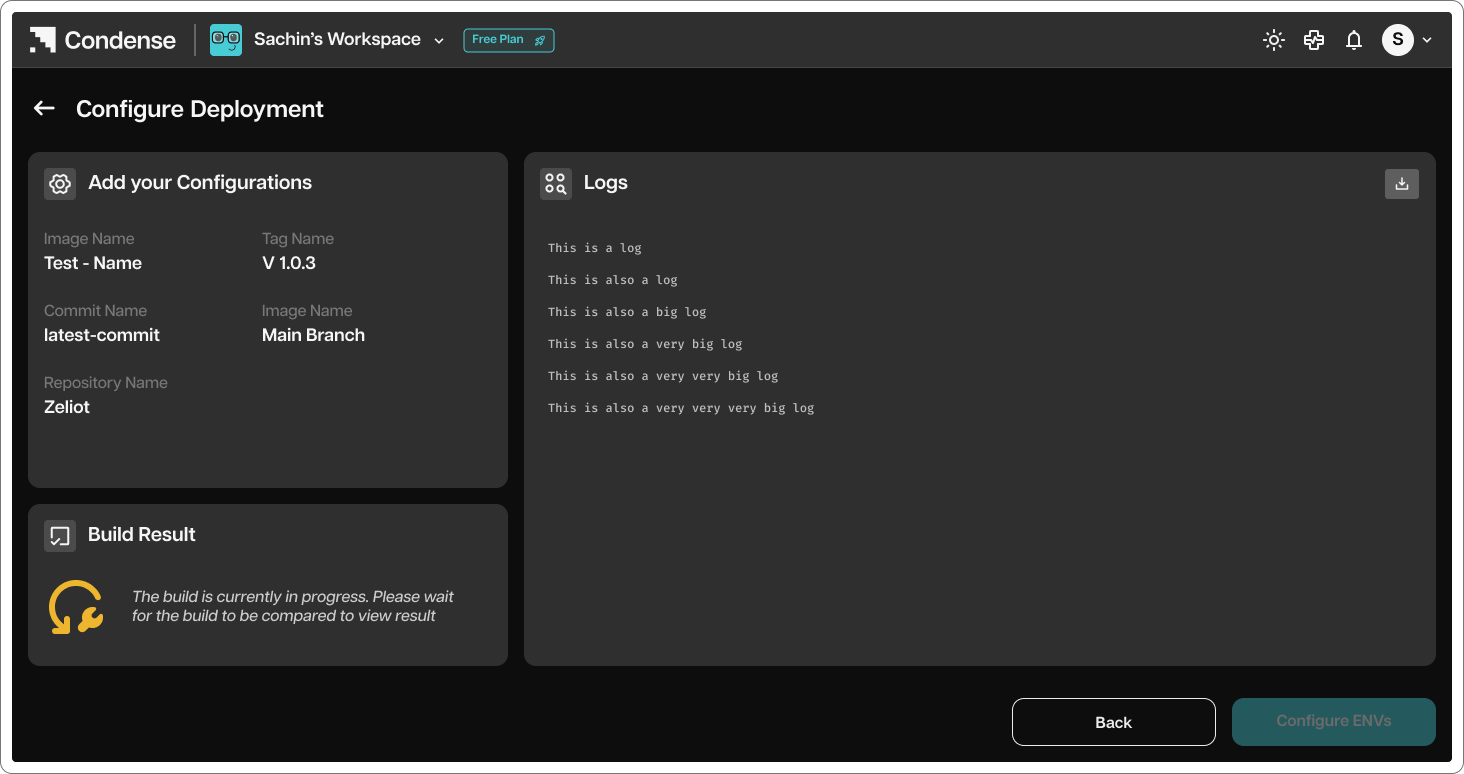
Once you click on build, you will be redirected to Build Logs page
<img src="https://mintcdn.com/zeliot/1mmppOlVvf6i8S0Q/images/condense/v2.4.0/fundamentals/getting-set-up/rwKRGO3QthZ6EMqqYblg%252Fblobs%252FISUvzfMKs9QKZzM9krHB%252FStep%2525206A.png?fit=max&auto=format&n=1mmppOlVvf6i8S0Q&q=85&s=3fe8b986edffb69794bcf3f17ddb62cb" alt="" width="1464" height="774" data-path="images/condense/v2.4.0/fundamentals/getting-set-up/rwKRGO3QthZ6EMqqYblg%2Fblobs%2FISUvzfMKs9QKZzM9krHB%2FStep%25206A.png" />

The build logs showcases how the build is taking place based on the dockerfile. In general, the build logs will show below info:

1. Pulling Base Image - The process starts by attempting to pull the base image from the Docker Hub registry.

2. Creating Directory

3. Setting Working Directory

4. Copying Package Files

5. Installing Dependencies

6. Exposing Port

7. Setting Entrypoint

After all steps are completed, the log indicates successful building of the image. Finally, the image is tagged with a name creating a reference to the built image with a specific version identifier.

The build logs serve as a tool for monitoring, troubleshooting the Docker image building process.

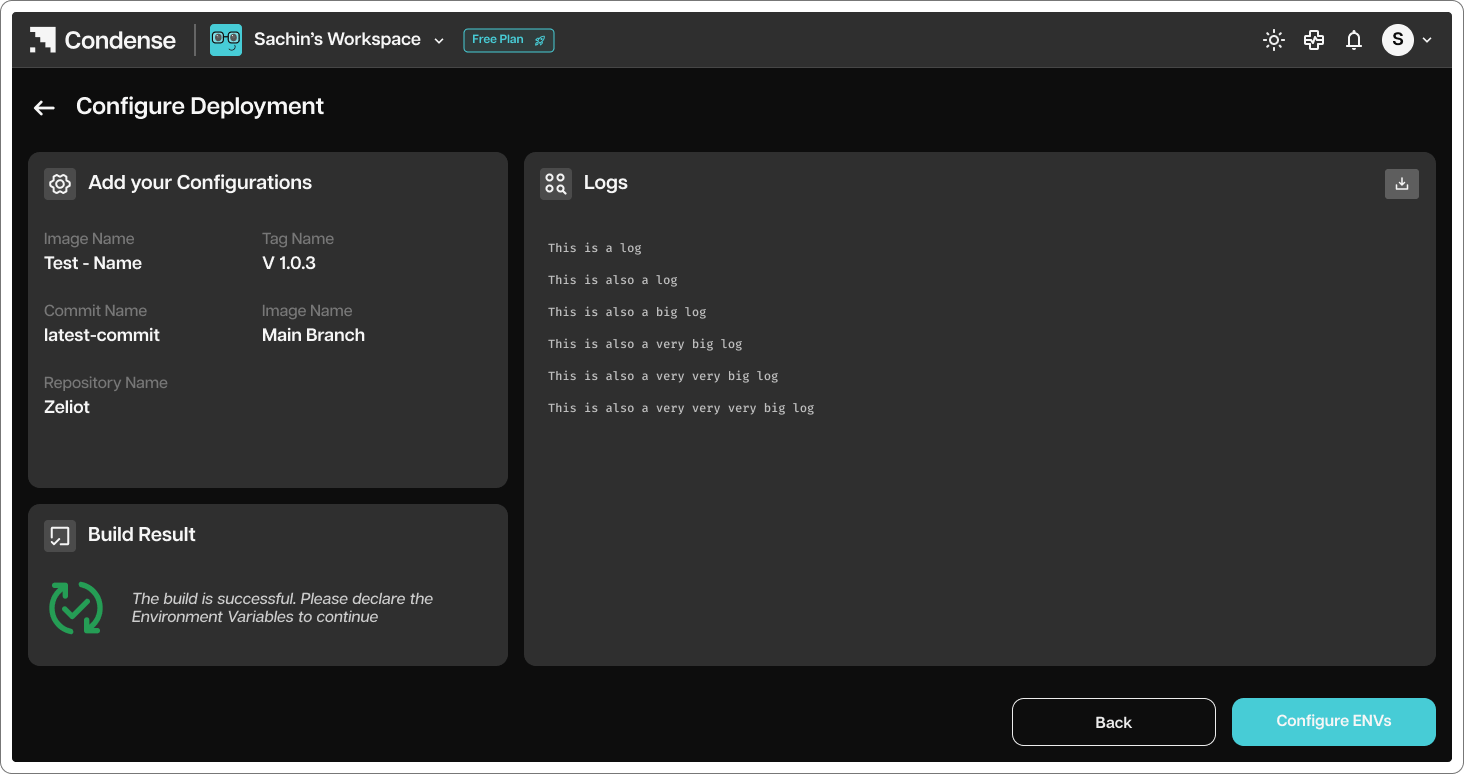
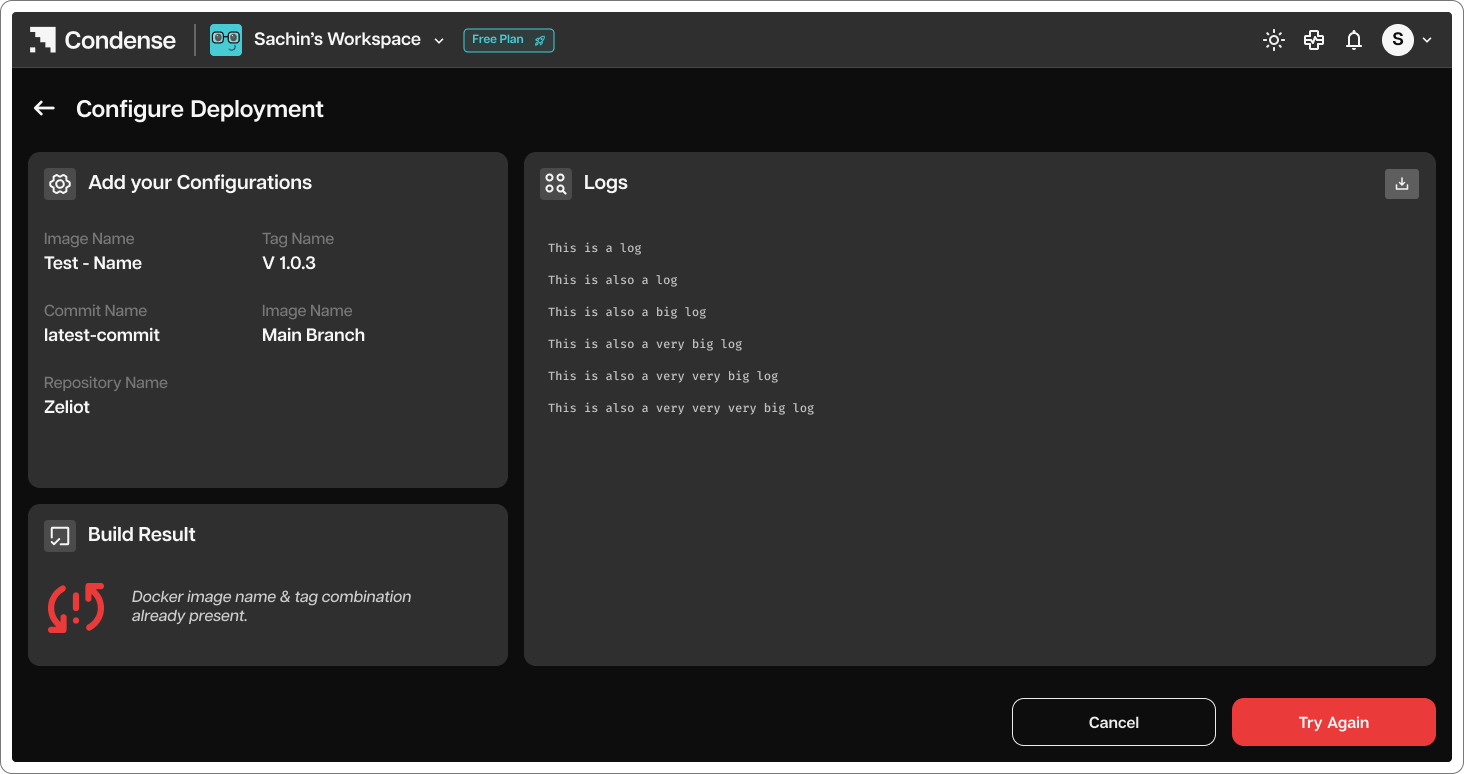
Build statuses: You can check the status of your build in this page:
<Frame caption="Indicates that the build is in progress.">
  <img src="https://mintcdn.com/zeliot/1mmppOlVvf6i8S0Q/images/condense/v2.4.0/fundamentals/getting-set-up/rwKRGO3QthZ6EMqqYblg%252Fblobs%252FISUvzfMKs9QKZzM9krHB%252FStep%2525206A.png?fit=max&auto=format&n=1mmppOlVvf6i8S0Q&q=85&s=3fe8b986edffb69794bcf3f17ddb62cb" width="1464" height="774" data-path="images/condense/v2.4.0/fundamentals/getting-set-up/rwKRGO3QthZ6EMqqYblg%2Fblobs%2FISUvzfMKs9QKZzM9krHB%2FStep%25206A.png" />
</Frame>

<Frame caption="Indicates that the build has failed. User can access build logs to troubleshoot">
  <img src="https://mintcdn.com/zeliot/1mmppOlVvf6i8S0Q/images/condense/v2.4.0/fundamentals/getting-set-up/rwKRGO3QthZ6EMqqYblg%252Fblobs%252F9qtWjarDX60RON2RlC1q%252FStep%2525206B.png?fit=max&auto=format&n=1mmppOlVvf6i8S0Q&q=85&s=1d06019fc0052ad2057a7c250eccbd10" width="1464" height="774" data-path="images/condense/v2.4.0/fundamentals/getting-set-up/rwKRGO3QthZ6EMqqYblg%2Fblobs%2F9qtWjarDX60RON2RlC1q%2FStep%25206B.png" />
</Frame>

<Frame caption="Indicates that the build is successful.">
  <img src="https://mintcdn.com/zeliot/9PuaCveJzbnWXxBr/images/condense/v2.4.0/fundamentals/getting-set-up/rwKRGO3QthZ6EMqqYblg%252Fblobs%252FwMtcOHjTxqOOzCXn7QZG%252FStep%2525206C.png?fit=max&auto=format&n=9PuaCveJzbnWXxBr&q=85&s=2f193cce4b6d790d51eb2ccbb5f468f6" width="1464" height="774" data-path="images/condense/v2.4.0/fundamentals/getting-set-up/rwKRGO3QthZ6EMqqYblg%2Fblobs%2FwMtcOHjTxqOOzCXn7QZG%2FStep%25206C.png" />
</Frame>

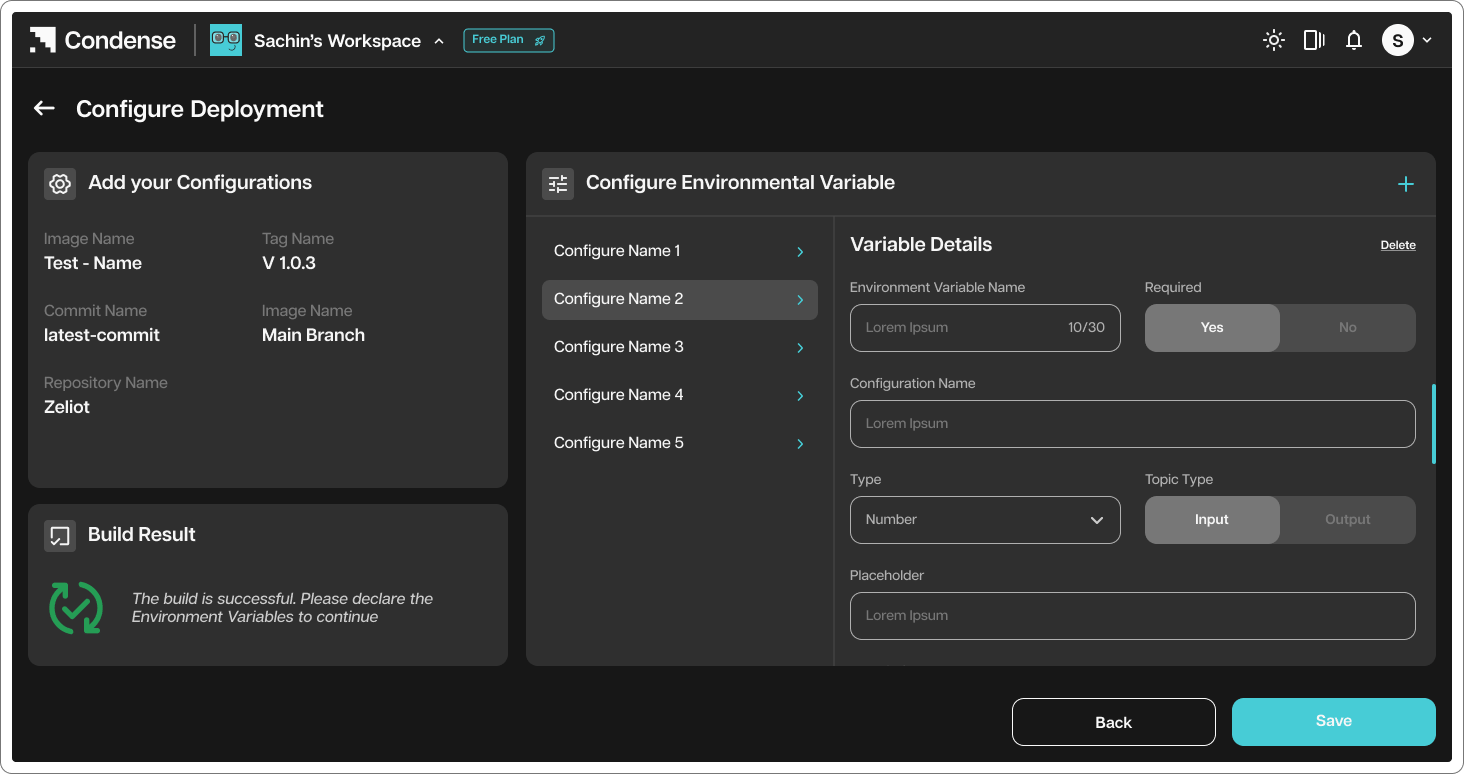
<Frame caption="Configure ENV">
  <img src="https://mintcdn.com/zeliot/1mmppOlVvf6i8S0Q/images/condense/v2.4.0/fundamentals/getting-set-up/rwKRGO3QthZ6EMqqYblg%252Fblobs%252FAUp3H6kItOFP0exPKiAi%252FStep%2525206D.png?fit=max&auto=format&n=1mmppOlVvf6i8S0Q&q=85&s=a8328eff24113a3b21d23e47d00ce001" width="1464" height="774" data-path="images/condense/v2.4.0/fundamentals/getting-set-up/rwKRGO3QthZ6EMqqYblg%2Fblobs%2FAUp3H6kItOFP0exPKiAi%2FStep%25206D.png" />
</Frame>

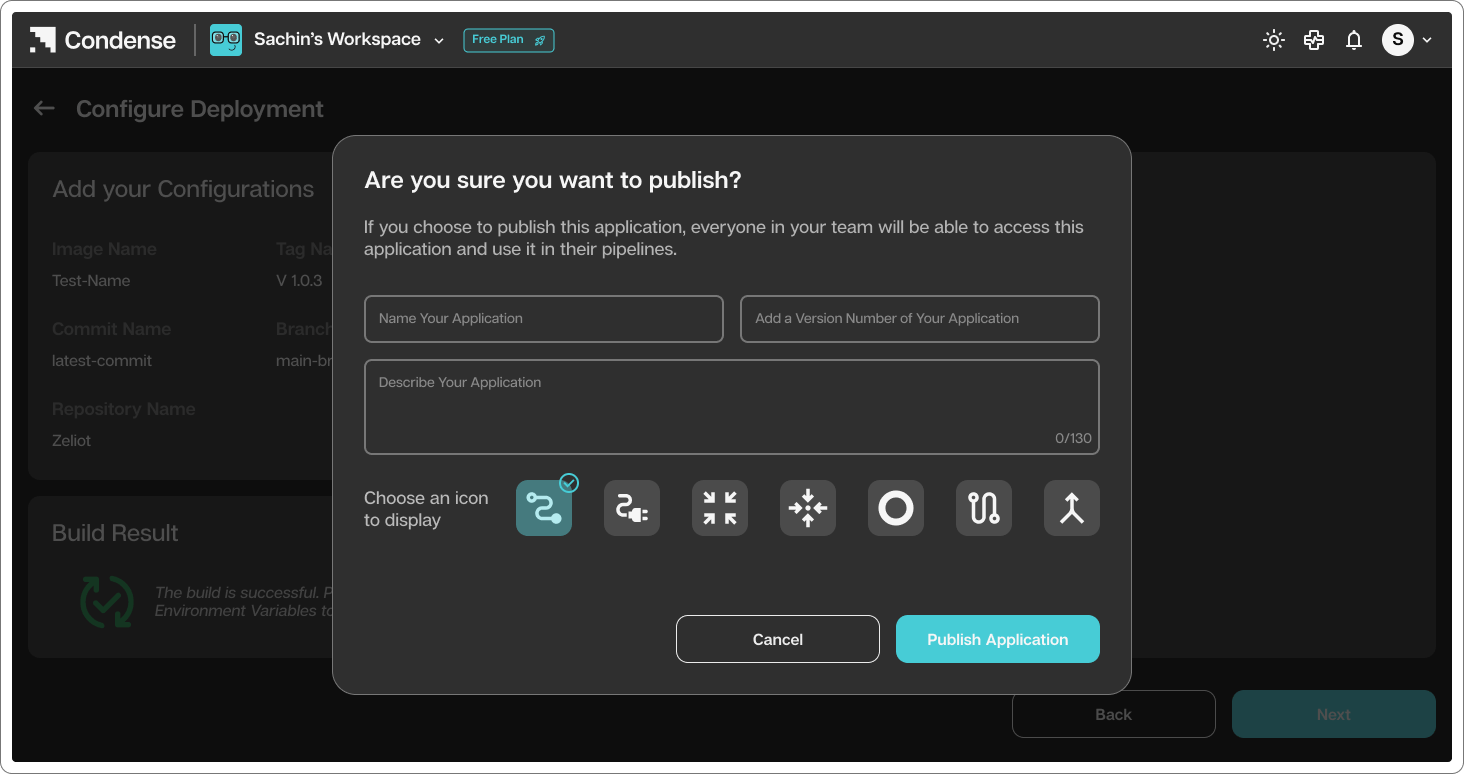
<Frame caption="Name the Application and Choose Icon">
  <img src="https://mintcdn.com/zeliot/1mmppOlVvf6i8S0Q/images/condense/v2.4.0/fundamentals/getting-set-up/rwKRGO3QthZ6EMqqYblg%252Fblobs%252FUd7jwtPt896hJklT48W9%252FStep%2525206F.png?fit=max&auto=format&n=1mmppOlVvf6i8S0Q&q=85&s=27ce388ad6b983b4838ff2e09ea349e4" width="1464" height="774" data-path="images/condense/v2.4.0/fundamentals/getting-set-up/rwKRGO3QthZ6EMqqYblg%2Fblobs%2FUd7jwtPt896hJklT48W9%2FStep%25206F.png" />
</Frame>

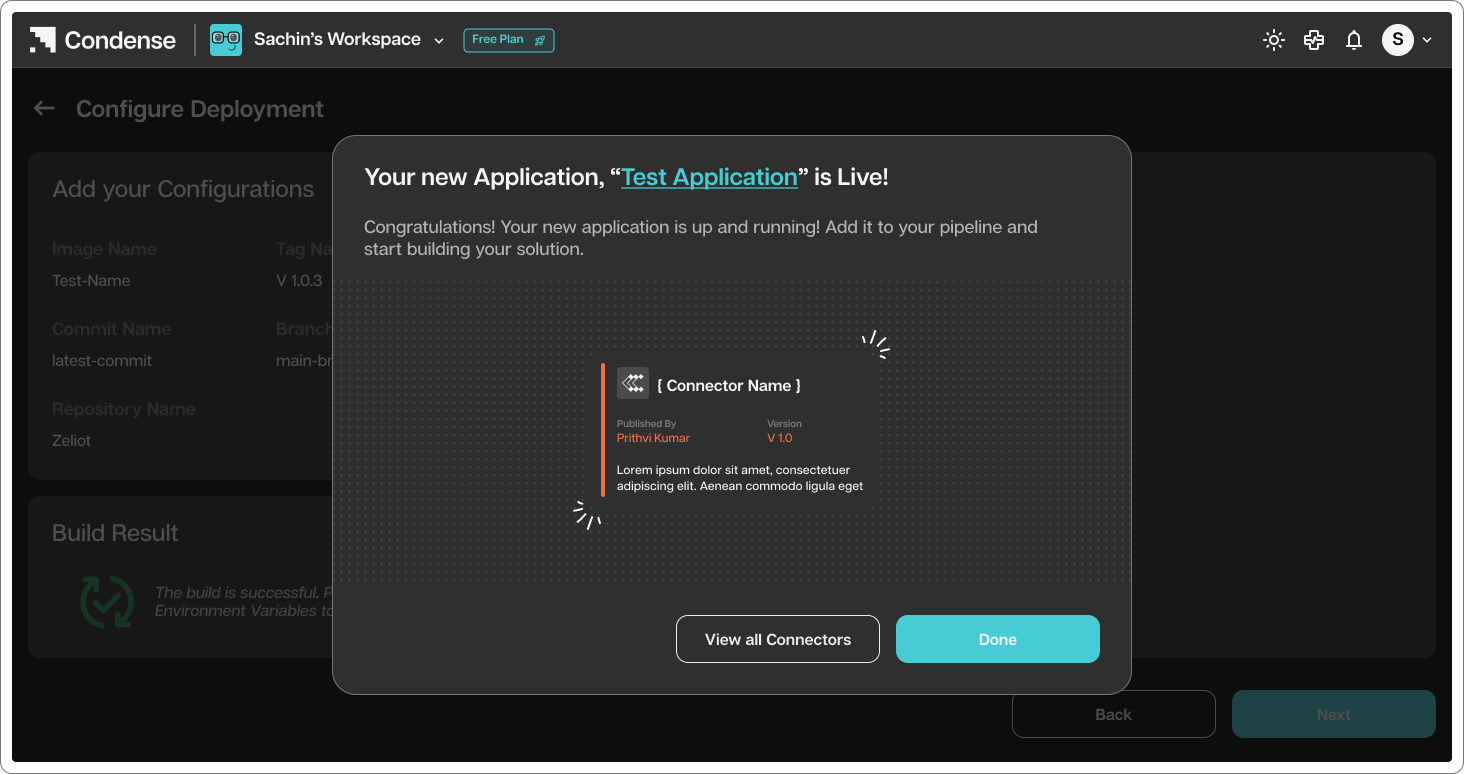
<Frame caption="Your custom transformation is published successfully with application name as provided">
  <img src="https://mintcdn.com/zeliot/9PuaCveJzbnWXxBr/images/condense/v2.4.0/fundamentals/getting-set-up/rwKRGO3QthZ6EMqqYblg%252Fblobs%252FtfKNWIap8H6SSKQcw8N4%252FStep%2525206G.png?fit=max&auto=format&n=9PuaCveJzbnWXxBr&q=85&s=802c901f2ecc55fffe917dd278606b26" width="1464" height="774" data-path="images/condense/v2.4.0/fundamentals/getting-set-up/rwKRGO3QthZ6EMqqYblg%2Fblobs%2FtfKNWIap8H6SSKQcw8N4%2FStep%25206G.png" />
</Frame>