

Overview
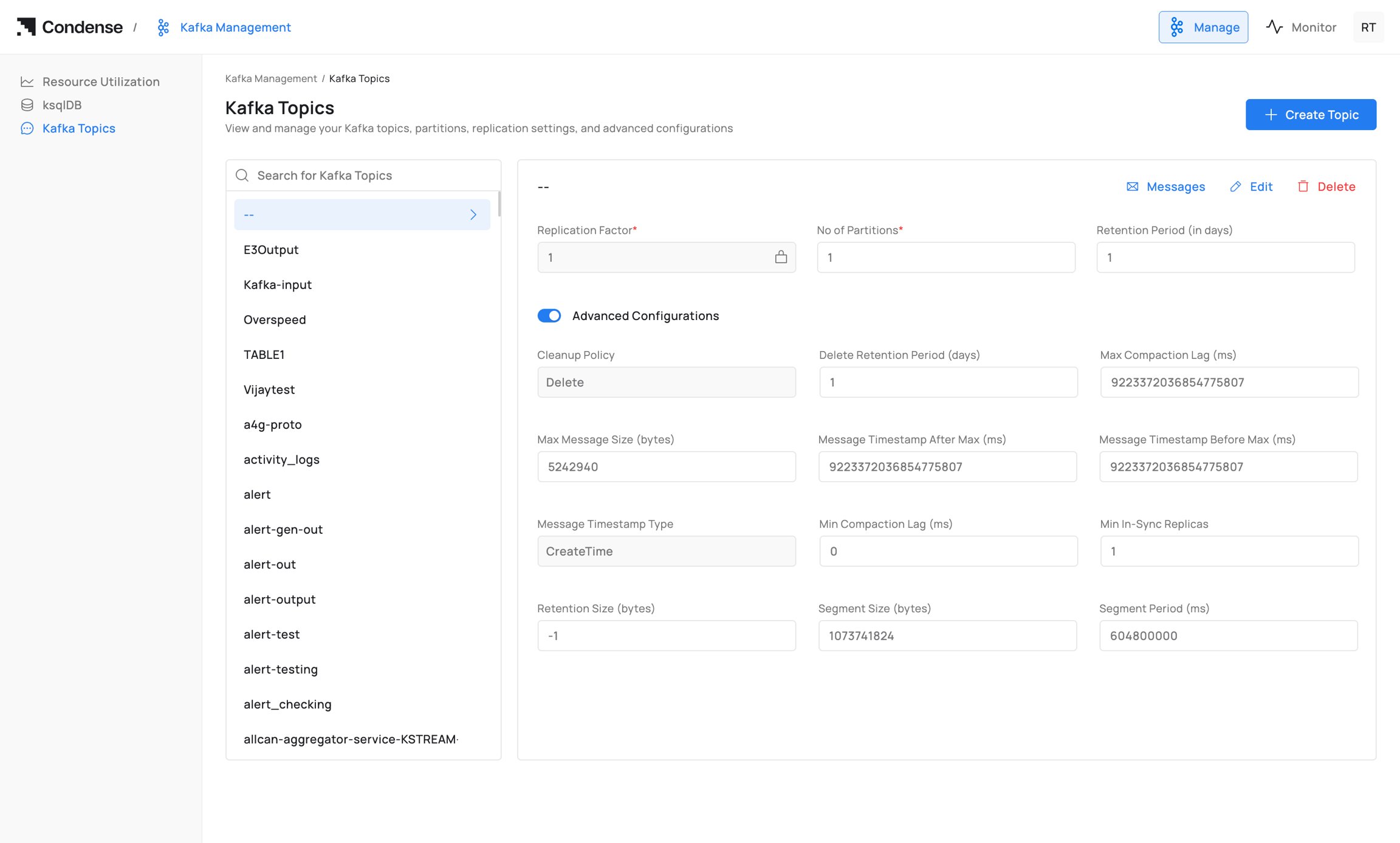
The Kafka Topics page provides a centralized interface for managing Kafka topics within a Kafka cluster. Administrators can create new topics, browse existing topics, inspect topic configurations, update topic properties, and delete topics directly from the Condense portal without using Kafka command-line tools. The page also provides visibility into topic health and operational status, making it easier to administer Kafka topics across environments. Path: Kafka Management → Kafka TopicsTopic List
On the left-hand panel, Condense displays all existing topics in the connected Kafka cluster.- Alphabetical topic listing.
- Search by topic name.
- Topic selection for viewing detailed information.
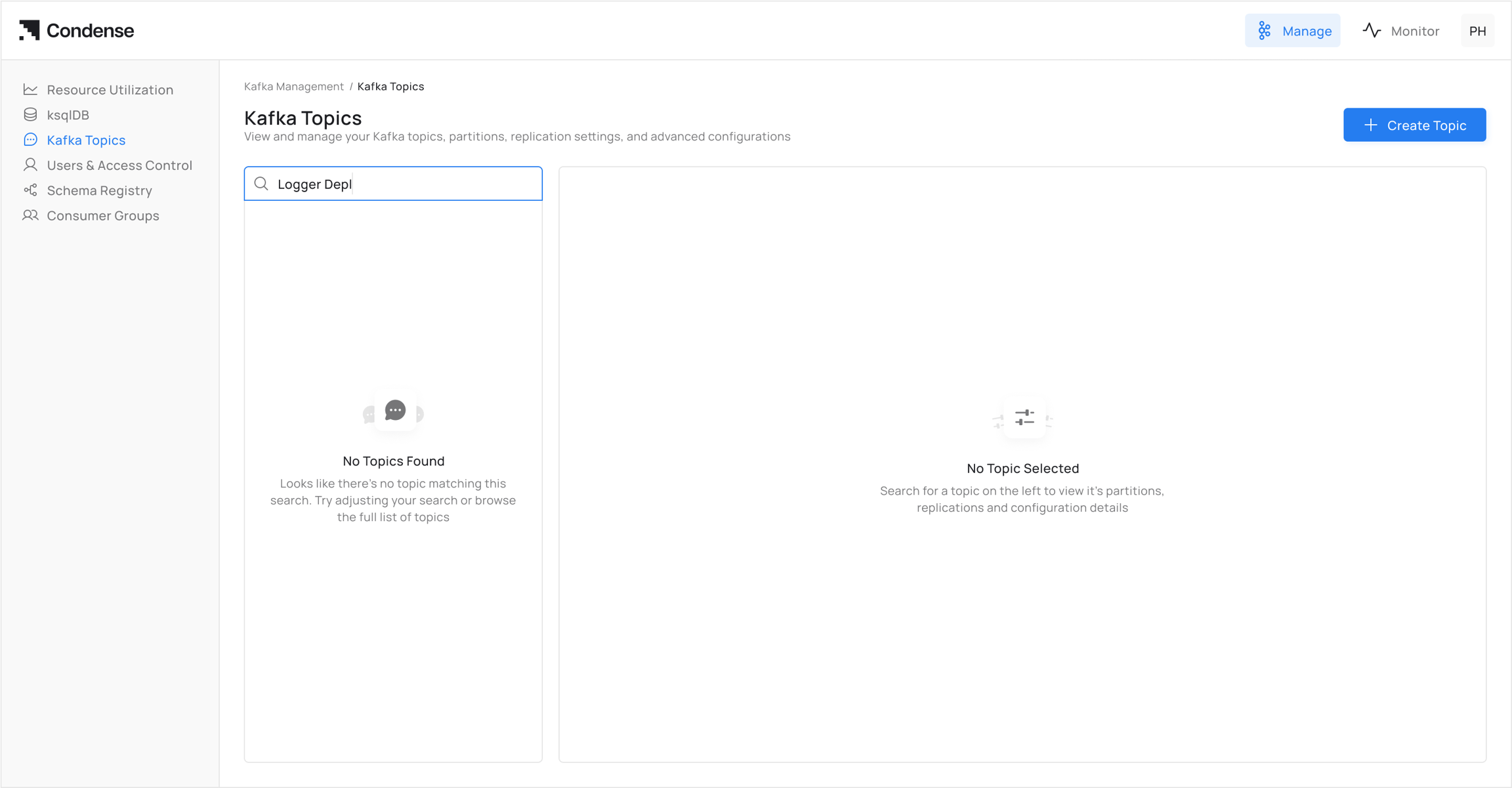
- Selecting a topic loads its details in the main panel, including configuration, partition information, and available management actions.
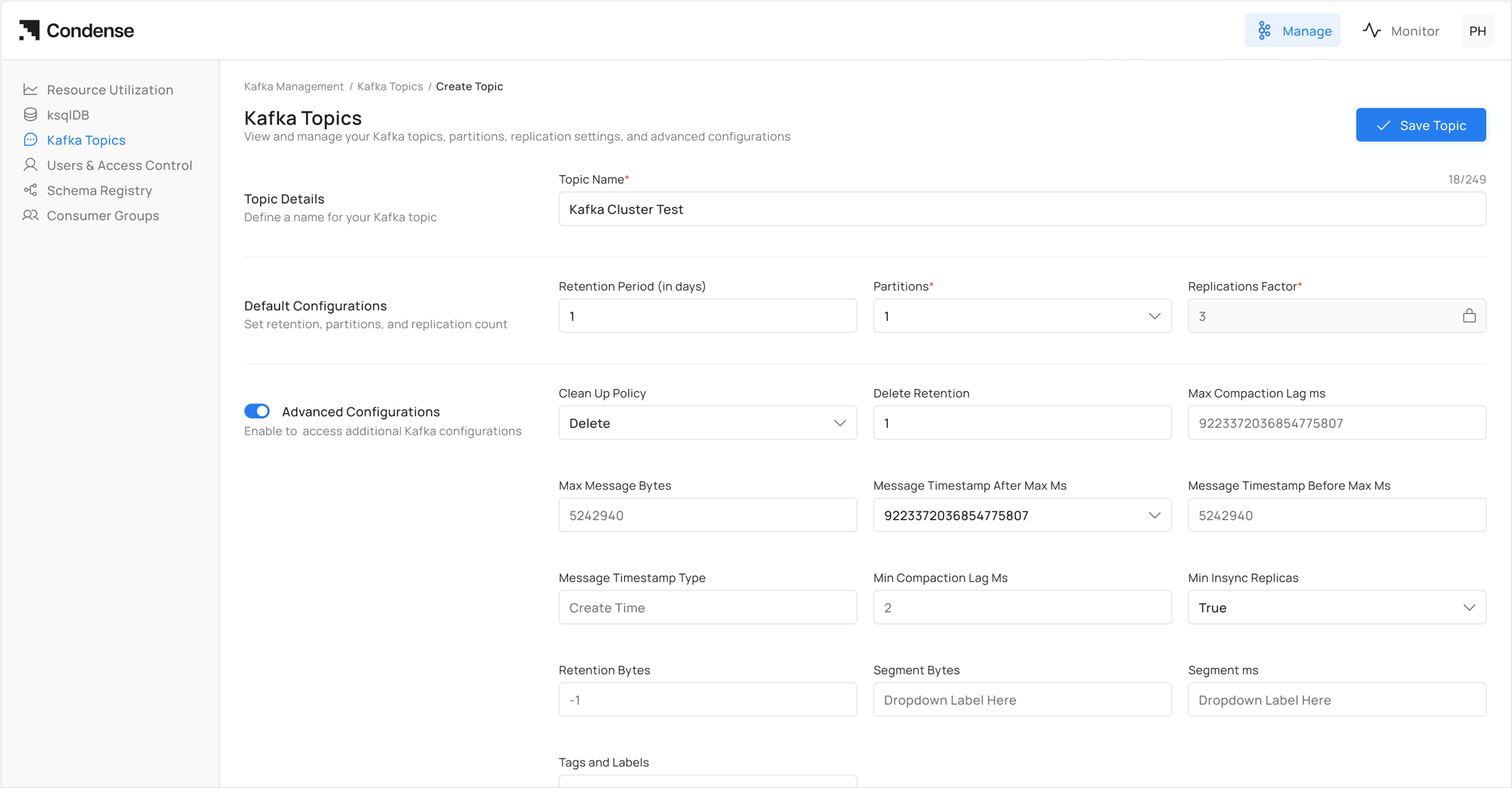
Topic Actions
Kafka Topics supports the following management operations.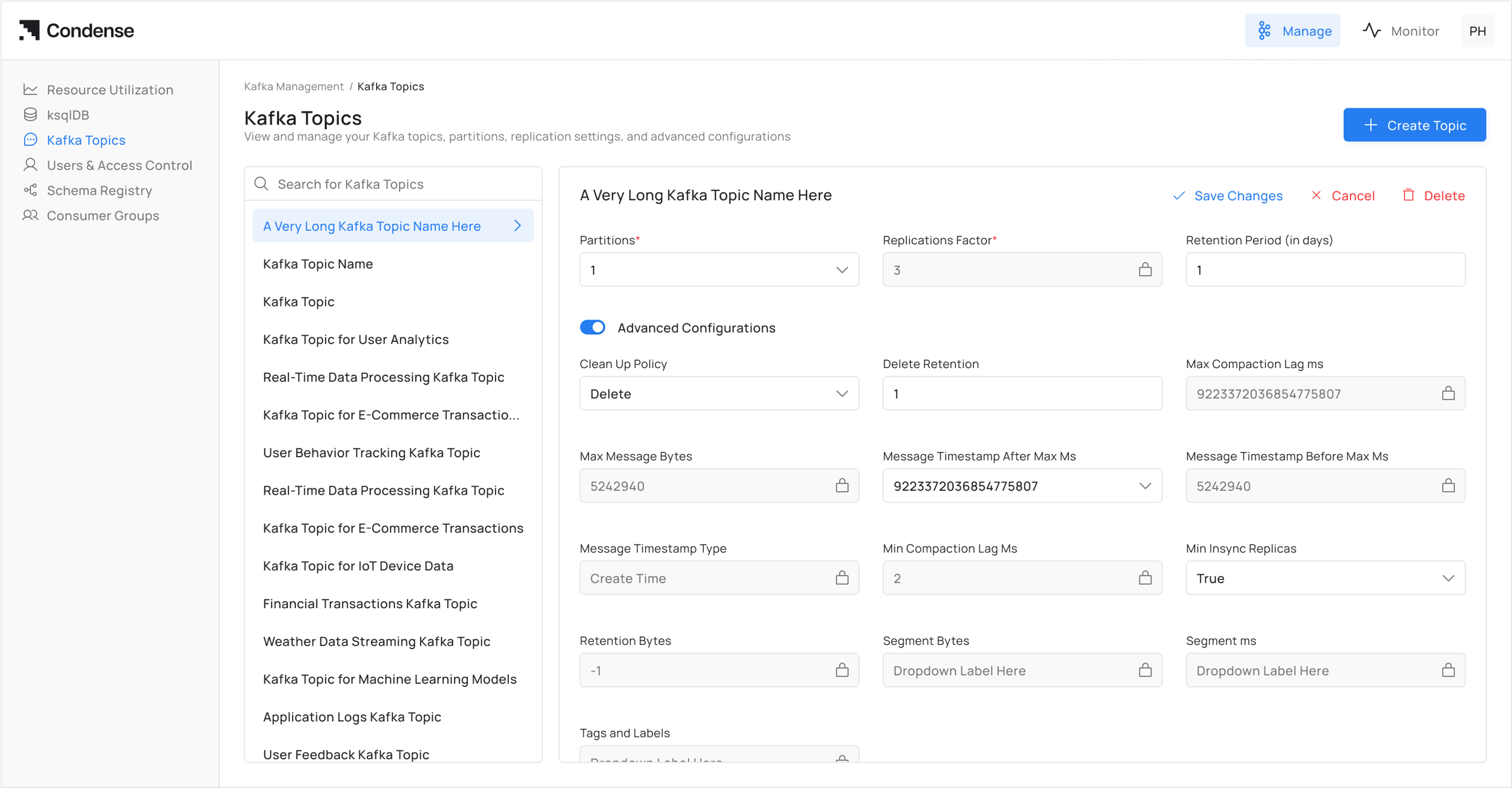
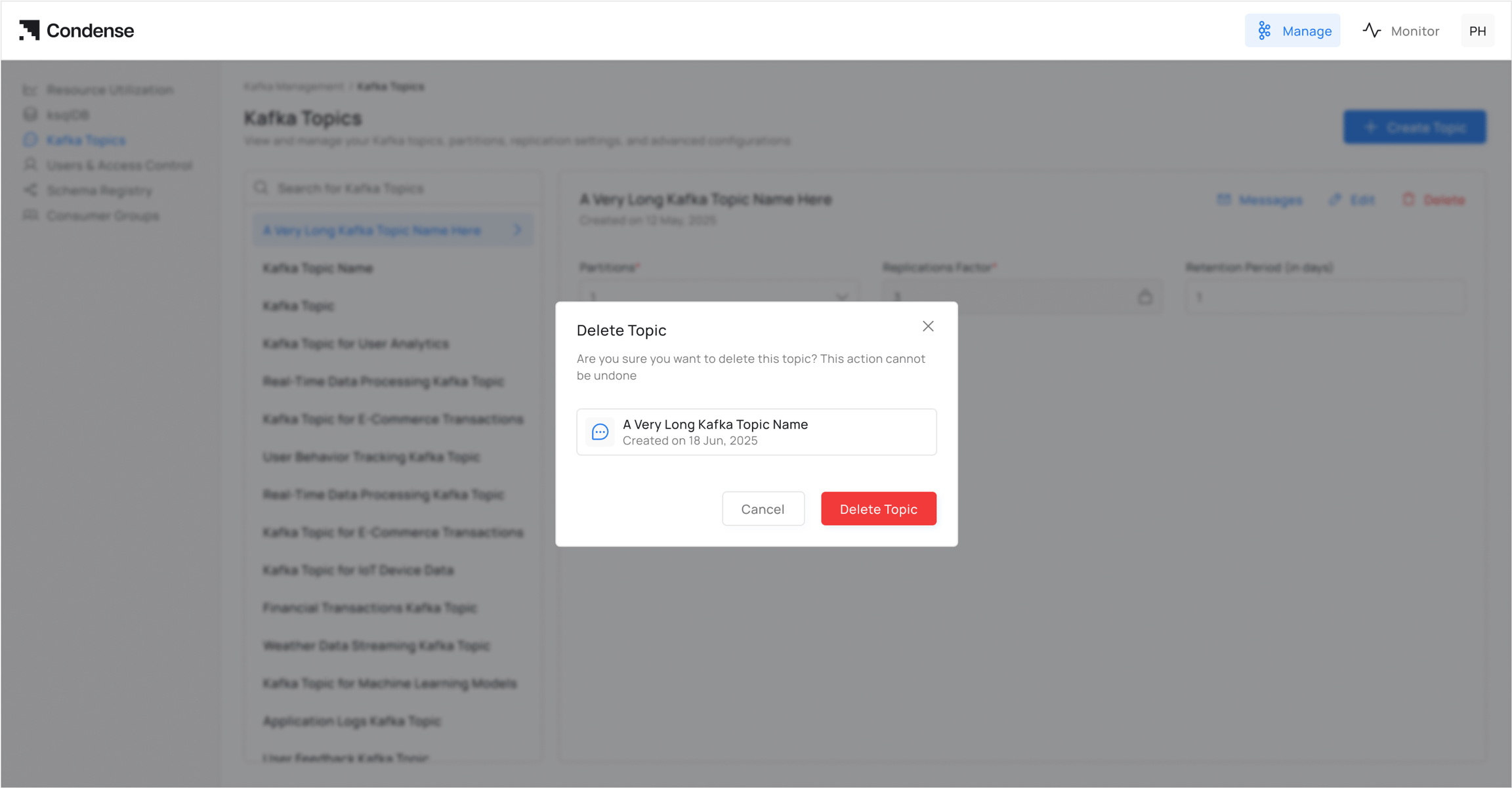
WarningDeleting a Kafka topic permanently removes the topic and its stored data. This action cannot be undone.
Basic Configuration
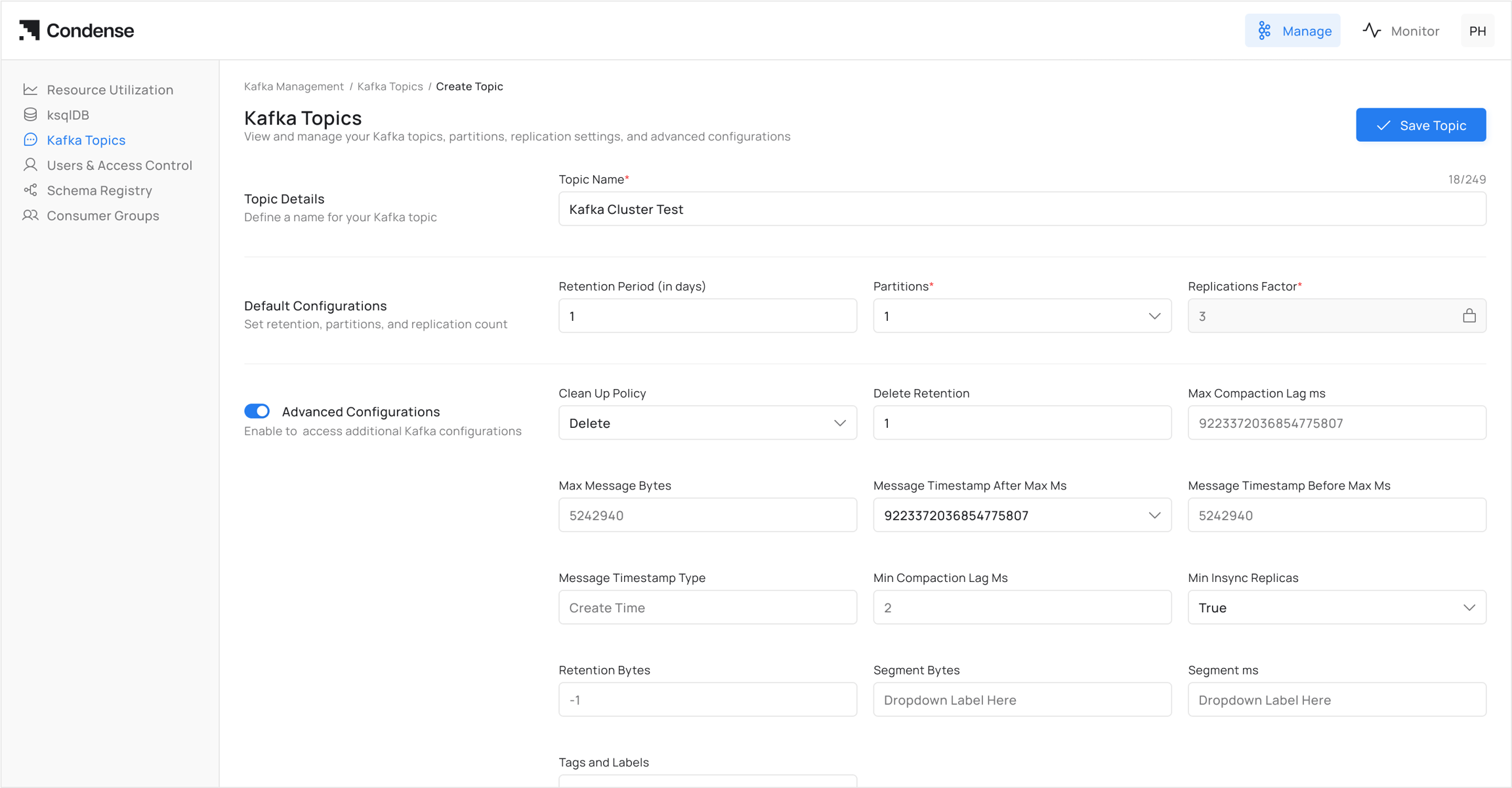
When creating or editing a topic, the following required fields must be definedAdvanced Configurations
Advanced settings allow fine-grained control of topic behavior. These fields map directly to Kafka topic configuration parameters.Update Topic Configuration
Existing topic configurations can be modified using the Edit action available from the Topic Details page. After updating the required configuration values, review the changes before saving them.Usage Notes
- All advanced fields correspond to Kafka’s topic-level configuration properties.
- Fields not explicitly set in Condense will use Kafka cluster defaults.
- Certain changes (e.g., partition count) are not reversible once applied.
- Care must be taken with retention and cleanup policies to avoid unintended data loss.