

AI Governance is for Organization Admins who have AI Governance access. Members do not see it.
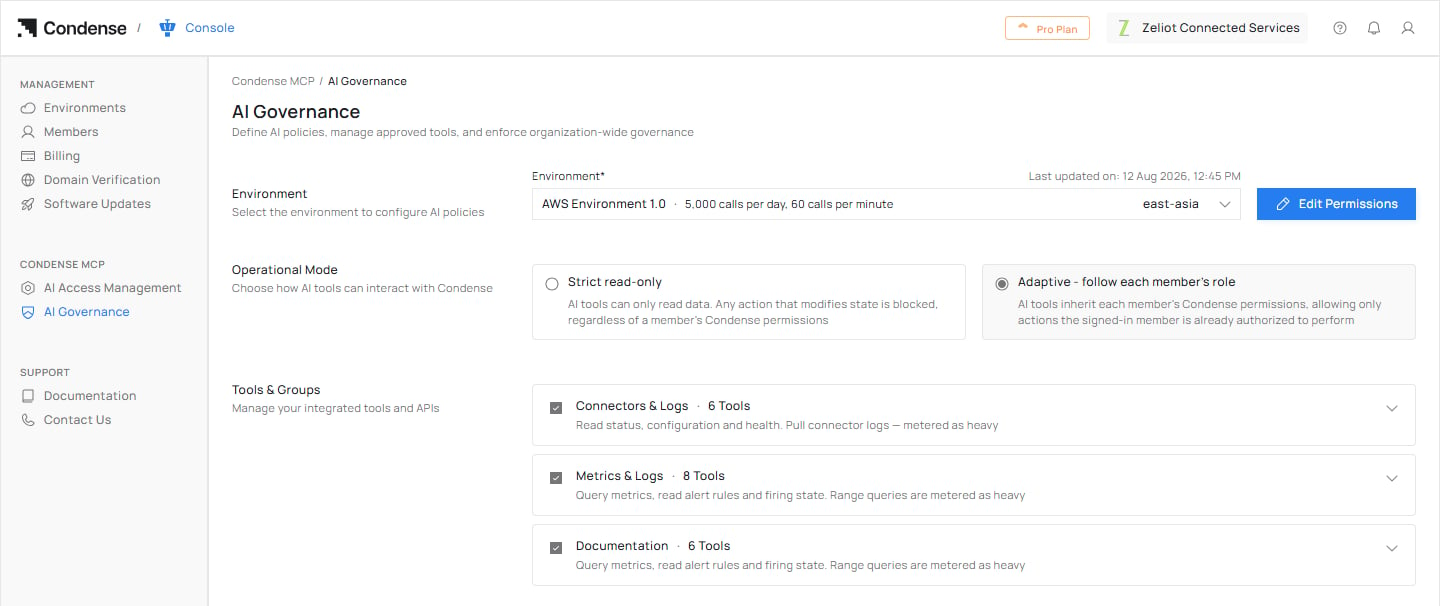
AI Governance for one environment: the operational mode, and the tool groups AI tools may use.
What you set
Governance is set for one environment at a time. Two environments in the same organization can have different settings.Operational modes
Choose Strict read-only for an environment where an AI tool should never change anything, whatever the person could do by hand. Choose Adaptive everywhere else, because it needs no second set of permissions to keep in step with Condense roles.
Set governance for an environment
1
Open AI Governance
Sign in with an Organization Admin account that has AI Governance access. In the Console navigation, open Condense MCP, then AI Governance.
2
Choose the environment
Select an environment. Until you do, the page shows Select an environment to view its details here.
3
Review the current settings
Read the operational mode and the allowed tools and groups. The settings are shown as facts until you choose Edit Permissions.
4
Edit permissions
Choose Edit Permissions. Choose an operational mode, then open each group to allow or block the group or individual tools.
5
Save
Select Save Changes. The changes apply to the environment. Select Cancel to discard them.
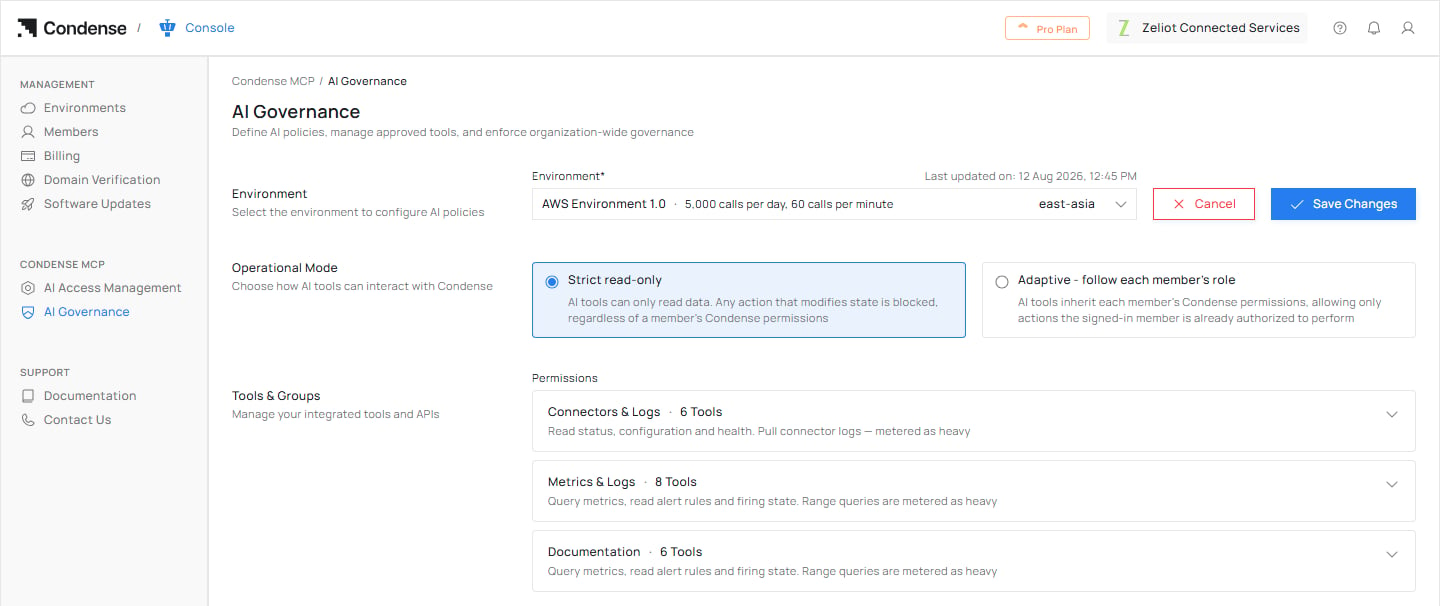
Editing: Strict read-only chosen, with Cancel and Save Changes at the top right.
What members see
- A member’s AI tool can only use what you allow, and only what their own Condense role allows. Switching a tool on here does not give anyone access to it. It only stops the policy being the reason a call is refused.
- If you switch a tool off, a member whose AI tool calls it sees Access denied.
- A tool group you switch off shows as Disabled by Admin in that member’s list of permissions.
- In a read-only environment, the approval page lists the tools with no checkboxes, and the AI Tools page has no Edit Permissions option.
Related
AI Access Management
See every AI connection in your organization, and pause, resume or disconnect them.
Scope and permissions
How governance, approval and roles combine.