

What you get
- Store a connection once, with a name you choose, and reuse it across applications and deployments.
- Test a connection before it is saved, so a typo or a closed firewall shows up at once and not after a deployment.
- Keep several connections for the same type of broker, for example one for development and one for production.
- Keep them private. Every user has their own registry and sees only their own connections, whatever their role.
Supported brokers
Brokers are grouped by who runs them.- Managed cloud brokers: Embedded NATS JetStream Broker, a fully managed broker packaged with Condense. Condense Kafka Broker, a cloud-managed Apache Kafka cluster. Confluent Cloud, fully managed Apache Kafka with Schema Registry support.
- Self managed brokers: NATS & JetStream Broker and Apache Kafka: your own, self-hosted, VPC-peered or external clusters.
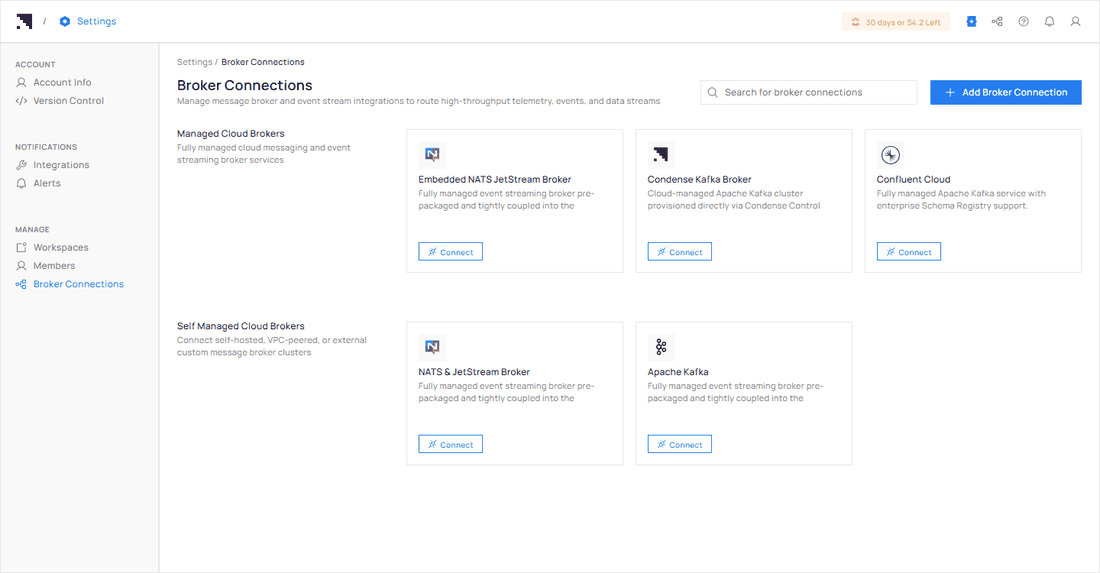
Settings, Broker Registry. Managed cloud brokers above, self managed brokers below. Each card has a Connect button.
How it works
Add a connection
Name it, tag it, enter the details.
Broker types and authentication
The fields for each broker.
Test your connection
What the test checks.
Manage your connections
Re-configure and disconnect.
Use a connection when you deploy
Pick a saved connection and topic.
Test with a saved connection
Publish and subscribe from the app editor.