

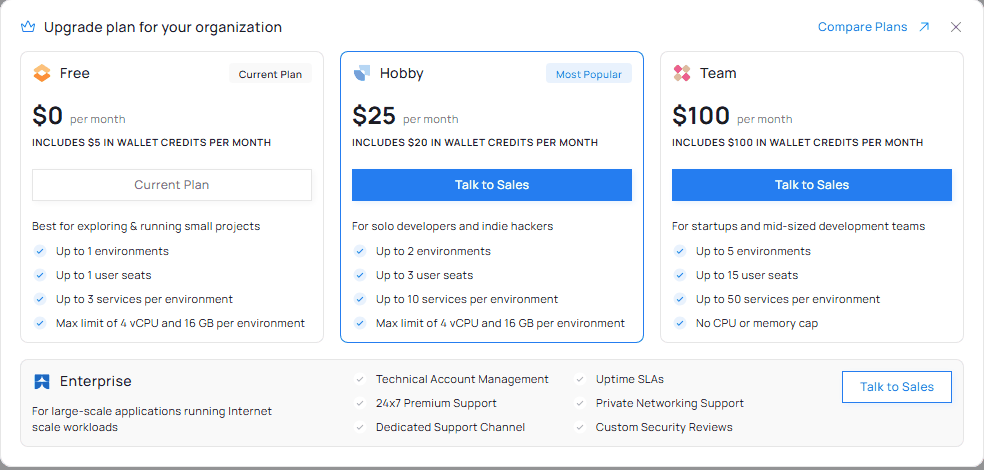
The Upgrade plan window for an organization on the Free plan. The figures in this illustration are examples.
What you see
- Your current plan is marked Current Plan.
- The plans above yours are listed so you can compare them. On Free you see Hobby, Team and Enterprise. On Hobby you see Team and Enterprise. Plans below yours are not shown.
- Each plan card shows its price per month, a one-line description, and what the plan includes: environments, user seats and services per environment. Free and Hobby also show the maximum CPU and RAM per environment.
- Enterprise lists what it adds: Technical Account Management, Uptime SLAs, 24x7 Premium Support, Private Networking Support, a Dedicated Support Channel and Custom Security Reviews.
- Compare Plans in the top corner opens the full plan comparison.
Offers
If a promotional offer applies to your organization, the window highlights it on the plan it applies to.The figures on each card come from your own organization’s plan, so they are the numbers that apply to you.